
Home Automation
Control lights, thermostats, security cameras, door locks, and appliances from a single Flutter app.
 DapkeSocial video app with live streaming and PK battles.
 Lika Real EstateProperty discovery platform for listings and leads.
 BurpoutSocial fitness challenges that keep people moving.
 ChatLivoConnected customer communication SaaS workspace.
 EmoTalesAI storytelling adventures designed for children.
 EarnifyTrack Income from Multiple Sources with Analytics & Tax Planning.
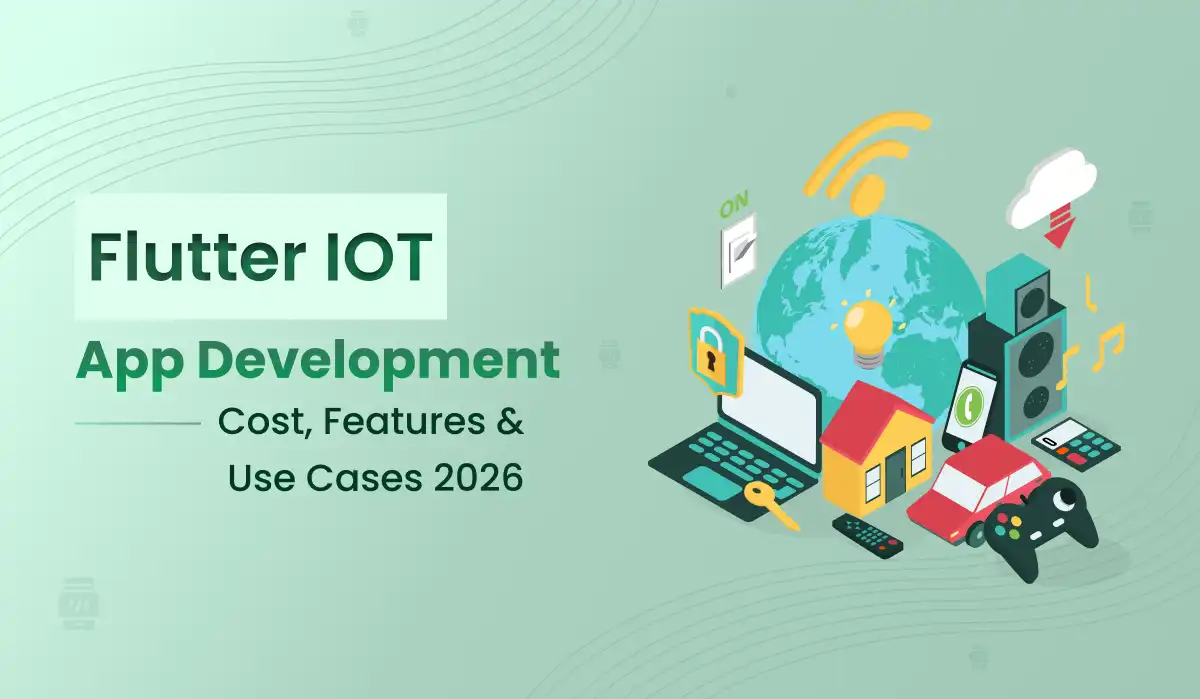
Flutter IoT App Development is becoming a top choice in 2026 for businesses building smart connected solutions. If you are a startup founder, enterprise decision-maker, or product manager planning to build an IoT mobile app, this guide will help you understand the Flutter App Development Cost, essential features, and real-world use cases. This complete guide walks you through everything — from core features and practical IoT applications to a detailed cost breakdown. As a leading Mobile App Development Company , Primocys has helped dozens of global clients build production-ready Flutter IoT solutions.
Flutter IoT app development refers to building mobile and embedded applications using Google’s Flutter framework that communicate with IoT devices — sensors, actuators, wearables, industrial machines, and smart home devices — over Bluetooth, Wi-Fi, MQTT, or cloud APIs.
Flutter is uniquely suited for IoT because a single codebase runs on iOS, Android, Web, and Desktop saving 30–40% in development cost, its hot reload feature speeds up UI development dramatically, and strong Google support ensures long-term framework reliability and ecosystem growth.
Before estimating Flutter app development cost, it is important to understand what features your IoT app needs. Here are the most critical features for a production-ready Flutter IoT application:
Live sensor data via WebSockets or MQTT — temperature, GPS, heart rate, and more.
Seamless pairing with BLE and Wi-Fi devices using flutter_blue_plus and wifi_iot packages.
Turn devices ON/OFF, adjust settings, and trigger actions remotely from anywhere globally.
Real-time FCM alerts for critical events — device offline, threshold exceeded, battery low.
Visual charts and historical data views using fl_chart and syncfusion_flutter_charts.
Secure login and role-based permissions — only authorized users control devices.
Push device firmware updates remotely — no physical access required in the field.
AWS IoT Core, Google Cloud IoT, or Azure IoT Hub for global device management.
Flutter IoT app development is being used across diverse industries in 2026. Here are the most impactful real-world use cases powering global businesses today:
Control lights, thermostats, security cameras, door locks, and appliances from a single Flutter app.
Monitor machine health, production lines, energy consumption, and predictive maintenance alerts.
Connect with smartwatches, glucose monitors, ECG patches for real-time health data and alerts.
Track vehicle location, fuel consumption, driver behavior, and cargo condition in real time.
Monitor soil moisture, temperature, and irrigation — boosting crop yield and reducing water waste.
Smart shelves with RFID sensors give managers real-time inventory visibility and auto-reorder alerts.
See exactly how a Flutter IoT app connects to a Bluetooth printer and triggers a print job — live on both Android and iOS. These are real demos from a production app built by the Primocys team, showcasing seamless BLE device pairing, label printing, and instant feedback — all from a single Flutter codebase.
Flutter app discovers a Zebra BLE printer, pairs instantly, and fires a print job — zero latency on Android.
Same Flutter codebase, same print result — on iPhone. CoreBluetooth under the hood, zero native code needed.
Bluetooth Classic (SPP profile) is used by most Zebra-compatible thermal printers. Flutter doesn’t have a single cross-platform package that covers both platforms cleanly for this protocol, so Apek uses a platform-split approach:
Provides full Bluetooth Classic (SPP) access on Android. Allows discovering bonded devices, establishing a serial connection, and streaming raw bytes to the printer.
iOS restricts BT Classic access. Apek uses a Flutter MethodChannel calling native Swift code that interfaces with the ExternalAccessory or CoreBluetooth framework to communicate with the MFi/BLE printer.
Higher-level abstraction for thermal printing on both platforms. Supports printCustom, printQRcode, printLeftRight, and paperCut — used in some text-only print flows.
Used to generate a full PDF version of the inspection report — with the Apek logo, customer info, QR barcode, and Roboto font — for digital sharing or full-page printing.
# pubspec.yaml — Apek Electronic Restoration
dependencies:
  flutter:
    sdk: flutter

  # — Bluetooth Classic — Android (SPP Profile)
  flutter_bluetooth_serial: ^0.4.0

  # — Thermal printing abstraction — both platforms
  blue_thermal_printer: ^1.1.0

  # — PDF generation for full-page print fallback
  pdf: ^3.10.8
  printing: ^5.11.0

  # — QR code rendering on the ticket preview
  qr_flutter: ^4.1.0

  # — Image manipulation (resize logo before ZPL embed)
  image: ^4.1.7

  # — State management
  get: ^4.6.6

  # — Toast messages for printer status feedback
  fluttertoast: ^8.2.4
Android Permissions Required Add BLUETOOTH , BLUETOOTH_ADMIN , and BLUETOOTH_CONNECT (API 31+) to your AndroidManifest.xml . For Android 12+, also add BLUETOOTH_SCAN .
On Android, Apek scans bonded (paired) Bluetooth devices and establishes a serial connection directly from Dart. Once connected, a ZPL command string is encoded as bytes and streamed to the printer’s output sink.
// 1. Fetch all paired Bluetooth devices
Future<void> _getPairedDevices() async {
  List<BluetoothDevice> devices =
      await FlutterBluetoothSerial.instance.getBondedDevices();
  setState(() { _devices = devices; });
}

// 2. Connect and immediately trigger the print job
Future<void> _connectToDevice(BluetoothDevice device) async {
  try {
    _connection = await BluetoothConnection.toAddress(device.address);
    await _sendZPLCommand();    // fire the print immediately on connect
  } catch (e) {
    Fluttertoast.showToast(msg: 'Connection failed.');
  }
}

// 3. Encode ZPL string as bytes and stream to printer output
Future<void> _sendZPLCommand() async {
  if (_connection == null || !_connection!.isConnected) return;

  String zplCommand = await createZPLCommand();

  _connection!.output.add(Uint8List.fromList(zplCommand.codeUnits));
  await _connection!.output.allSent;
  await _connection!.output.close();

  Fluttertoast.showToast(msg: 'Print Successful ✓');
}
String createZPLCommand() {
  return """
^XA
^LL420

^FO120,210
^A0N,30,30
^FB260,2,0,L
^FD${'$'}{widget.text1}^FS

^FO120,280
^A0N,30,30
^FB260,2,0,L
^FD${'$'}{widget.text2}^FS

^FO120,350
^A0N,30,30
^FB260,2,0,L
^FD${'$'}{widget.text3}^FS

^FO400,200
^BQN,5,5
^FD>>${'$'}{widget.qrText}^FS

^XZ
""";
}

// Data passed into ZebraPrinterDemo constructor:
// text1 -> "John Smith"          (customer name)
// text2 -> "Master Bedroom"       (room name)
// text3 -> "Kitchen - Water Damage" (location - inspection)
// qrText -> "John.Smith || Master Bedroom || Kitchen || Water Damage"
On iOS the ZPL uses ^ADN,15,15 (font D, normal) which renders more reliably on some Zebra-compatible BLE printers. Android uses ^A0N,30,30 (default scalable font at larger size). Both produce the same visual output — just tuned per platform’s printer driver behaviour.
Every Flutter IoT app is unique — the investment depends on your device type, connectivity protocol, cloud requirements, and scale. Instead of generic numbers, tell us about your project and we’ll send a precise, no-obligation estimate tailored to your goals within 24 hours.
Select the range that best fits your plan. All budgets are welcome — we’ll suggest the right scope for you.
Comparing Flutter IoT app development against other frameworks makes the choice clear. Here is a direct head-to-head comparison for 2026:
| Factor | Flutter | React Native | Native (Swift/Kotlin) |
|---|---|---|---|
| Single Codebase | ✅ Yes | ✅ Yes | ❌ No |
| BLE Support | ✅ Excellent | ⚠️ Good | ✅ Excellent |
| Performance | ✅ Near-Native | ⚠️ Good | ✅ Native |
| UI Consistency | ✅ Pixel-Perfect | ⚠️ Good | ⚠️ Platform-Specific |
| Development Cost | ✅ Low | ✅ Low | ❌ High |
| IoT Package Ecosystem | ✅ Growing | ⚠️ Limited | ✅ Mature |
| Long-Term Support | ⚠️ Meta | ✅ Apple/Google |
Primocys is a full-cycle Mobile App Development Company based in Ahmedabad, India, with 14+ years of experience building high-performance Flutter applications for clients across the USA, UK, UAE, and Australia.
Single Flutter codebase for iOS + Android — delivering 30–40% cost savings over native development.
Proven experience with Zebra printers, medical wearables, smart home devices, and industrial sensors.
AWS IoT Core, Firebase, and Google Cloud — scalable backend for any device count worldwide.
Dedicated Flutter IoT team assembled within 48 hours — start development immediately.
Recognized as a Top App Development Company in Ahmedabad with 5-star client reviews globally.
3–6 months of maintenance, bug fixes, App Store updates, and performance monitoring included.
Flutter IoT app development in 2026 offers businesses a powerful, cost-efficient path to building connected device applications that work seamlessly across iOS and Android. With the right partner, there is a solution for every budget and business need — from a focused MVP to a full enterprise-grade platform..
Whether you are building a smart home controller, industrial monitoring dashboard, healthcare wearable interface, or retail inventory system — Flutter combined with the right IoT architecture delivers performance, scalability, and speed-to-market that no other framework can match in 2026..
The investment in IoT app development is always justified by the ROI — reduced operational costs, real-time visibility, automated workflows, and new revenue streams. There has never been a better time to start building your connected product with Flutter..
The key to a successful Flutter IoT project is choosing the right development partner — one with proven expertise in Bluetooth communication, cloud integration, real-time data processing, and scalable architecture. As a trusted iOS App Development Company and Android App Development Company , Primocys brings all of these capabilities under one roof — delivering production-ready IoT solutions on time and within budget. Contact our team today to get started with a free consultation and detailed project estimate..

Hear from our clients and why 1200+ businesses trust Primocys

"Our B2B and B2C platform helps Nigerian manufacturers sell at wholesale prices and suppliers offer competitive retail pricing, with a strong focus on Made in Africa products and easy local and international distribution. The app has received excellent user reviews for its design and unique features. Communication with the Primocys team was smooth in an agile setup, even beyond office hours when needed. Their mobile app development expertise is excellent—highly professional and reliable."

"The dating app was delivered successfully and approved by both Apple App Store and Google Play. Our users are highly impressed with the design, UI, and overall functionality. The project was well planned with clear milestones, and all modules were delivered on time. The team is talented, patient, and flexible, accommodating multiple scope revisions as requirements evolved. Their 24/7 development and support availability made the entire process smooth and reliable."

" We hired Primocys to develop a highly complex and specialized mobile application, and they delivered outstanding results. The app includes advanced features such as timeline mixers, classifieds, payments, advertisements, GPS functionality, and more. Their technical skills, timely delivery, availability, and the personal attention Arpan Sagar brings to each project truly stand out. The team stays focused and committed from start to finish—an excellent experience overall."

" Great team with excellent communication and a strong commitment to on-time delivery. They developed a fully customized mobile app for both Android and iOS, perfectly matching our requirements. The entire process was smooth and professional, with clear updates at every stage. They are reliable, skilled, and very easy to work with. We’re continuing our partnership on more projects, and choosing them has been one of the best business decisions I’ve made."

AWARDS


TRUSTED BY GLOBAL BRANDS