






How This Blog Fits in the Primocys Short Video Series — What’s Unique Here: Our TikTok Clone Guide covers the TikTok-specific build — Duet, Stitch, FYP algorithm, TikTok monetization. Our Instagram Guide covers the Instagram-specific build — Reels, shopping, Stories. This blog covers what both share — the 10 engineering foundations every short video platform is built on, regardless of which app you are cloning or building. It also includes a platform comparison table showing exactly where TikTok, Reels, YouTube Shorts, and niche apps differ on each feature.
Every short video platform that has survived past its first year runs on the same 10 engineering foundations — regardless of whether it is vertical or horizontal, niche or general, TikTok-styled or Instagram Reels-styled. The surface looks different. The underlying features are almost identical.
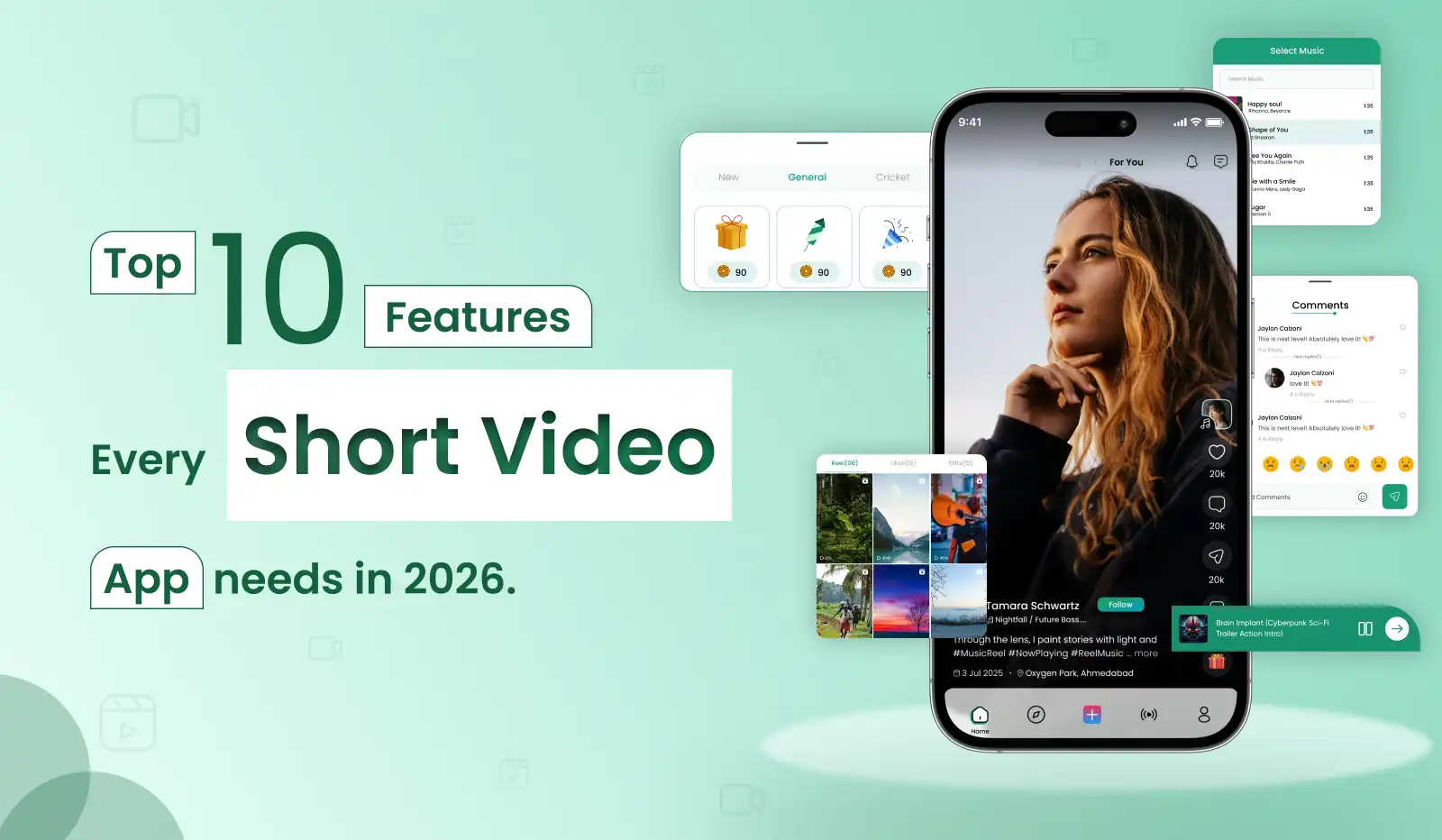
TikTok, Instagram Reels, YouTube Shorts — they all look different but run on the same 10 engineering foundations. This is the platform-agnostic feature guide: what every short video app needs, how each feature gets built, and which ones are genuinely hard versus which ones look hard but aren’t.
What separates winning short video apps from the thousands that launch and disappear is not which features they have — it is how deeply and how correctly those features are implemented. Understanding the best short video app features is the starting point for every successful launch. A bad video feed kills retention on day one. A broken video editor stops creators from uploading. A missing sound library means no viral mechanics. This guide goes one level deeper than a feature list.
Global Short Video Audience 2026
Daily Time on Short Video Apps
Short-form video dominates mobile traffic
MVP Timeline for Short Video App
Why Getting Features Right Determines Whether Your App Survives
Short video apps have the most brutal user expectations of any app category. Users have been trained by TikTok — they expect a video to start playing within 200ms of opening the app, they expect the very first video to be relevant to their interests, and they expect the creation flow to take under two minutes from camera to published. Any friction at any of these three points causes immediate uninstall.
The good news is that the engineering requirements are now well-understood in short video app development. The feature list is not a mystery — it has been tested and refined across billions of users over a decade. Your advantage is not inventing new features. Your advantage is implementing these same 10 features for a specific audience that no existing platform serves deeply enough.
Platform Comparison — Where Each Feature Matters Most
This is the table that no other guide has. Before building any feature, understand whether your specific platform type requires it, and to what depth. The four archetypes — TikTok-style (FYP-first), Instagram Reels-style (follow-graph-first), YouTube Shorts-style (search-supplementary), and Niche Vertical — have meaningfully different requirements for each feature.
| Feature | 🎵 TikTok-Style (FYP-first) | 📸 Reels-Style (Follow-graph) | ▶️ Shorts-Style (Search-supp.) | 🎯 Niche Vertical (Community) |
|---|---|---|---|---|
| AI Personalised Feed | ✅ Core | Important | Moderate | Important |
| In-App Video Editor | ✅ Core | ✅ Core | Important | ✅ Core |
| Video Processing Pipeline | ✅ Core | ✅ Core | ✅ Core | ✅ Core |
| Sound & Music Library | ✅ Critical | ✅ Core | Optional | Niche audio |
| Viral Sound Mechanics | ✅ Critical | Important | Low | Depends |
| Follow System + Social Graph | Secondary | ✅ Critical | Moderate | ✅ Core |
| Duet / Stitch (Collaborative) | ✅ Signature | Optional | Low | Depends |
| Live Streaming | ✅ Core | ✅ Core | Moderate | Optional |
| Virtual Gifts & Coins | ✅ Revenue | Optional | No | Optional |
| Creator Analytics | ✅ Core | ✅ Core | ✅ Core | ✅ Core |
| In-App Shopping | ✅ Growing | ✅ Core | Growing | Optional |
| Hashtag Challenges | ✅ Viral driver | Important | Low | Depends |
| AI Content Moderation | ✅ Essential | ✅ Essential | ✅ Essential | ✅ Essential |
| Search & Discovery | Secondary | Moderate | ✅ Critical | ✅ Critical |
| AR Filters & Effects | ✅ Core | ✅ Core | Optional | Optional |
How to use this table: Before committing to any feature in your MVP, identify which column best describes your platform type. Knowing the best short video app features for your specific archetype — rather than copying every feature from every competitor — is the single biggest time-saver in short video app development. A niche vertical community app does not need viral sound mechanics or Duet/Stitch — those are TikTok-specific growth mechanics that only work at scale. Building them before you have 10,000 users wastes months. Build the “✅ Core” features for your column first, then revisit “Optional” after product-market fit.
The 10 Features — Deep Dive
AI-Powered personalized Video Feed
The most important feature — and the hardest to get right
The personalized feed is not just the first screen users see — it is the entire value proposition of a short video app. Among the most critical AI features in video apps, an intelligent recommendation feed stands above all others. An irrelevant first video causes an immediate close. A perfectly relevant sequence causes 90 minutes of unintended watching. The difference is entirely algorithmic, and it is the feature that separates platforms that retain users from those that lose them on day one.
- Full-screen vertical video player — autoplay on load, loop on completion, swipe-up for next
- Pre-loading — next 2–3 videos buffered in background for instant playback on swipe
- Video completion rate tracking — the single most important engagement signal, weighted above likes and shares
- Dual feed tabs — “For You” (AI-ranked) and “Following” (social graph-ranked)
- Early distribution pool — new videos tested on 200–500 users in first hour; high engagement unlocks next pool of 5,000, then 50,000
- Content signals — captions, hashtags, audio track, visual content category (via computer vision)
- Cold start handling — new users shown trending content until enough signals are collected
In-App Video Creation & Editor
The supply side — if creation is hard, you have no content
TikTok’s true competitive advantage is not the algorithm — it is how easy it makes video creation. When evaluating short video app UI features, the creation interface is the most user-visible and user-tested surface of the entire product. A user who would never edit a video in a desktop app can produce a polished, music-synced clip in under two minutes inside TikTok. The creation flow is the content supply engine of your platform. Make it slow, complex, or buggy and your feed will be empty.
- In-app camera with front/rear switching, flash control, and a hands-free timer
- Multi-clip recording — record in segments up to a configurable maximum duration
- Speed control per clip — 0.3x slow motion to 3x fast forward
- Trim and cut — remove unwanted sections with a timeline scrubber
- Text overlays — multiple fonts, colours, animations, and entry timing
- Sticker library — searchable animated stickers and static overlays
- Green screen mode — replace background using a camera roll image
- Draft saving — preserve in-progress videos before publishing
- Upload from gallery — import existing video clips up to a configurable duration limit
Video Processing Pipeline
The invisible infrastructure that makes everything else work
Users shoot on a 4K phone and expect their video to load in 150ms on a 3G connection in Indonesia. The only way this works is a server-side video processing pipeline that transcodes, compresses, thumbnails, and distributes every video within seconds of upload. This is one of the most technically complex pieces of infrastructure in a short video app — and the one that most developers underestimate.
Receive & Validate
Accept upload via multipart POST. Validate file format (mp4, mov, webm) , duration, and file size. Reject immediately if invalid — do not queue.
Queue Processing Job
Push job to processing queue ( Bull/BullMQ on Node.js). Store raw file temporarily in S3 staging bucket. Return 202 Accepted to client immediately — do not block.
Transcode with FFmpeg
Worker picks up job. FFmpeg transcodes to multiple resolutions: 1080p, 720p, 480p, 360p , 360p. Output as HLS ( .m3u8 + .ts segments) for adaptive bitrate streaming — automatically serves right quality for connection speed.
Generate Thumbnails
Extract frame at 0.5s, 1s, and 2s. Use Python + OpenCV to select the “best” frame based on sharpness and face detection. Compress to JPEG at 80% quality.
AI Content Analysis
Python ML model analyses video content — categorises topic, detects faces, identifies objects, runs moderation check. Results stored in video metadata for feed ranking and search indexing.
Distribute to CDN
Upload all transcoded files and thumbnails to S3. Invalidate CloudFront CDN cache for the video path. Video is now available from the nearest edge location worldwide — average latency under 150ms globally.
Notify & Publish
Update video status in database from processing to published . Send Socket.io event to creator’s active session. Push notification to followers (if opted in to new video alerts).
Sound & Music Library + Viral Audio Mechanics
The supply side — if creation is hard, you have no content
Audio is the feature most developers deprioritize and most founder’s underestimate. On TikTok, a trending sound is a viral catalyst — one creator uses an audio clip, others remix it, and a meme format spreads across millions of videos. This network effect of audio is why TikTok’s engagement per user is significantly higher than any other short video platform. It is not optional.
- Licensed music library — integrate a music provider (Epidemic Sound, Artlist, or build a cleared library) for royalty-safe audio
- Original audio — creators record and upload their own sounds, which other creators can then use
- Sound page — each audio clip has its own page showing all videos using it, sorted by engagement
- Trending sounds — surface currently popular audio in the creation tool for discoverability
- Favourites — creators save sounds to a personal library for quick access
- Volume mixer — blend original video audio with overlay sound
- Audio-to-video sync — AI detects beat and tempo and suggests clip cut points aligned to the music
Social Graph — Follow, Discover & Share
The network that turns a video app into a community
The social graph is the infrastructure that connects users to creators, creators to their fans, and content to new audiences. Without it, your app is a video player. With it, every new follow, every share, and every comment becomes a growth event. The social graph also determines how content flows through your platform — a strong follow graph means more predictable content distribution for creators.
- Follow / unfollow with real-time follower count updates
- Suggested creators — AI recommends creators to follow based on watch history and interest category
- Mutual followers indicator — “followed by [person] and 3 others you follow
- Hashtag system — create, search, and trend hashtags across the platform
- Share to external platforms — copy link, share to Instagram Stories, WhatsApp, Twitter
- Explore / Discover page — trending content, trending hashtags, suggested creators
- Search — full-text search across videos, creators, hashtags, and sounds (powered by Elasticsearch)
Live Streaming with Virtual Gifts
The highest-engagement format and the most direct monetization path
Live streaming creates something no pre-recorded video can replicate — the experience of being present with a creator in real time. Viewers cannot pause. They cannot rewind. The FOMO of missing a live moment drives significantly higher engagement than any other format. Combined with virtual gifts, live streaming also generates direct platform revenue from day one.
- Low-latency live broadcast — target under 3 seconds delay from creator to viewer
- Real-time comment stream — viewers type, creator sees instantly, responds live
- Virtual gifts — animated gift items (roses, diamonds, lions) purchased with in-app coins
- Gift leaderboard — top 3 gifters ranked and displayed during the live
- Co-host mode — invite another creator to share the live screen side-by-side
- Guest requests — viewers can request to join live with their camera
- Live replay — automatically save and publish as a standard video after the stream ends
Creator Analytics Dashboard
The data that makes creators loyal to your platform
Creators migrate to platforms that help them understand their audience. Most short video platforms provide analytics that are either too delayed (24–48 hour lag) or too shallow (just views and likes). Alongside strong short video app UI features for viewers, a data-rich creator dashboard is one of the most powerful creator retention tools available. A creator analytics dashboard that surfaces meaningful insights — completion rates, audience retention curves, peak posting times, demographic breakdowns — gives creators a reason to stay on your platform and invest in their content quality.
- Real-time view count — live updating as a video accumulates views
- Engagement metrics per video — likes, comments, shares, saves, completion rate
- Audience retention curve — frame-by-frame drop-off showing exactly where viewers stop watching
- Follower demographics — age, gender, top countries, most active hours
- Content performance — top videos ranked by reach, completion rate, and engagement
- Growth chart — follower growth over time with comparison periods
- Live stream metrics — peak viewers, total viewers, gift revenue, replay views
AI Content Moderation
Non-negotiable — without this your platform cannot scale path
This is the feature that no one wants to build and everyone needs. At 100 videos per day, you can manually review content. At 10,000 videos per day, you cannot. AI content moderation is not optional for any short video platform at scale — it is the infrastructure that allows the platform to exist legally in most jurisdictions.
- Nudity and explicit content detection — computer vision classifier on every frame
- Violence and graphic content detection — frame-level analysis during video processing
- Hate speech and harmful text — NLP analysis of captions, comments, and usernames
- Spam detection — behavioural analysis identifying bot-like posting patterns
- Copyright audio detection — audio fingerprinting against a database of protected music
- Human review queue — flagged content escalated to human moderators with confidence scores
- User reporting — in-app report flow with category selection and anonymous submission
- Appeal system — creators can contest removals with a structured review process
Smart Push Notifications & Re-Engagement
The only channel that brings users back when the app is closed
Push notifications are the most direct retention tool you have — but they are also the feature most likely to cause permanent uninstalls if implemented poorly. The goal is to send notifications that feel like opportunities, not interruptions. Smart notifications target users at the right moment with the right content — not every event, only the ones that will actually cause the user to open the app.
- New follower notification with suggested follow-back (high open rate)
- Creator live alert — “Creator you follow just went live” — the highest-open-rate notification type
- Video milestone — “Your video just hit 1,000 views” — positive reinforcement for creators
- Comment reply — only when someone replies to your comment, not all new comments
- Trending video alert — “A video you engaged with 2 hours ago is now trending”
- Quiet hours — system learns and respects individual sleep schedules
- A/B testing framework — test different notification copy and timing to optimise open rates
- Personalised digest — weekly summary of creator activity for users who have not opened in 5+ days
Monetization Layer — Revenue from Day One
The business model built into the product — not bolted on after
Monetization should be designed into your short video platform from the beginning — not retrofitted after launch. Video app monetization features are most effective when they are embedded into the core product loop rather than added as an afterthought. The most successful short video platforms generate revenue from multiple streams simultaneously, creating resilience against any single stream declining. Here is the monetization stack that works for short video platforms in 2026.
- Virtual gifts & coins — users buy in-app currency, spend it sending animated gifts during live streams. Platform earns 30–50% of each transaction. Lowest friction, highest margin.
- In-feed video ads — full-screen native ad format between organic videos. CPM/CPC pricing for advertisers. Requires minimum 10,000+ DAU to attract advertisers.
- Creator subscription — fans pay monthly for exclusive content access, subscriber-only lives, and direct creator interaction. Platform takes 20–30% commission.
- Branded hashtag challenges — brands pay a fixed fee to place their challenge on the Discover page for a set period. Generates user-created content at scale for the brand.
- In-app shopping — creators tag products in videos, viewers purchase without leaving the app. Platform earns 2–15% affiliate commission.
- Creator Fund — platform pays creators per 1,000 views to incentivise content supply and retain top creators on the platform.
Complete Tech Stack for a Short Video App in 2026
Here is the production-proven stack Primocys uses for short video app development — each component chosen for the specific demands of a high-performance short video app with high-volume video delivery, real-time feeds, and AI-powered recommendations..
Mobile Frontend — Cross-Platform & Native
iOS + Android — recommended for most projects
Cross-platform alternative
Advanced camera + video processing
Deep OS-level video access
Backend — Real-Time, Video & API
Real-time feed, comments, live events
High-concurrency video serving at scale
Video transcoding, HLS, thumbnails
Video processing job queue
AI & Machine Learning
Feed ranking algorithm
Video analysis, thumbnail selection
Caption moderation, content classification
On-device AI filters (iOS)
Database & Infrastructure
Users, social graph, coins, transactions
Videos, comments, hashtag metadata
Feed cache, sessions, trending calc
Video storage + global CDN delivery
Video + user + hashtag search
Cross-platform push notifications
Why Flutter + Node.js + Python is the right combination for short video apps: Flutter gives you one codebase for iOS and Android — cutting development time by 35–40%. Node.js handles the real-time events that make a short video platform feel alive — comments appearing instantly, live viewer counts updating, gift animations popping. Python runs the AI recommendation engine that determines user retention. These three working together is the architecture behind every serious short video platform built in 2026.
What’s Your Approximate Budget for This Project?
Every short video platform is different — tell us your vision and we’ll send a precise, no-obligation estimate within 24 hours.
Conclusion
Building a successful short video app in 2026 comes down to one thing — getting these 10 features right. Not just building them, but building them correctly. The AI feed that retains users, the video editor that empowers creators, the monetization layer that generates revenue from day one — every feature compounds on the next.
The platforms that win are not the ones with the most features. They are the ones with the most thoughtfully executed core features.
Ready to build yours? 👉 Talk to the Primocys team — we scope, design, and build short video platforms end to end. Contact Us
Frequently Asked Questions
What are the most important features of a short video app?
What tech stack is best for building a short video app in 2026?
What is different about TikTok-style features vs Instagram Reels-style features?
How long does it take to build a short video app with all 10 features?
Should I use Flutter or native for a short video app?
COMPLETE PRIMOCYS SHORT VIDEO & SOCIAL APP SERIES
How to Build a TikTok Clone App In 2026 — Features, Algorithm & Monetisation
INSTAGRAM DEVELOPMENTInstagram Like App Development: Complete Guide for Startups (2026)
INSTAGRAM CLONE SERVICEInstagram Clone App Development — Features & Platform by Primocys
TIKTOK CLONE SERVICETikTok Clone App — Launch Your Own Short Video Platform
INSTAGRAM FEATURESTop 10 Features Every Instagram Clone Must Have In 2026
MOBILE DEVELOPMENTMobile App Development Company — Startups & Enterprise

Build your scalable apps today.
Contact UsLeaving Already?
Hear from our clients and why 1200+ businesses trust Primocys

"Our B2B and B2C platform helps Nigerian manufacturers sell at wholesale prices and suppliers offer competitive retail pricing, with a strong focus on Made in Africa products and easy local and international distribution. The app has received excellent user reviews for its design and unique features. Communication with the Primocys team was smooth in an agile setup, even beyond office hours when needed. Their mobile app development expertise is excellent—highly professional and reliable."

"The dating app was delivered successfully and approved by both Apple App Store and Google Play. Our users are highly impressed with the design, UI, and overall functionality. The project was well planned with clear milestones, and all modules were delivered on time. The team is talented, patient, and flexible, accommodating multiple scope revisions as requirements evolved. Their 24/7 development and support availability made the entire process smooth and reliable."

" We hired Primocys to develop a highly complex and specialized mobile application, and they delivered outstanding results. The app includes advanced features such as timeline mixers, classifieds, payments, advertisements, GPS functionality, and more. Their technical skills, timely delivery, availability, and the personal attention Arpan Sagar brings to each project truly stand out. The team stays focused and committed from start to finish—an excellent experience overall."

" Great team with excellent communication and a strong commitment to on-time delivery. They developed a fully customized mobile app for both Android and iOS, perfectly matching our requirements. The entire process was smooth and professional, with clear updates at every stage. They are reliable, skilled, and very easy to work with. We’re continuing our partnership on more projects, and choosing them has been one of the best business decisions I’ve made."

AWARDS




Share Your Requirements
TRUSTED BY GLOBAL BRANDS