






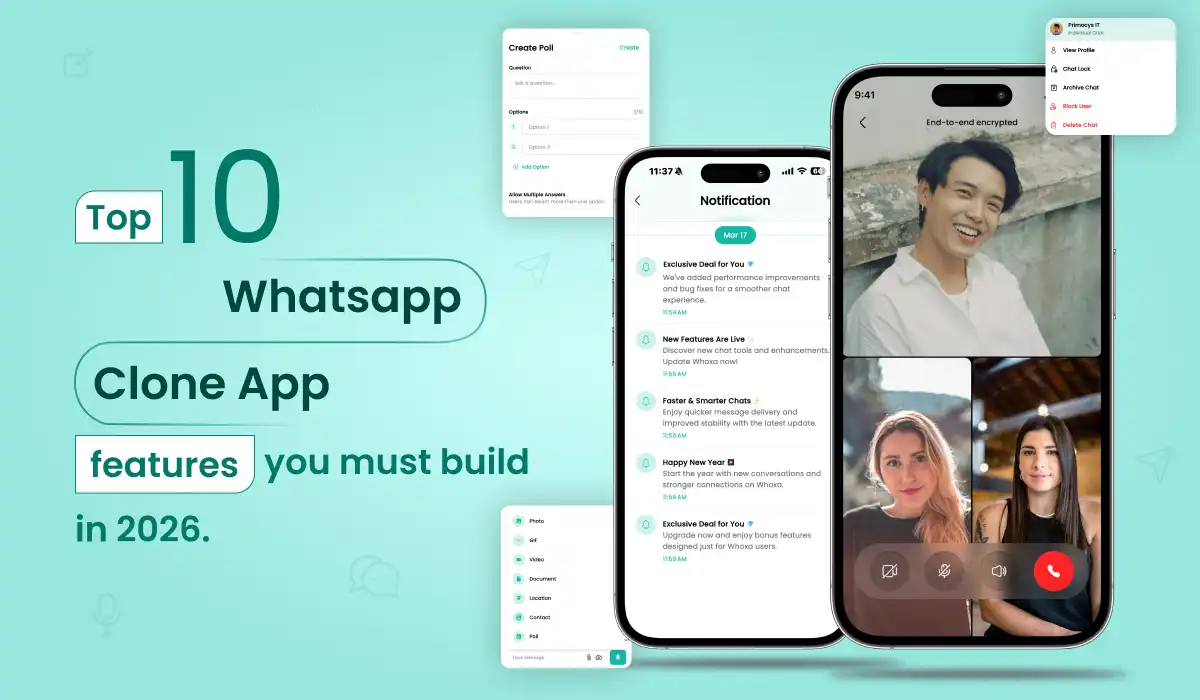
Quick Summary: Building a WhatsApp clone in 2026 means going beyond basic messaging. The 10 features in this guide — from end-to-end encryption and self-hosted video calling to multi-device sync and local payment integration — define whether your app earns users or loses them in the first week. Skip even one of these, and you’re handing retention to whoever builds it right.
With over 2 billion active monthly users and growing enterprise adoption, WhatsApp remains the gold standard for mobile messaging. But with rising data privacy concerns, niche community needs, and regional messaging gaps — especially across Southeast Asia, the Middle East, and Africa — the demand for custom, branded messaging platforms is stronger than ever.
A WhatsApp clone app features a ready-to-deploy communication platform — fully branded, source-code owned, and free from policy limitations of consumer WhatsApp. — fully branded, source-code owned, and free from the policy limitations of consumer WhatsApp. Whether you’re building for a corporate team, a social community, or a regional market, messaging app development in 2026 offers an enormous commercial opportunity.
That is where the real market is. And that market is genuinely wide open.
This guide covers the 10 features every WhatsApp clone must ship to compete seriously in 2026 — what each one actually involves at the engineering level, which are non-negotiable at launch versus which can wait for Phase 2, and the one architectural decision that will determine your long-term cost structure more than any other.
Already building specifically for Indonesia or Malaysia? Our complete regional build guide for Southeast Asia → covers local compliance, payment rails, and go-to-market strategy for those markets specifically.
Why Feature Selection Matters More Than Ever in 2026
The consumer messaging market is saturated. WhatsApp, Telegram, Signal, WeChat, and iMessage between them cover virtually every general-purpose use case. You are not going to win by building a slightly better version of any of them.
The vertical and regional markets, however, are a different story. A healthcare messaging platform with HIPAA-compliant E2EE and audit logs. A community app for a specific country with local payment integration and native-language UI. A B2B tool that brings CRM data into the chat thread. These are genuinely underserved, and the feature requirements for each are meaningfully different from WhatsApp’s general-purpose toolkit.
What makes 2026 specifically interesting is the convergence of three forces:Indonesia’s PDP Law, the EU DMA, India’s DPDP Act, and Malaysia’s PDPA have all moved from proposal to enforcement. Encryption and data residency are now legal requirements.
The average messaging app gets one chance. If a feature a user expects is missing — read receipts, voice notes, group mentions — they uninstall within 48 hours. The baseline has never been higher.
Smart replies, message translation, AI-powered content moderation — users in 2026 notice when these are absent, not when they are present. Build them in from the start.
Real-Time 1:1 and Group Messaging (With Status Receipts)
This is the core of everything — and it is harder to get right than it looks.
Real-time messaging means sub-200ms message delivery in normal network conditions. That is the threshold below which a conversation feels instant. Above it, the app feels laggy, and users notice immediately. Achieving this consistently across mobile networks in emerging markets — where connections drop, switch between 4G and 3G, and sit behind NAT — requires a thoughtfully designed messaging architecture, not just a WebSocket connection.
The absolute foundation of any messaging app is real-time chat. Users expect instant message delivery — not near-instant, not delayed — with visible confirmation that their message was sent, delivered, and read. This is the feature that defines whether your platform feels like a serious communication tool or a prototype.
Technically, real-time messaging is powered by a persistent WebSocket connection between the client and server. Node.js + Socket.io is the most production-proven stack for this — capable of handling 100,000+ concurrent connections on a single server with the right infrastructure tuning. This is the same approach used when teams build a messaging app like WhatsApp at production scale.
WHAT TO BUILD
- WebSocket-based persistent connection (Socket.io or native WebSocket)
- Message queue (Redis or RabbitMQ) for guaranteed delivery
- Delivery state machine: sent → delivered → read with timestamps
- Typing indicators via lightweight WebSocket event, debounced to avoid channel flooding
- Threaded replies with original message quoted inline
- Message reactions — emoji picker plus custom reactions
- Starred/bookmarked messages accessible from a dedicated inbox
- Disappearing messages (24h / 7d / 90d timer), enforced server-side with TTL
For group messaging, design for scale from day one. A group of 256 members is manageable with fan-out-on-write. A channel of 1,000+ members needs fan-out-on-read — write the message once and distribute on retrieval — otherwise a single message triggers thousands of simultaneous database writes.
End-to-End Encryption (E2EE)
Privacy is non-negotiable in 2026. End-to-end encryption (E2EE) ensures that only the sender and recipient can read a message — not even your own servers can decrypt it. For any serious messaging app development project, E2EE is a baseline requirement, not a premium feature.
Building E2EE correctly is genuinely complex — improper implementation of the ratchet algorithm or key management creates security vulnerabilities that are hard to detect and catastrophic to user trust. This is why working with a proven chat app development company that has shipped production-grade encrypted messaging is critical, rather than building from scratch without prior experience.
WHAT TO BUILD
- Signal Protocol (libsignal) — Double Ratchet Algorithm + X3DH key agreement
- Public/private keypair generated on device at registration — private key never leaves the device
- Sealed sender to prevent metadata leakage (server cannot see who is messaging whom)
- Key verification via QR code scan for manual trust verification
- Encrypted local database: SQLCipher on Android, SQLite with AES-256 on iOS
What NOT to do: — Transport-layer encryption only (HTTPS) is not E2EE — the server still receives and stores plaintext messages. This mistake is common in cheaper clone scripts and creates serious legal exposure. Genuine E2EE means your server routes ciphertext it cannot decrypt.
Voice and Video Calling (Self-Hosted WebRTC)
Text alone is no longer enough. In 2026, voice and video calling are expected features — not optional add-ons. Users switch away from messaging platforms that force them to open a separate app for calls. When you build a messaging app like WhatsApp, calling must be native, high-quality, and cost-efficient at scale.
The decision: managed API vs. self-hosted WebRTC. Managed APIs ( Agora, Twilio, ZEGOCLOUD) are faster to implement. The cost structure, however, is brutal at scale — per-minute per-user pricing becomes tens of thousands of dollars per month at meaningful DAU.
The financial case for WebRTC is compelling: a platform with 50,000 monthly active users using Agora or Twilio would face $3,000–$8,000/month in per-minute API fees. The same traffic with self-hosted WebRTC costs only your server infrastructure — typically $80–$300/month.
| Agora / Twilio / ZEGOCLOUD | Self-Hosted WebRTC | |
|---|---|---|
| Implementation time | Days | 3–6 weeks |
| Cost model | Per-minute per-user | Fixed server cost |
| 1M minutes/month | $990–$3,990 | $200–$400 |
| Data location | Third-party servers | Your infrastructure |
| Compliance (PDP, GDPR) | Requires DPA review | Full control |
| Vendor dependency | High — pricing changes affect P&L | None |
What to build (self-hosted path)
- LiveKit or mediasoup as the WebRTC Selective Forwarding Unit (SFU)
- Coturn as the TURN server for NAT traversal — critical for Indonesian mobile networks
- Adaptive bitrate: auto-degrades 720p → 480p → audio-only based on bandwidth
- Group video up to 8 participants on the SFU architecture
- Screen sharing for 1:1 calls (increasingly expected in B2B contexts)
- Call waiting, decline, and missed call notifications
Media Sharing and File Transfer
Messaging without rich media feels like 2010. Photos, videos, voice notes, documents, and location pins are how people actually communicate. The challenge is implementing media sharing in a way that feels fast on the devices and networks your users actually have.
A core reason users stay on WhatsApp is its seamless media sharing experience. Any application to clone WhatsApp must deliver the same fluidity — fast uploads, smart compression, and organized retrieval of shared media. Poor media handling is one of the top reasons users churn from alternative messaging platforms.
Start with client-side compression before any file leaves the device. Images should compress to under 500KB by default. Videos should re-encode to roughly 5MB for a standard 30-second clip. For uploads, implement chunked transfer with resume-on-failure — a user uploading a video on an unstable Indonesian 4G connection should not have to start over if the connection drops at 80% completion.
For delivery, never serve media directly from origin storage. Use a CDN — AWS CloudFront or Cloudflare — with edge nodes in Singapore or Jakarta for SEA users. The difference in perceived load time between an origin server in the US versus a CDN edge node 50ms from the user is dramatic and directly affects retention.
Media types to support
- Voice notes with in-app recording and waveform visualisation
- Documents: PDF, DOCX, XLS with in-app preview
- Live location: GPS updates every 15 seconds for up to 8 hours, shown as a moving pin in chat
- Static location pin: single-tap share of current coordinates
- Contact cards in vCard format — saved directly to recipient’s address book
Status and Stories (Disappearing Content)
Status — the 24-hour disappearing photo, video, or text update visible to your contacts — is the single most effective daily active usage driver in messaging apps. Users who post status updates return to the app 3–4× more per day than users who only exchange messages. Status creates a reason to open the app even when there is no unread message.
Status updates (Stories) drive social engagement and daily return visits. When building your messaging app development roadmap, status features add a social layer that makes your platform feel dynamic and alive rather than a purely utilitarian tool.
Start with client-side compression before any file leaves the device. Images should compress to under 500KB by default. Videos should re-encode to roughly 5MB for a standard 30-second clip. For uploads, implement chunked transfer with resume-on-failure — a user uploading a video on an unstable Indonesian 4G connection should not have to start over if the connection drops at 80% completion.
What to build
- Photo from camera or gallery, short video (up to 30 sec), text with customisable background colours
- Link preview generation when a URL is included
- View tracking: who viewed your status, with timestamps, ordered by recency
- Privacy controls: all contacts / whitelist / blacklist — granular per status
- Mute specific contacts’ statuses without unfriending
- Status replies flow directly into the sender’s DM thread — creates conversation triggers
- Server-side TTL deletion after 24 hours — do not rely on client-side deletion
Group Chats and Community Channels
WhatsApp’s group chat and Communities features drive an enormous share of its daily active usage. Any serious WhatsApp clone app development project must include scalable group messaging with robust admin controls — this is especially critical for community-focused or enterprise use cases.
Group chats
- Up to 1,024 members — design database writes for this from day one
- Role hierarchy: super admin (non-removable creator), admins, members — with granular permissions
- Invite via link with configurable expiry and maximum usage count
- @mentions for individuals and @all for broadcast — with distinct notification sound
- Pinned messages (up to 3 per group) for permanent information surfacing
- In-group polls and event scheduling — low effort, high engagement impact
Community channels
- Broadcast mode: admin posts, members react but cannot send to all
- Fan-out-on-read architecture for channels above a few hundred followers
- Announcement pinning visible across all sub-channels of a community
Push Notifications and Notification Management
Push notifications sound like a solved problem. In the markets where messaging apps see the most growth — Indonesia, India, Bangladesh, most of Southeast Asia — they are not. Aggressive battery optimisation firmware from Xiaomi, OPPO, Vivo, and Samsung budget lines kills background processes and FCM delivery services. The result: notifications simply never arrive, and users discover their “real-time” messaging app has a 20-minute delay. This is the number-one complaint on messaging apps in SEA markets and one of the top reasons for uninstalls within the first two weeks.
Push notifications are your most powerful re-engagement tool. Without them, even the most feature-rich messaging platform will struggle to maintain daily active user counts. Every WhatsApp clone app development project must include a robust notification system that is both timely and user-controllable.
WHAT TO BUILD
- FCM (Firebase Cloud Messaging) for Android, APNs for iOS — platform-native delivery
- Foreground service on Android to maintain WebSocket connection when app is backgrounded
- Battery optimisation whitelist prompt on first launch — with a clear explanation, never on day-zero install
- Notification channels (Android 8+): separate channels for messages, group activity, call alerts
- Smart bundling: 12 messages from one thread = one notification with count, not 12 alerts
- Direct reply from notification without opening the app
- VoIP push (APNs CallKit) on iOS for instant call wake on fully closed app
Multi-Device Sync
TIn 2026, single-device-only is a product-killer for any messaging app targeting adults in professional contexts. Users expect to pick up a conversation from their phone, continue it on a desktop browser, and have everything — messages, read state, media — perfectly in sync across all devices simultaneously.
WHAT TO BUILD
- Device registry per user account: device ID, platform, last-active timestamp
- Separate keypair per linked device — each incoming message encrypted individually for each device
- Linked devices UI: show all active sessions, allow remote logout of any individual device
- Read state sync: reading on desktop marks as read on phone simultaneously
- Independent session management: one device logout does not affect others
Critical: — Multi-device is 3–5× more expensive to retrofit than to design for from the start. The key distribution model must be decided before the encryption layer is built. Make this decision in week one of your build, even if you’re not shipping multi-device in the MVP.
In-App Payments and Wallet
In-app payments may be a Phase 2 feature in some markets. In Indonesia and Malaysia, it is a market requirement — or at least from the moment you start thinking seriously about retention and monetisation. WeChat’s dominance in China was built not on messaging features but on WeChat Pay, which turned the app into the financial layer of daily life.
Indonesia — required integrations
- QRIS (QR Indonesian Standard) — mandatory for QR payments, requires Bank Indonesia certification
- GoPay, OVO, and Dana wallet integration via API (partnership agreements required)
Malaysia — required integrations
- Touch ‘n Go eWallet — dominant QR and contactless payment rail
- DuitNow — national real-time bank transfer standard
In-chat payment UX
- Send money: contact → payment icon → amount → biometric confirm → receipt card in thread
- Request money with optional note and 24-hour unpaid reminder trigger
- Split bill: enter total, select contacts, app calculates shares and sends individual requests
- Transaction history: every payment appears in the shared chat thread as a persistent record
All payment data handling must comply with local data residency requirements. PDP Law in Indonesia requires payment data for Indonesian users to be stored on servers physically located in Indonesia.
Business Accounts and API Messaging
Business accounts are your monetisation engine. While consumer users pay nothing and expect everything, businesses pay for verified status, broadcast credits, automation tools, and API access — and they have budget and measurable ROI to justify it.
WHAT TO BUILD
- Business profile: verified badge, category, hours, website, product catalog (up to 500 items)
- Quick replies: template messages triggered by keyboard shortcuts
- Automated welcome message + away message (configurable from admin dashboard)
- Broadcast lists: one-to-many DMs to up to 1,000 opted-in contacts
- REST API: CRM integration with Salesforce, HubSpot, Zoho, custom systems
- Rule-based chatbot builder — no-code, in-dashboard flow builder
- Analytics: message open rate, response time, conversion tracking
| Tier | Monthly Price | Features |
|---|---|---|
| Free | $0 | Basic business profile, manual messaging |
| Pro | $29–$99 | Catalog, quick replies, broadcasts, away messages, analytics |
| API | $199+ | REST API, CRM integration, chatbot builder, dedicated support |
Feature Priority Matrix: What to Build First
Not every feature belongs in your MVP. Here is how to phase the build without sacrificing user quality.
| Feature | MVP (Month 1–3) | Phase 2 (Month 4–6) | Phase 3 (Month 7+) |
|---|---|---|---|
| Real-time 1:1 and group messaging | MVP | — | — |
| End-to-end encryption | MVP | — | — |
| Voice and video calling | MVP | — | — |
| Media sharing and file transfer | MVP | — | — |
| Status and stories | MVP | — | — |
| Group chats and community channels | MVP | — | — |
| Push notifications | MVP | — | — |
| Multi-device sync | — | Phase-2 | — |
| In-app payments and wallet | — | Phase-2 | — |
| Business accounts and API | — | — | Phase-3 |
Ship the first 7 features in your MVP. Multi-device and payments belong in Phase 2 not because they are less important, but because they require infrastructure groundwork — regulatory compliance for payments, key distribution architecture for multi-device — that takes time regardless of development speed. Business API belongs in Phase 3 because it requires an established user base to be commercially useful.
The Tech Stack That Powers These Features in 2026
Each component is chosen based on what delivers the best performance in the markets where messaging app growth is actually happening: Southeast Asia, South Asia, and the Middle East, where mid-range Android devices and variable mobile networks define the user experience.
Single codebase for iOS + Android. Skia/Impeller renderer delivers smooth animation on mid-range Android — critical for SEA markets.
Battle-tested WebSocket architecture at scale. The same foundation WhatsApp was built on.
Zero per-minute fees. Full data sovereignty. GDPR and PDP compliant without third-party DPA.
Postgres for structured data. Redis for presence state, typing indicators, and ephemeral session data — sub-millisecond reads.
Globally distributed with Singapore and Jakarta edge nodes for SEA users. Signed URLs for access control.
The gold standard. Open-source, court-tested in multiple jurisdictions, and continuously audited by the security community.
Local payment rail integration is not a nice-to-have — it is required for adoption in Indonesia and Malaysia.
Container orchestration for auto-scaling. Critical for handling viral growth spikes without manual intervention.
How Much Does It Cost to Build These Features?
Cost depends on platform choice, feature scope, and whether you’re starting from a white-label script or building from scratch.
| Build Approach | Timeline | Cost Range | Best For |
|---|---|---|---|
| White-label clone script | 6–10 weeks | $3,000–$5,000 | MVP, concept validation |
| Hybrid (script + custom) | 12–20 weeks | $5,000–$10,000 | Funded startups with specific requirements |
| Full custom build (all 10 features) | 20–36 weeks | $10,000–$15,000+ | Enterprise, regulated industries, Series A+ |
What drives cost up most significantly:
Common Mistakes to Avoid When Building a WhatsApp Clone
These are not hypothetical. Each of these is a pattern the Primocys team has seen in client codebases inherited from earlier development partnerships.
Mistaking HTTPS for E2EE
Transport-layer encryption protects data between client and server. The server still receives and stores plaintext messages. This is not end-to-end encryption, even though some developers describe it as such. Apps that ship this way create regulatory liability and, when discovered publicly, serious reputational damage.
Building on paid calling APIs from the beginning
At 100,000 daily active users making one 5-minute call each, API-based calling costs $50,000–$200,000 per month. Migrating the call architecture once the app is live is painful and expensive. Design for self-hosted WebRTC from day one.
Skipping multi-device architecture at the design stage
The key distribution model must be designed before the encryption layer is built. Retrofitting it afterward requires rearchitecting the encryption model, backend message routing, and client-side key management simultaneously. Budget 3–5× more to fix it than to design it correctly upfront.
Ignoring local payment rails
Stripe alone does not work for most users in Indonesia or Malaysia. Users in these markets have GoPay, OVO, and Touch ‘n Go balances they use daily. An app that forces international card processing will see near-zero payment adoption. Local rail integration is a core product decision, not a localisation detail.
Building a consumer app when a B2B tool is the real opportunity
The most defensible messaging businesses in 2026 are enterprise communication platforms with compliance controls, CRM integrations, audit logs, and dedicated support. These command subscription revenue, have lower churn, and do not need consumer scale to be commercially successful.
Conclusion
Building a WhatsApp clone app in 2026 is more than just replicating features — it’s about creating a secure, scalable, and user-friendly messaging platform that stands out in a competitive market.
From end-to-end encryption to multi-device sync and local payment integration, these 10 WhatsApp clone app features are the foundation of a successful messaging app development strategy.
The market is wide open. Businesses, communities, and regional markets are actively looking for custom chat solutions.
Ready to build yours? Get in touch with our expert team today and turn your WhatsApp clone app idea into a powerful reality in 2026!
Frequently Asked Questions
What are the most important features of a WhatsApp clone app?
How long does it take to build a WhatsApp clone with all 10 features?
Is it legal to build a WhatsApp clone app?
What is the best tech stack for a WhatsApp clone in 2026?
How much does it cost to add video calling to a WhatsApp clone?
What payment methods should a WhatsApp clone support in Indonesia?
Related Reading
Build a WhatsApp Clone for Indonesia & Malaysia — Complete Guide 2026
Cost ComparisonPeerJS vs Agora vs Twilio vs ZEGOCLOUD — Cost & Performance Comparison
Chat App DevBuild a Chat App for B2B or B2C Platforms in 2026
Our ServicesFlutter App Development Company — Cross-Platform Mobile Apps

Build your scalable apps today.
Contact UsLeaving Already?
Hear from our clients and why 1200+ businesses trust Primocys

"Our B2B and B2C platform helps Nigerian manufacturers sell at wholesale prices and suppliers offer competitive retail pricing, with a strong focus on Made in Africa products and easy local and international distribution. The app has received excellent user reviews for its design and unique features. Communication with the Primocys team was smooth in an agile setup, even beyond office hours when needed. Their mobile app development expertise is excellent—highly professional and reliable."

"The dating app was delivered successfully and approved by both Apple App Store and Google Play. Our users are highly impressed with the design, UI, and overall functionality. The project was well planned with clear milestones, and all modules were delivered on time. The team is talented, patient, and flexible, accommodating multiple scope revisions as requirements evolved. Their 24/7 development and support availability made the entire process smooth and reliable."

" We hired Primocys to develop a highly complex and specialized mobile application, and they delivered outstanding results. The app includes advanced features such as timeline mixers, classifieds, payments, advertisements, GPS functionality, and more. Their technical skills, timely delivery, availability, and the personal attention Arpan Sagar brings to each project truly stand out. The team stays focused and committed from start to finish—an excellent experience overall."

" Great team with excellent communication and a strong commitment to on-time delivery. They developed a fully customized mobile app for both Android and iOS, perfectly matching our requirements. The entire process was smooth and professional, with clear updates at every stage. They are reliable, skilled, and very easy to work with. We’re continuing our partnership on more projects, and choosing them has been one of the best business decisions I’ve made."

AWARDS


Share Your Requirements
TRUSTED BY GLOBAL BRANDS