
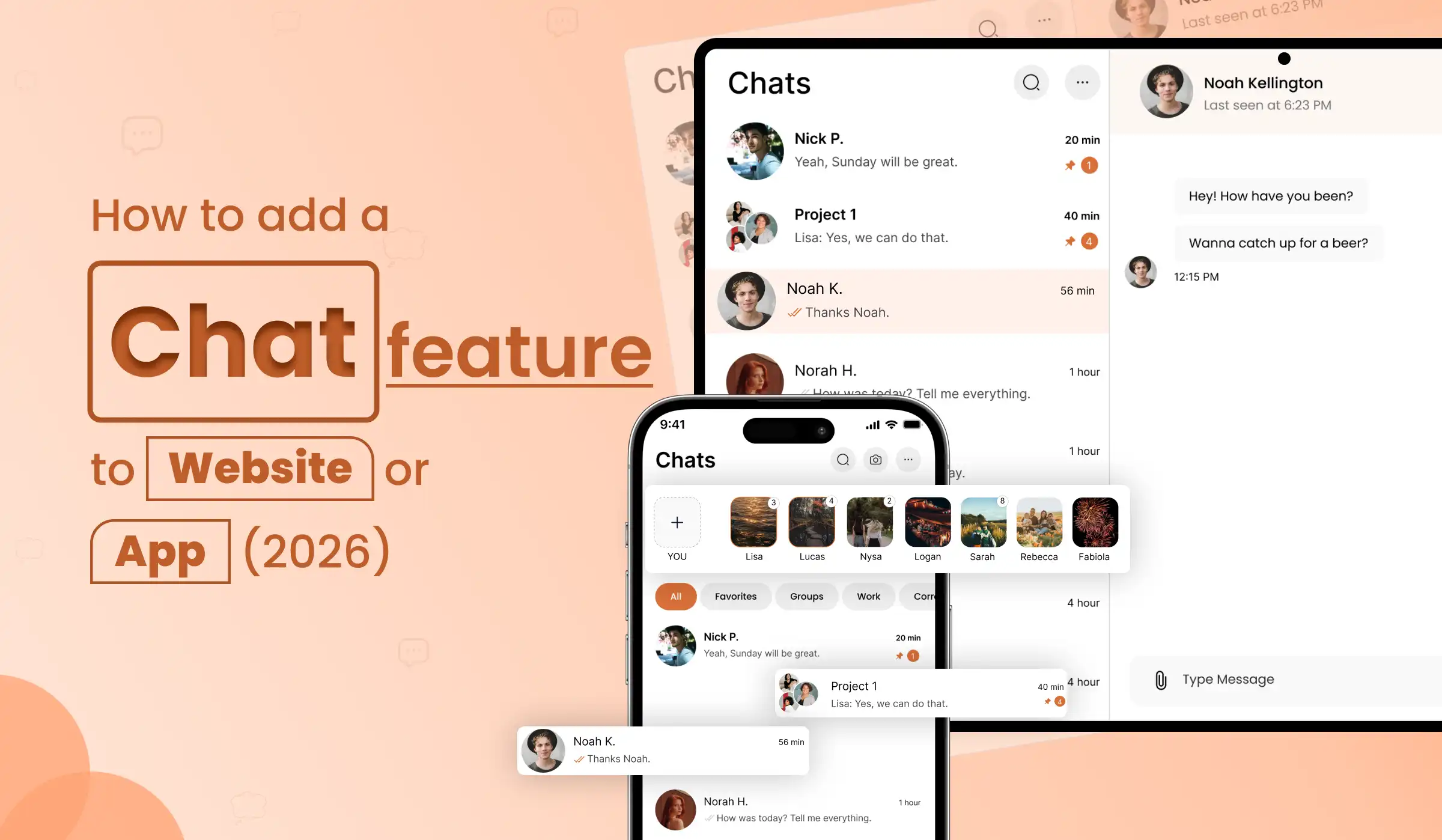
You already have a product — a website, a mobile app, a SaaS platform. Now you need messaging. Adding a chat feature for website and app users in 2026 is no longer a months-long engineering project. The fastest way to get live chat for website visitors is integrating a production-ready module into what you already built — real-time messaging, free audio and video calls, AI smart replies — without a full rebuild. Here is exactly how it works.
Most businesses reach a point where their existing product needs messaging. An e-commerce platform that wants buyer-seller chat. A SaaS tool that needs team collaboration built in. A healthcare app that needs patient-doctor communication. A marketplace that needs real-time support.
The traditional options — pay a monthly fee for a third-party chat service, or spend 6 months building a full messaging system from scratch — are both expensive in different ways. There is a third option: integrate a production-ready, self-hosted chat module directly into your existing mobile app or website via API, with complete ownership of the code and the data.
At Primocys, we have built this exact system — documented in detail from our ReelBoost Messaging System, a production-ready real-time chat infrastructure built on Node.js, PostgreSQL, Socket.io, and AWS S3. This guide walks you through every aspect of it.
Higher retention with in-app chat features
Users prefer in-app chat over email support
Time to integrate chat module into an existing app
Per-minute call charges with self-hosted WebRTC
1. Why Add Chat to Your Existing Product?
Adding a chat feature for your website or mobile app is one of the highest-ROI feature investments a product team can make in 2026. Whether you want to add live chat to your website for customer support or embed a full real-time chat feature for website users, the business case is clear. Here is why:
- Retention: Users who message inside your app have significantly higher day-30 retention than those who don’t. A well-placed chat widget for website creates habit loops that bring users back daily.
- Support cost reduction: Live chat for website reduces external support tickets by letting users resolve issues in real time — often peer-to-peer or with a chatbot for website handling common queries before a human agent is needed.
- Trust and conversion: For marketplaces, e-commerce, and service platforms, the ability to message before purchasing is a proven conversion driver. Users buy from sellers they can talk to via live chat integration.
- Data ownership: Building your own chat module — rather than embedding a third-party widget — means every conversation stays in your database, on your server, analysable by your team.
- Competitive differentiation: In 2026, users expect messaging everywhere. Platforms without a proper chat feature for website or app feel incomplete against competitors who have it natively built in.
The key question is not whether to add chat — it is whether to use a third-party SaaS widget (quick but expensive long-term, no data ownership), build from scratch (slow, costly), or integrate a production-ready module into your existing stack. For most businesses, the third option is the right one.
How to Add Chat to Website — The Right Way
When businesses ask how to add chat to website, they typically think of two options: pay for a monthly SaaS tool, or build from scratch. But there is a smarter third path — integrating a production-ready chat API for website that gives you full code ownership, zero monthly SaaS fees, and a fully customised experience that matches your brand. That is exactly what this guide covers.
2. Three Ways to Add Live Chat for Website or App
If you are researching how to add live chat to website without a full rebuild, these are the three paths available to you. Understanding the trade-offs helps you choose the right approach for your product’s scale, budget, and long-term goals. The goal is always the same: a reliable live chat integration that works for your users — without locking you into recurring costs or someone else’s infrastructure.
Embed Intercom, Crisp, or Zendesk. Fast to set up but monthly fees grow with users, data is on their servers, customisation is limited, and you’re locked in forever.
Design and develop a full messaging infrastructure. Complete control but 4–9 months of engineering time. Only worth it if chat is your core product — like WhatsApp itself.
Plug a production-ready, self-hosted messaging system into your existing app via API and SDK. Your data, your server, your branding — integrated in weeks, not months.
What Primocys provides is the third option — a complete, production-tested chat infrastructure built on Node.js + Socket.io, PostgreSQL, AWS S3, and self-hosted WebRTC, integrated into your existing product via documented REST API and Socket events. If you’re wondering how to build a chat app like WhatsApp from the ground up, read our full guide: How to Build a Chat App Like WhatsApp. Everything below describes exactly what is included in the integration module.
3. All Features Included in the Chat Module
This is not a basic chat widget for website. The Primocys chat module is a comprehensive real-time communication system — the kind of live chat integration that powers consumer messaging apps — with the following features built in as standard. Whether you need a simple chat feature for website visitors or a full in-app messaging system for your mobile product, everything listed below is included.
Not sure which chat app features matter most for your users? Read our detailed breakdown: chat app features your users will love in 2026 — covering the must-haves before you build or integrate.
Real-Time Messaging & Live Chat for Website
One-to-one private conversations and multi-user group chats, both with automatic chat creation for new conversations.
Sent, Delivered, and Seen status — the same double-tick system users expect from WhatsApp, built in by default.
Real-time “is typing” indicators pushed to all participants in a conversation via Socket.io events.
User presence tracking — online, offline, and last seen status broadcast to relevant contacts in real time.
Threaded reply-to-message — users quote a specific message to keep context in active conversations.
Delete for me, delete for everyone, and forward messages between chats — standard messaging controls users expect.
One Signal cross-platform push notifications with rich media support — image, video thumbnail, and type-specific content previews.
Per-chat unread message counts broadcast to users via Socket events — keeping badge counts accurate across all devices.
4. Supported Message Types
The chat module supports six distinct message types — each with specific upload, storage, and notification handling built in:
Video handling detail: When a video message is sent, the system generates a thumbnail automatically — stored as a separate S3 object. Push notifications include the thumbnail as a rich preview image. This is the same pattern used by WhatsApp and Telegram for video messages.
5. How Messages Work — The 8-Step End-to-End Lifecycle
Every message sent through the chat module follows a documented, production-tested 8-step lifecycle from client tap to recipient notification. This is what separates a proper live chat integration from a basic embedded widget — and why knowing how to add chat to website the right way matters. Here is exactly what happens:
Message Initiation
Client sends an HTTP POST to /chat/send-message with the message type, content, and any media files.
Authentication & Validation
JWT Bearer Token is verified by the auth middleware. User existence is confirmed. Required fields and media files are validated before processing.
Chat Management Logic
If a chat_id exists, that chat is used. If a user_id is provided, the system checks for an existing private chat — and creates a new one with both users as participants if none exists.
Message Processing
Message record created in the database. Media uploaded to AWS S3. Social sharing handled. Video thumbnails generated automatically.
Real-Time Distribution
Server emits events via Socket.io to all connected clients involved in the chat — sender and all recipients receive the message simultaneously.
Message Status Updates
Sender’s message is immediately marked Seen. Recipient’s message is marked Delivered. Status updates are pushed to all connected sockets.
Push Notification Delivery
One Signal delivers type-specific notifications with rich media support — image previews for image messages, thumbnails for video messages, document type indicators for files.
Socket Event Broadcasting
The receive event is emitted to both sender and receiver socket connections, including the current unseen message count for badge updates.
6. Real-Time Socket Events & Live Chat Integration
The chat module uses a documented set of Socket.io events for all real-time communication — the backbone of any true live chat integration. This is what makes the difference between a polling-based widget and genuine real-time messaging. Here is the complete event map your client needs to implement:
Client Server Events (Your app sends these)
| Event | Description |
|---|---|
| chat_list | Request the authenticated user’s full chat list with latest message per conversation |
| message_list | Request all messages for a specific chat — paginated for performance |
| typing | Send a typing indicator to all other participants in the active chat |
| real_time_message_seen | Mark messages as read in a chat — triggers seen status update for sender |
| delete_for_me | Delete a message only from the current user’s view — other participants still see it |
| delete_for_everyone | Delete a message for all participants in the conversation |
| get_chat_id | Retrieve the chat ID for a given user pair — or create a new chat if none exists |
Server → Client Events (Your app listens for these)
| Event | Description |
|---|---|
| receive | New message notification — delivered to both sender and receiver with full message data and unseen count |
| typing | Typing indicator forwarded from another participant to all connected clients in the chat |
| offline_user | Notifies connected clients that a specific user has gone offline — triggers last seen update |
| online_user | Notifies connected clients that a specific user has come online — clears offline status |
Send Message API — Quick Reference
// POST /chat/send-message
// Authorization: Bearer <JWT_TOKEN>

const response = await fetch('/chat/send-message', {
  method: 'POST',
  headers: {
    'Authorization': `Bearer ${token}`,
    'Content-Type': 'application/json'
  },
  body: JSON.stringify({
    message_type: 'text',    // text | image | video | gif | doc | social
    message_content: 'Hello!',
    chat_id: 456,            // existing chat
    reply_to: 123,           // optional - reply to message ID
    chat_type: 'Private'     // Private | Group
  })
});

// Response:
// { success: true, data: { message_id, chat_id, sender_id, message_type,
// message_content, message_seen_status: "sent", createdAt } }7. Free Audio & Video Calls — Self-Hosted WebRTC
Most tools that claim to let you add live chat to website stop at text messaging. But in 2026, users expect voice and video too. Most chat modules that include calling rely on third-party APIs — Agora, Twilio, Zegocloud — that charge per minute, per user, or per concurrent channel. As your user base grows, these costs scale directly with usage and are entirely outside your control.
The Primocys chat module implements fully self-hosted WebRTC. Your TURN and STUN servers are deployed on your own infrastructure. Voice and video call data never leaves your system. There are no per-minute charges — ever. The setup cost is one-time and fixed regardless of call volume.
- Crystal-clear HD audio & video for seamless 1:1 calling
- Group Video Calling Support for Seamless Team Communication
- TURN/STUN ensures stable calls across NAT, firewalls & networks
- All call data on your own server — full GDPR, HIPAA, and PDSK compliance
- Zero per-minute API charges regardless of usage volume
- AI & All data hosted on client's own server infrastructure
Cost example: At 5,000 daily active users making an average of 5 minutes of calls per day, Agora costs approximately $1,500–$3,000/month ongoing. Self-hosted WebRTC on your own server: a fixed monthly server cost regardless of call volume. Year-one saving alone can be $15,000–$30,000+ on calls alone.
8. AI-Powered Chat Features — The 2026 Differentiator
🤖 Add Intelligence to Every Conversation
Just as WhatsApp added Meta AI — and Telegram added its own AI assistant — messaging apps in 2026 are expected to offer AI-powered features that make conversations faster, smarter, and more valuable. Here is what Primocys can add on top of the core chat module:
AI Smart Replies
Context-aware reply suggestions appear above the keyboard — 2–3 options based on the last message received. Users tap to send instantly. Same behaviour as Google's Smart Reply and WhatsApp's AI suggestions.
Voice Message Transcription
Audio voice notes are automatically transcribed to text in the chat — users can read messages they can't play aloud. Powered by OpenAI Whisper speech recognition.
Real-Time Message Translation
Messages are auto-translated to the user's preferred language as they arrive — no manual trigger needed. Users set their language once; all incoming messages adapt. Used in Vemenne for multilingual campuses.
AI Customer Support Bot
An AI-powered first-responder bot handles common questions before a human agent joins. Integrates with your product's FAQ, documentation, or knowledge base. Reduces support volume by 40–60%.
Content Moderation AI
Automated detection of hate speech, spam, inappropriate content, and harmful links — before they reach recipients. Critical for B2C platforms with large communities and public group chats.
Message Summarisation
Long group conversations are summarised automatically — users who re-open a chat after hours away see "Here's what you missed" instead of scrolling through 200 messages.
All AI features are implemented as lightweight services that connect to the core chat API — they do not require a full rebuild. Our Python development team and Node.js engineers deploy AI pipelines as separate microservices that plug into the existing message flow.
9. Tech Stack & System Overview
The complete production stack used in the Primocys chat module — the same system documented in our ReelBoost Messaging System technical specification. This is the foundation of our chat API for website and mobile app integration service:
Real-Time Messaging
Node.js + Express.js for the REST API layer — fast, event-driven, handles thousands of concurrent connections efficiently.
Socket.io for all real-time events — message delivery, typing indicators, presence tracking, and status updates.
PostgreSQL with Sequelize ORM for structured data management — users, chats, messages, participants, and media metadata.
AWS S3 for all media — images, videos, thumbnails, and documents stored with CDN delivery for fast global loading.
One Signal for cross-platform push notifications — rich media support, type-specific content, and reliable delivery on iOS and Android.
JWT Bearer Tokens validated on every API request via auth middleware — stateless, secure, and compatible with your existing auth system.
Integration compatibility: The chat module exposes a clean REST API and Socket.io event interface — it integrates with any existing stack. Whether your product is built on React.js, Flutter, React Native, Swift, Kotlin, or any web framework — the chat module connects via standard API calls and WebSocket connections. Building for enterprise clients? See how we approach b2b application development — covering the architecture differences between B2B and B2C chat platforms.
10. Who Should Add a Chat Module to Their Product?
Almost every digital product benefits from a built-in chat widget for website or app. Below are the most common use cases where adding live chat for website visitors — or full in-app messaging for app users — delivers measurable impact on retention, conversion, and user satisfaction. If your platform falls into any of these categories, live chat integration is no longer optional in 2026.
Buyer-to-seller messaging, customer support chat, order update notifications, and post-purchase communication — all inside your app.
HIPAA-compliant patient-doctor messaging with video consultation, file sharing (lab reports, prescriptions), and appointment scheduling inside the conversation.
Student-to-teacher messaging, group study rooms, assignment sharing, and real-time doubt resolution — embedded in your existing learning management system.
Team collaboration chat built into your SaaS product — channels, DMs, file sharing, and role-based access without sending users to Slack.
Agent-to-buyer messaging, property enquiry chat, virtual tour coordination, and service booking communication inside your platform.
In-game messaging, guild/team group chats, social post sharing, and voice coordination — with moderation AI to keep communities safe.
What's Your Approximate Budget for This Project?
Every integration is unique — the scope depends on your existing tech stack, required features, and platform. Tell us about your project and we'll send a precise, no-obligation estimate tailored to your goals within 24 hours.
Conclusion
Adding a chat feature for your website or mobile app in 2026 no longer requires months of backend engineering or expensive recurring SaaS fees. The right approach — integrating a production-ready, self-hosted chat module via a chat API for website — gives you everything: real-time messaging, free WebRTC audio and video calls, AI smart replies, and complete data ownership, all delivered in 3 to 6 weeks..
The businesses that benefit most are those that move quickly. Whether you want to add live chat to your website for customer support, embed group messaging inside a marketplace, or deploy a full chatbot for website to handle first-contact queries automatically — the infrastructure exists today, and integration does not require a full product rebuild..
What to Do Next
If you are evaluating whether to build chat app without backend work from scratch or integrate a proven module, consider these three steps:
Define your use case — customer support chat, peer-to-peer messaging, or a team collaboration tool each have different feature requirements. Review the chat app features guide to shortlist what your users actually need.
Understand your architecture — if you are building for enterprise clients, the approach differs from a B2C consumer app. Our b2b application development guide breaks down the key differences in data model, access control, and compliance requirements.
See the full product — if you want to understand the full scope of what a standalone chat app built from scratch looks like, the guide on How to Build a Chat App Like WhatsApp covers every layer: tech stack, timeline, cost, and feature set.
The bottom line: Live chat integration is the fastest path to adding real-time messaging to your existing product. A chat widget for website can go live in days. A full in-app messaging system with voice calls and AI features can be integrated in weeks. You do not need to build from scratch — and in most cases, you should not.
Frequently Asked Questions
Can I add a chat feature to my existing website or app without rebuilding everything?
What tech stack does the chat module use?
Is audio and video calling really free with no per-minute charges?
What message types does the chat module support?
How long does it take to integrate the chat module into an existing app?
Build your scalable apps today.
Contact UsLeaving Already?
Hear from our clients and why 3000+ businesses trust Primocys

"Our B2B and B2C platform helps Nigerian manufacturers sell at wholesale prices and suppliers offer competitive retail pricing, with a strong focus on Made in Africa products and easy local and international distribution. The app has received excellent user reviews for its design and unique features. Communication with the Primocys team was smooth in an agile setup, even beyond office hours when needed. Their mobile app development expertise is excellent—highly professional and reliable."

"The dating app was delivered successfully and approved by both Apple App Store and Google Play. Our users are highly impressed with the design, UI, and overall functionality. The project was well planned with clear milestones, and all modules were delivered on time. The team is talented, patient, and flexible, accommodating multiple scope revisions as requirements evolved. Their 24/7 development and support availability made the entire process smooth and reliable."

" We hired Primocys to develop a highly complex and specialized mobile application, and they delivered outstanding results. The app includes advanced features such as timeline mixers, classifieds, payments, advertisements, GPS functionality, and more. Their technical skills, timely delivery, availability, and the personal attention Arpan Sagar brings to each project truly stand out. The team stays focused and committed from start to finish—an excellent experience overall."

" Great team with excellent communication and a strong commitment to on-time delivery. They developed a fully customized mobile app for both Android and iOS, perfectly matching our requirements. The entire process was smooth and professional, with clear updates at every stage. They are reliable, skilled, and very easy to work with. We’re continuing our partnership on more projects, and choosing them has been one of the best business decisions I’ve made."

AWARDS




Share Your Requirements
TRUSTED BY GLOBAL BRANDS