
Team & Member Management
Create teams, add members, and organize secure communication across departments with controlled business access.
 DapkeSocial video app with live streaming and PK battles.
 Lika Real EstateProperty discovery platform for listings and leads.
 BurpoutSocial fitness challenges that keep people moving.
 ChatLivoConnected customer communication SaaS workspace.
 EmoTalesAI storytelling adventures designed for children.
 EarnifyTrack Income from Multiple Sources with Analytics & Tax Planning.
CoreX Messenger is a Business Chat App developed by Primocys for organizations that need secure messaging, voice and video calling, and centralized communication in one platform. It offers team access control, real-time collaboration, and admin management for secure business communication.
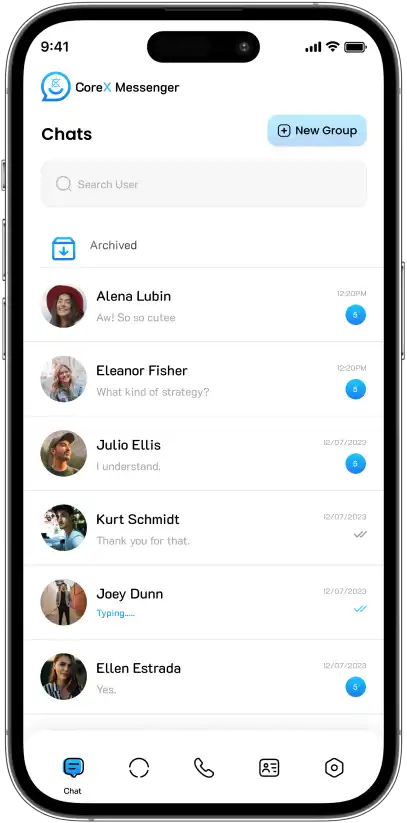
CoreX Messenger is a business chat app built by Primocys for organizations that need secure messaging, voice and video calling, and centralized communication. It combines branded chat, role-based access, department management, and admin controls in one private platform.
Messaging and calling are designed around organizational privacy and data control rather than a public consumer network.
Administrators can manage users, access levels and organizational communication from a dedicated management layer.
The product can operate as a fully branded business communication environment rather than asking teams to adopt another company’s identity.
CoreX Messenger was designed to give organizations a private communication platform with secure messaging, voice and video calling, user management, and administrative control without relying on consumer chat applications.
The product scope connects the employee-facing messenger with the controls needed behind it. That means chat and calling are not isolated features—the user identity, role, department and administrative state all need to agree across the wider product.
Private real-time conversations form the everyday communication layer of the platform.
Team conversations allow multiple users to communicate inside the same controlled environment.
Share images, documents, videos, and files securely in private and group conversations across one business platform.
Self-hosted WebRTC supports real-time calling without making a managed per-minute calling vendor the center of the architecture.
Organizational structure and access levels help the product fit business communication rather than a flat consumer contact model.
Administration provides user management, access control and operational oversight outside the everyday messenger interface.
Business messaging requires secure communication, team management, user access control, and real-time collaboration in one connected platform.
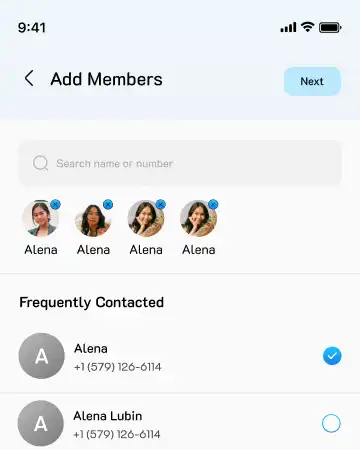
Create teams, add members, and organize secure communication across departments with controlled business access.
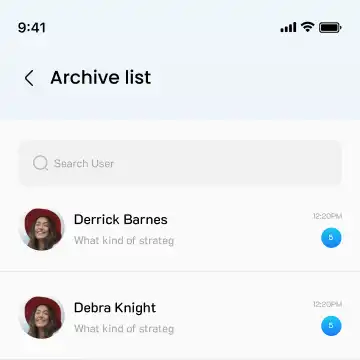
Archive conversations without deleting them, keeping business chat history organized and easy to access.
Enable private group messaging with controlled participation for teams, projects, and organizational communication.
CoreX Messenger is built for organizations, not just individual users. It supports teams, departments, and role-based access with Owner, Admin, Moderator, and Member permissions, helping businesses
Top-level product or organization control for the business operating the communication environment.
Administrative access for managing users and day-to-day platform operations.
A controlled operational role between full administration and ordinary membership.
Everyday communication access for employees or approved organizational users.
CoreX Messenger combines secure messaging, voice and video calling, team management, role-based access, and business administration into one private communication platform.
Secure one-to-one messaging helps teams communicate privately across one centralized business communication platform.
Create department and project groups for organized communication, collaboration, and real-time team discussions.
Built-in voice and video calling keeps business conversations inside one secure communication experience.
Share images, documents, videos, and files securely in private and group conversations across one platform.
Manage Owners, Admins, Moderators, and Members with secure permissions across teams and departments.
Control users, departments, permissions, and communication settings from one centralized admin dashboard.
CoreX keeps everyday messaging simple while giving teams support, secure calling, location sharing, account controls and status updates in one app.
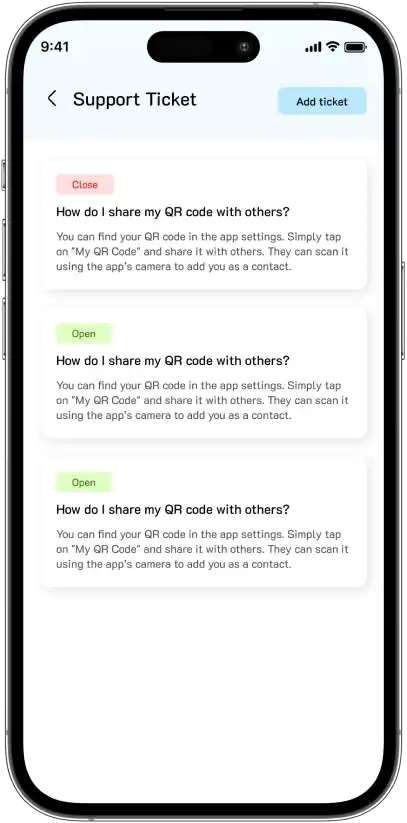
Users can raise support tickets and track Open or Closed status inside the app, so organizations resolve issues faster without external helpdesk tools.
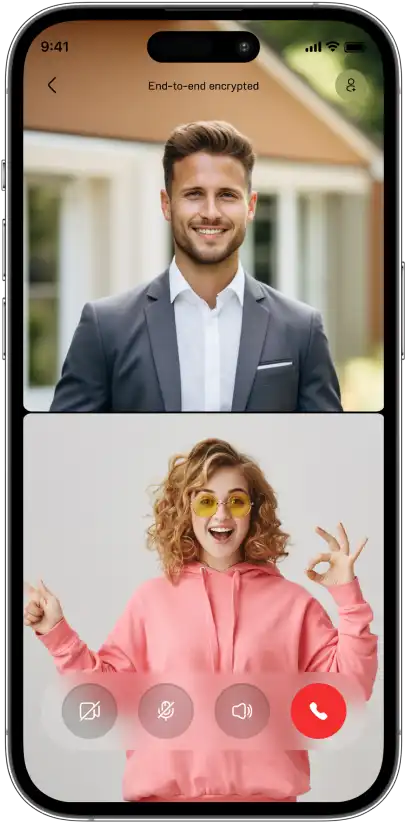
Crystal-clear one-to-one video calls with mute, camera and speaker controls, protected by end-to-end encryption for private business conversations.
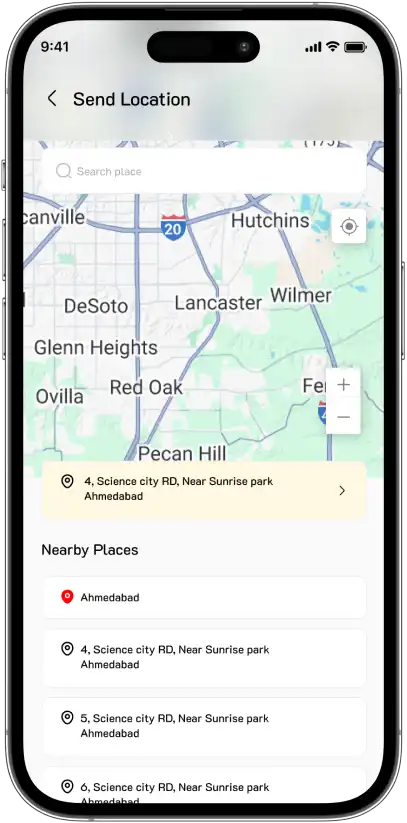
Send your current location or pick a nearby place from the map, making meetups, site visits and field coordination quick and clear for teams.
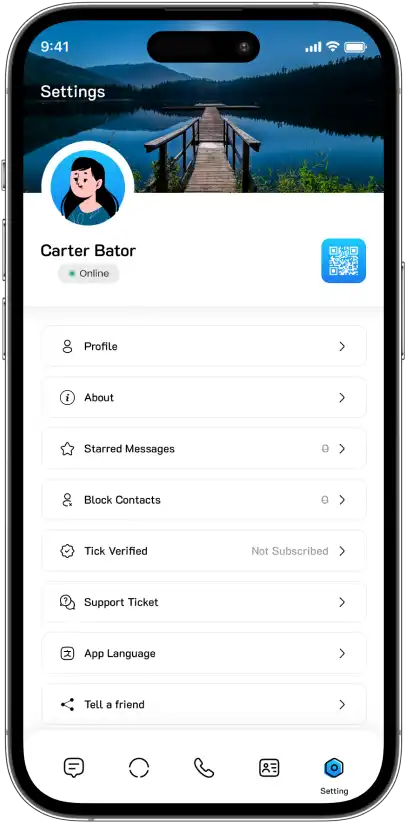
A clean settings hub for profile, starred messages, blocked contacts, tick verification, support and language, so users control their account easily.
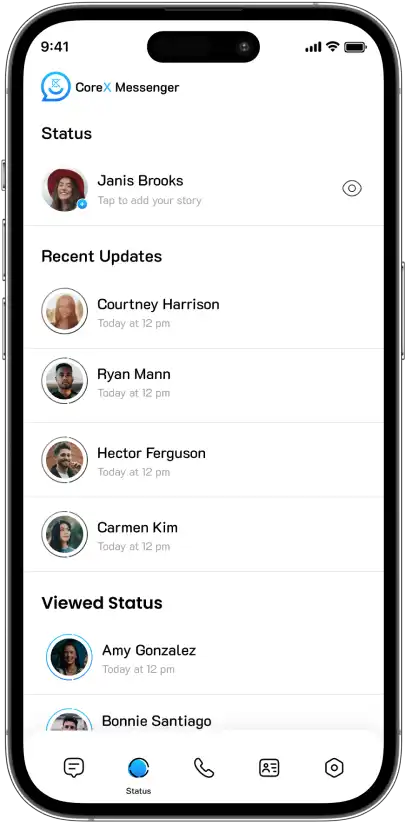
Share status updates and view recent and viewed stories from colleagues in one place, keeping teams informed and connected throughout the day.
CoreX Messenger combines secure messaging, voice and video calling, role-based access, team communication, backend APIs, and admin management into one scalable business communication platform.
Explore business messaging, call history, team chats, profiles, status updates, and group communication screens across CoreX Messenger.
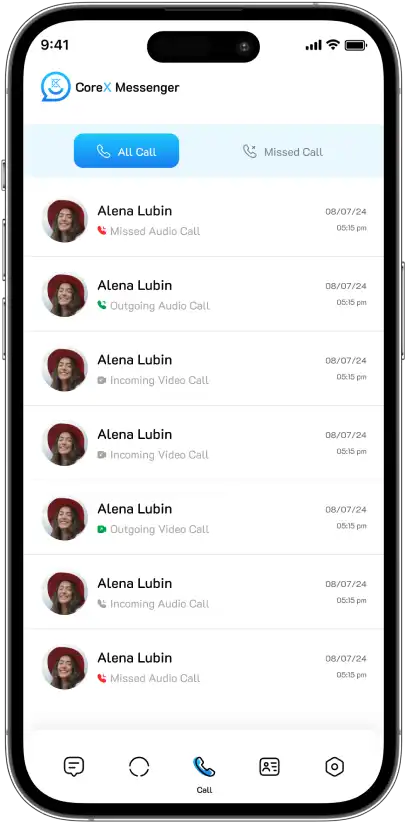
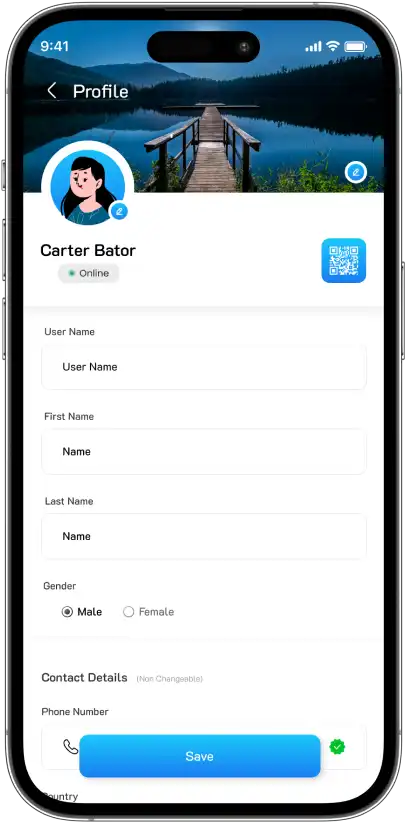
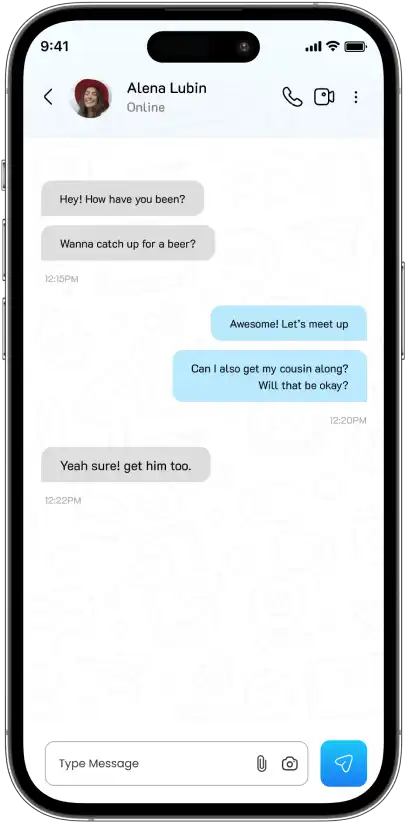
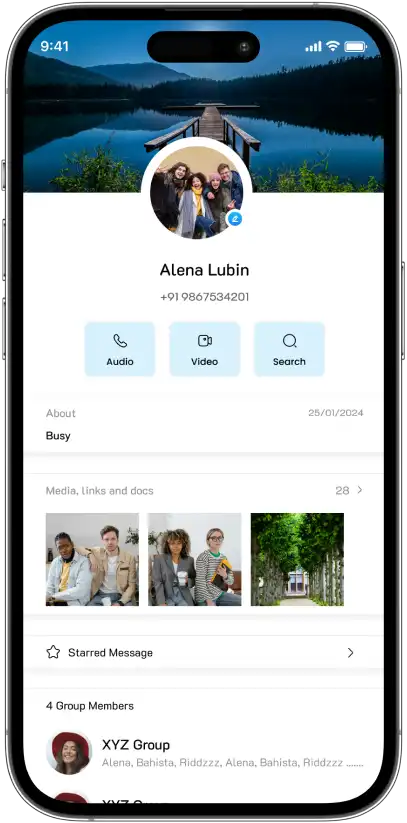
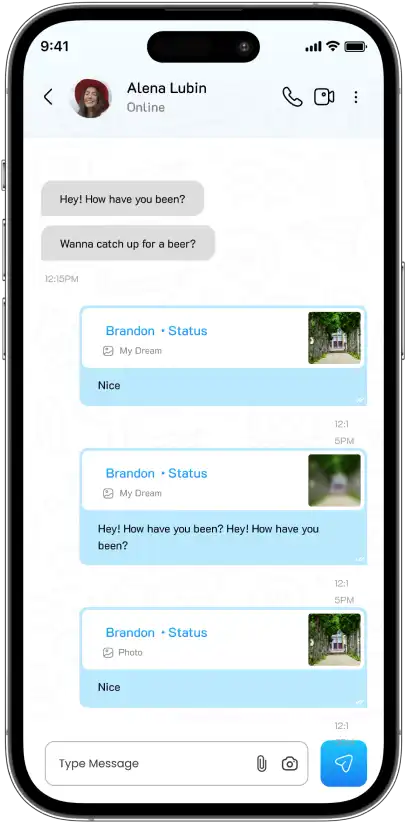
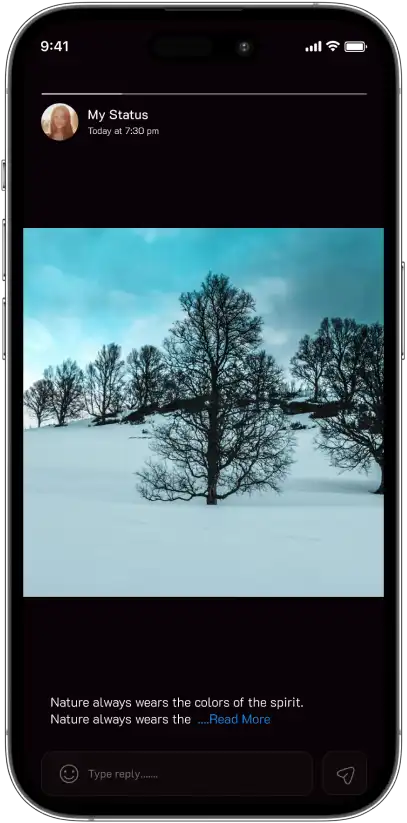
CoreX Messenger gives organizations one secure platform for messaging, calling, team communication, role-based access, and centralized administration across departments.
Build Your Chat App
Send secure one-to-one messages across one centralized business communication platform for everyday team collaboration.
Create business groups and department conversations for organized communication, projects, and team collaboration.
Make secure voice and video calls directly inside CoreX Messenger without switching to external communication tools.
Manage Owners, Admins, Moderators, and Members with permissions that match organizational communication needs.
Share images, documents, videos, and files securely across private and group conversations in one platform.
Control users, teams, departments, permissions, and communication settings through one centralized admin dashboard.
The cost of a business chat app depends on secure messaging, voice and video calling, team collaboration, role-based access, admin dashboards, backend APIs, and cross-platform mobile development.
Private messaging, group chats, media sharing, and real-time communication define the product experience and development scope.
User roles, department management, permissions, and centralized administration increase backend functionality and business controls.
Voice and video calling, notifications, backend APIs, and cross-platform mobile apps shape the overall project timeline and cost.
CoreX Messenger combines secure messaging, voice and video calling, team communication, role-based access, and admin management into one private business communication platform.
Secure private messaging and group communication keep teams connected through one centralized business chat experience.
Built-in voice and video calling support real-time business communication without switching to third-party apps.
Backend APIs manage users, teams, roles, permissions, and communication settings across the organization.
CoreX brings enterprise messaging, role-based access, admin controls and self-hosted calling together in one branded platform the client fully owns.
A dedicated environment for private individual and team communication.
Roles, departments and administration extend the product beyond consumer chat behavior.
WebRTC-based voice and video reduce dependency on managed per-call communication providers.
The communication experience can operate under the client’s own identity rather than a third-party consumer brand.
CoreX Messenger FAQs cover business messaging, team communication, admin controls, and secure collaboration features.
Contact Us
Hear from our clients and why 1200+ businesses trust Primocys

"Our B2B and B2C platform helps Nigerian manufacturers sell at wholesale prices and suppliers offer competitive retail pricing, with a strong focus on Made in Africa products and easy local and international distribution. The app has received excellent user reviews for its design and unique features. Communication with the Primocys team was smooth in an agile setup, even beyond office hours when needed. Their mobile app development expertise is excellent—highly professional and reliable."

"The dating app was delivered successfully and approved by both Apple App Store and Google Play. Our users are highly impressed with the design, UI, and overall functionality. The project was well planned with clear milestones, and all modules were delivered on time. The team is talented, patient, and flexible, accommodating multiple scope revisions as requirements evolved. Their 24/7 development and support availability made the entire process smooth and reliable."

" We hired Primocys to develop a highly complex and specialized mobile application, and they delivered outstanding results. The app includes advanced features such as timeline mixers, classifieds, payments, advertisements, GPS functionality, and more. Their technical skills, timely delivery, availability, and the personal attention Arpan Sagar brings to each project truly stand out. The team stays focused and committed from start to finish—an excellent experience overall."

" Great team with excellent communication and a strong commitment to on-time delivery. They developed a fully customized mobile app for both Android and iOS, perfectly matching our requirements. The entire process was smooth and professional, with clear updates at every stage. They are reliable, skilled, and very easy to work with. We’re continuing our partnership on more projects, and choosing them has been one of the best business decisions I’ve made."

AWARDS




TRUSTED BY GLOBAL BRANDS