























Powered by Chatlivo Video Calling App Development Company | Get a Free Quote
Primocys Logo

Video Calling App Development for Real-Time Calls

Our video calling app development covers private 1-to-1 calls, group meetings, consultations, and audio/video rooms — or calling added inside your existing app, with signaling, media infrastructure, backend, and production deployment handled end-to-end.

  • 1-to-1 & Group Video Calling
  • WebRTC-Based Real-Time Infrastructure
  • Screen Sharing & In-Call Chat
  • Cross-Platform: iOS, Android & Web
  • Secure Call Authentication & Permissions
  • Scalable for High-Concurrency Calls

From Thumbtack-style marketplaces to niche handyman platforms — we deliver expert-built handyman apps for customers, providers & admins with real-time booking. Get a fixed-price quote and go live fast, revenue-ready.

Get Free Quote arrow
Video Calling App Development

Video Calling App Development for Users

Video calling app development for 1-to-1 calls, group meetings, conferencing, and in-app calling — built around how your users actually communicate.

1-to-1 Video Calling Apps

Private calls between two users, with signaling, permissions, and call state handled cleanly.

Group Video Calling

Multi-participant rooms with a media architecture built for the expected group size, not stretched from a 1:1 design.

Video Conferencing Platforms

Meeting-style products with host controls, participant management, and scheduling.

In-App Video Calling

Calling embedded directly inside your existing product’s user flow.

Audio + Video Communication

Flexible calling that supports audio-only fallback alongside full video.

Existing App Video Call Integration

Adding calling to a product you’ve already built, without rebuilding it.

Video Calling App Development Use Cases

Video calling app development built for teleconsultation, education, support, dating, and marketplace platforms — not just internal meetings.

Discuss My Calling Requirements arrow
01

Teleconsultation

Secure video calling for doctor-patient consultations, therapy sessions, and remote healthcare visits, with scheduling built for clinical use.

02

Online Education

Live video calling for virtual classrooms, one-on-one tutoring, and cohort-based courses, with screen sharing, breakout rooms, and recording for later review.

03

Dating & Social Apps

Video calling for verified video dates and social discovery, with matching flows, privacy controls, and moderation built to keep interactions safe.

04

Customer Support

Face-to-face video calling for support escalations and product walkthroughs, letting agents resolve issues faster than chat or phone alone can.

05

Professional Consultation

Video calling for legal, financial, or advisory consultations, with secure sessions, scheduling, and call history built for professional client work.

06

Remote Teams

Internal video calling for distributed teams — standups, reviews, and collaboration sessions, integrated directly into your existing workflow tools.

07

Marketplace Consultations

Video calling embedded inside marketplace platforms, connecting customers and providers directly for quotes, consultations, or service delivery.

08

Community Platforms

Group video calling for community platforms — live discussions, group sessions, and member meetups built into your existing community product.

Video Calling App Features Users Expect

Feature scope depends on the product — not every app needs every feature listed here. Video calling is two-way or multi-way communication where participants actively send and receive media.

Call Controls

Mute/unmute, camera on/off, camera switching, speaker/audio routing, end call.

Communication

Participant list, in-call chat where needed, reactions, screen sharing, raise hand.

Call Management

Invite participants, waiting room, host controls, remove participant, lock meeting, call timer.

Product Features

Call history, scheduled calls, push notifications, call links, recording where required, post-call rating.

Video calling is two-way or multi-way communication where participants actively send and receive media — a 1:1 consultation, a group meeting, a dating call, remote support.

Live streaming is one or a few broadcasters sending video to a larger viewer audience — creator live, live shopping, an event broadcast. If that’s what you need, see Live Streaming App Development.

A Two-Person Call vs a 20-Person Meeting

Call architecture depends on participant count — 1:1 calling and group calling need different underlying media infrastructure to stay reliable at scale.

01

1:1 Calling

A direct peer-to-peer connection often works well for two users, keeping latency low and avoiding media-server overhead entirely here.

User A ↔ User B

02

Group Calling

Usually requires a media-server architecture such as an SFU, rather than every participant sending full media streams to every other participant.

User A, B, C, D → SFU → Participants

Trusted By

From startups to global enterprises, Primocys delivers innovative technology solutions with strategic clarity, strong governance, and measurable business results.

ecofon communication - Primocys Emoji Tale - Primocys Only Singles -Primocys Orbis Elite -Primocys ZIBA Driver -Primocys MatchMums -Primocys apek electronic restoration -Primocys BURPOUT - Primocys WasaaChat - Primocys Prendi iL - Primocys Chat App - Primocys Batpay - Primocys Earnify - Primocys ZIO Gram - Primocys PROHUNTER - Primocys Lika Real Estate - Primocys ZIO Gram - Primocys ecofon communication - Primocys Emoji Tale - Primocys Only Singles -Primocys Orbis Elite -Primocys ZIBA Driver -Primocys MatchMums -Primocys apek electronic restoration -Primocys BURPOUT - Primocys WasaaChat - Primocys Prendi iL - Primocys Chat App - Primocys Batpay - Primocys Earnify - Primocys ZIO Gram - Primocys PROHUNTER - Primocys Lika Real Estate - Primocys ZIO Gram - Primocys
8+
Years of experience
App Stores
Live published messaging apps
100%
Upwork Job Success
Clutch
Multiple award recognitions

Video Calling App:
Interface & Features

We design smooth calling experiences — clear video, low-latency audio, and intuitive in-call controls that keep users connected without friction.

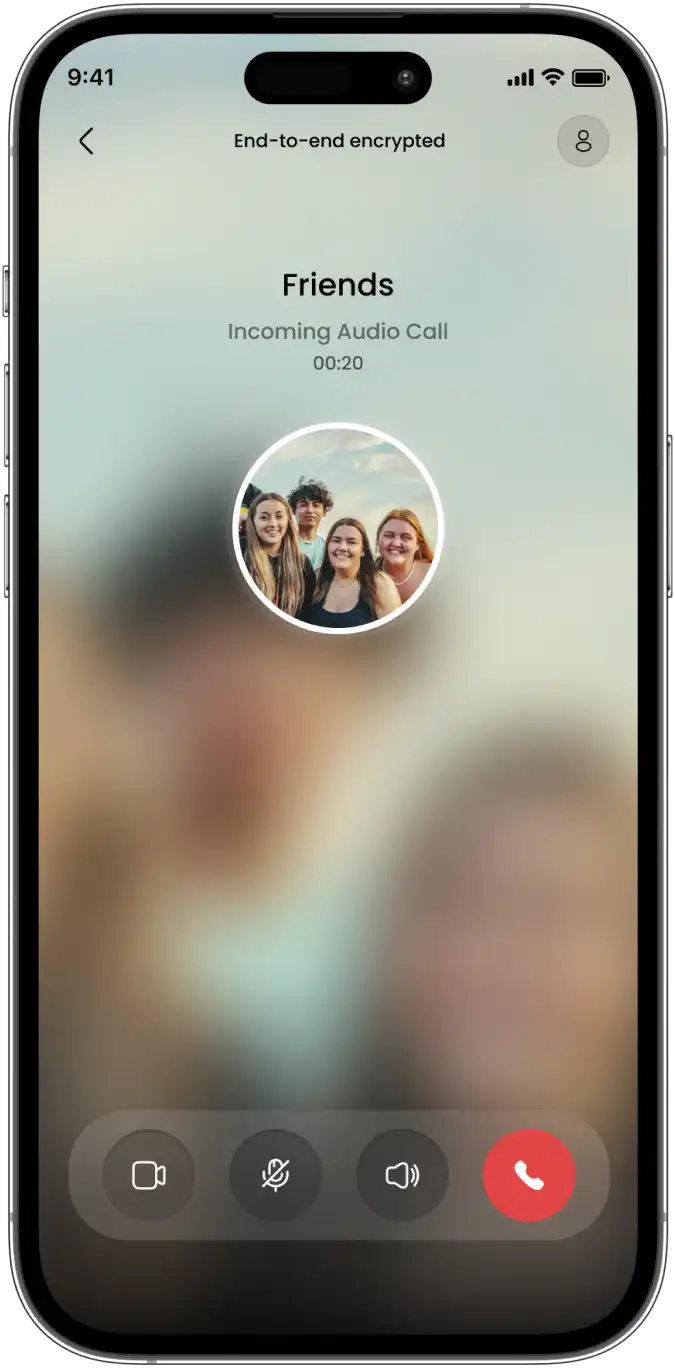
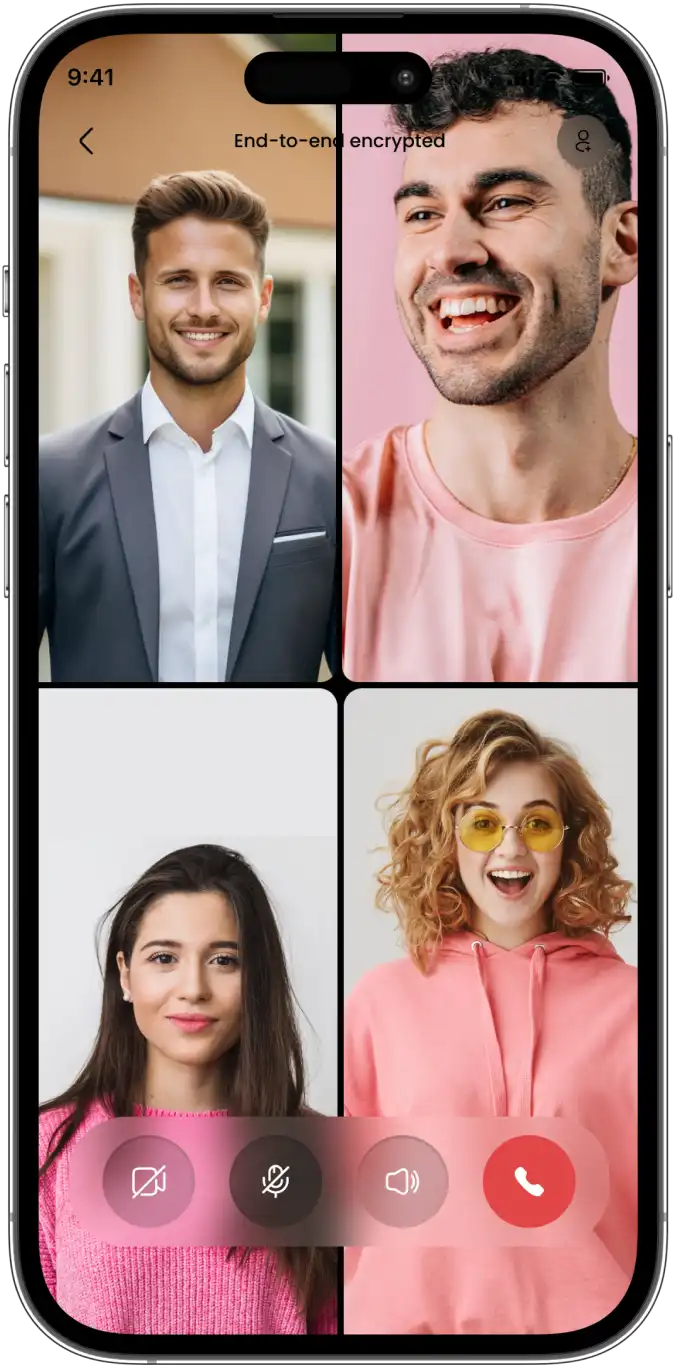
1-to-1 Audio Calling 1-to-1 Video Calling Group Audio Calling Group Video Conferencing

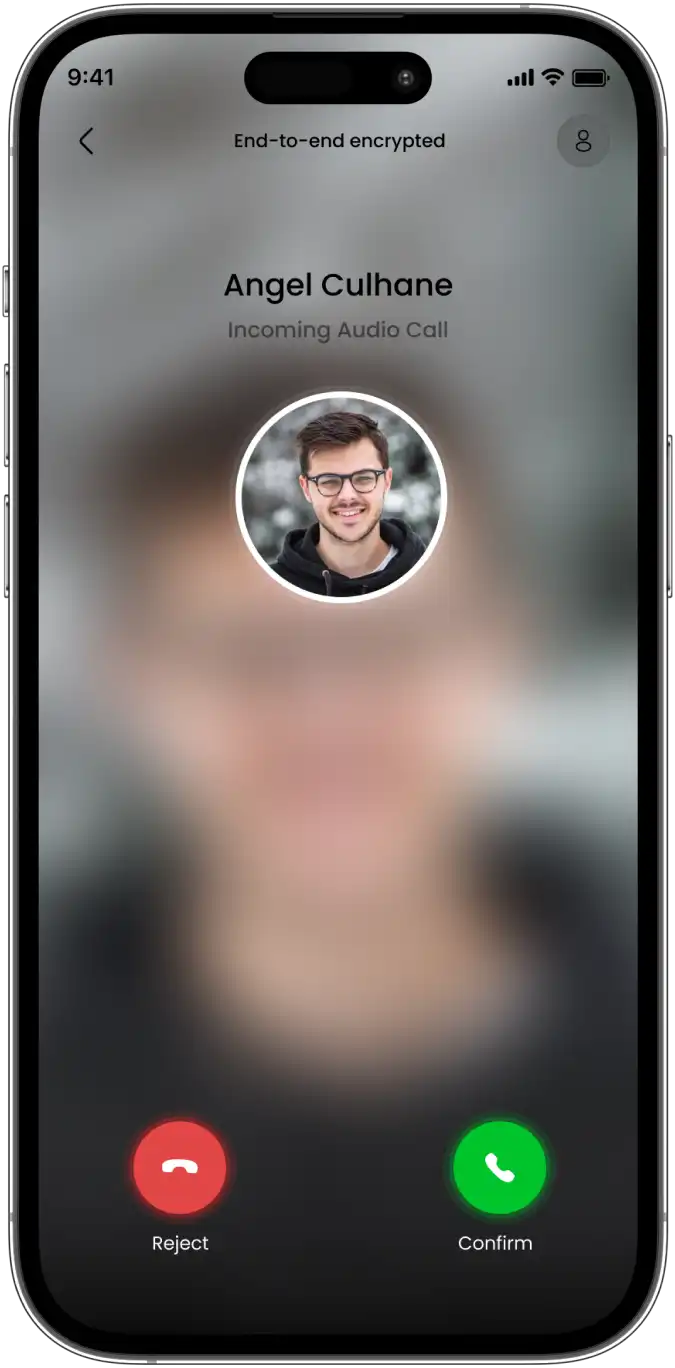
1. 1-to-1 Audio Calling

Audio Call Clear Voice

Encrypted voice calls with a simple accept or reject screen, so conversations start instantly and privately.

arrow

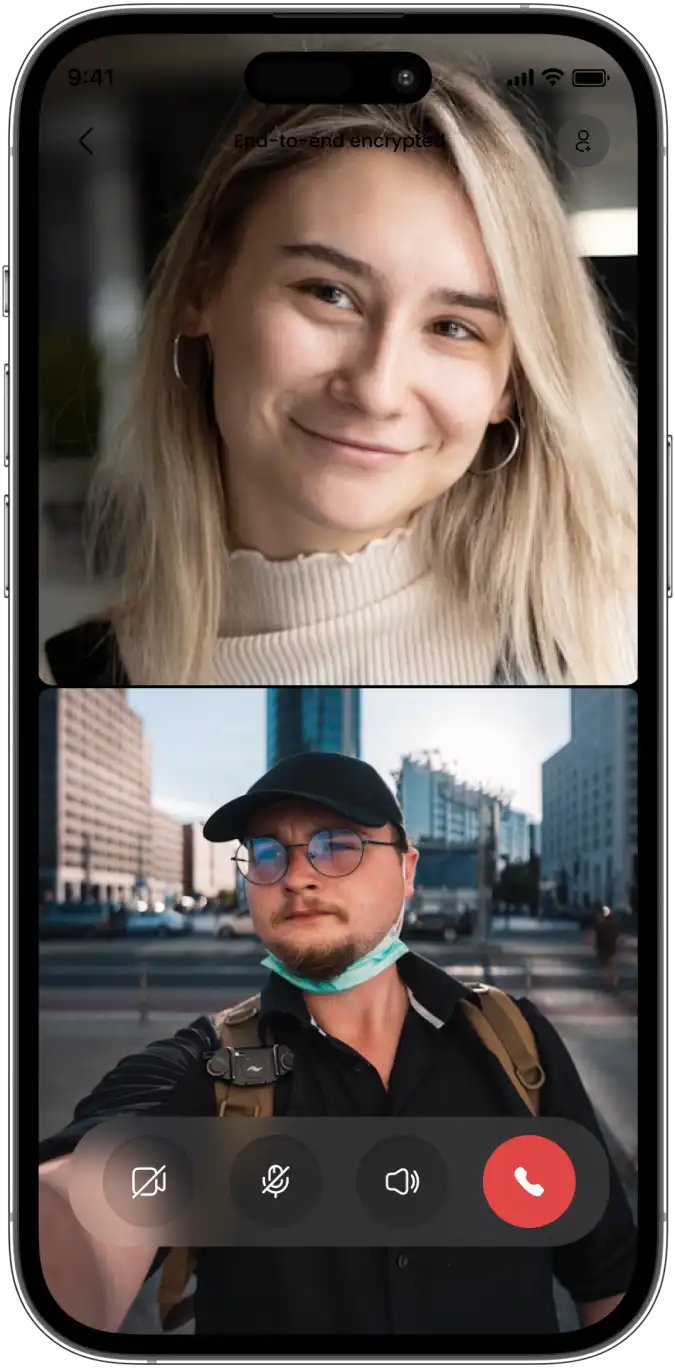
2. 1-to-1 Video Calling

Video Call Live Camera

Face-to-face video calls with mute, speaker, and camera controls right where users need them.

arrow

3. Group Audio Calling

Group Audio Multi-User

Bring the whole group onto one call, with the same simple controls as a 1:1 conversation.

arrow

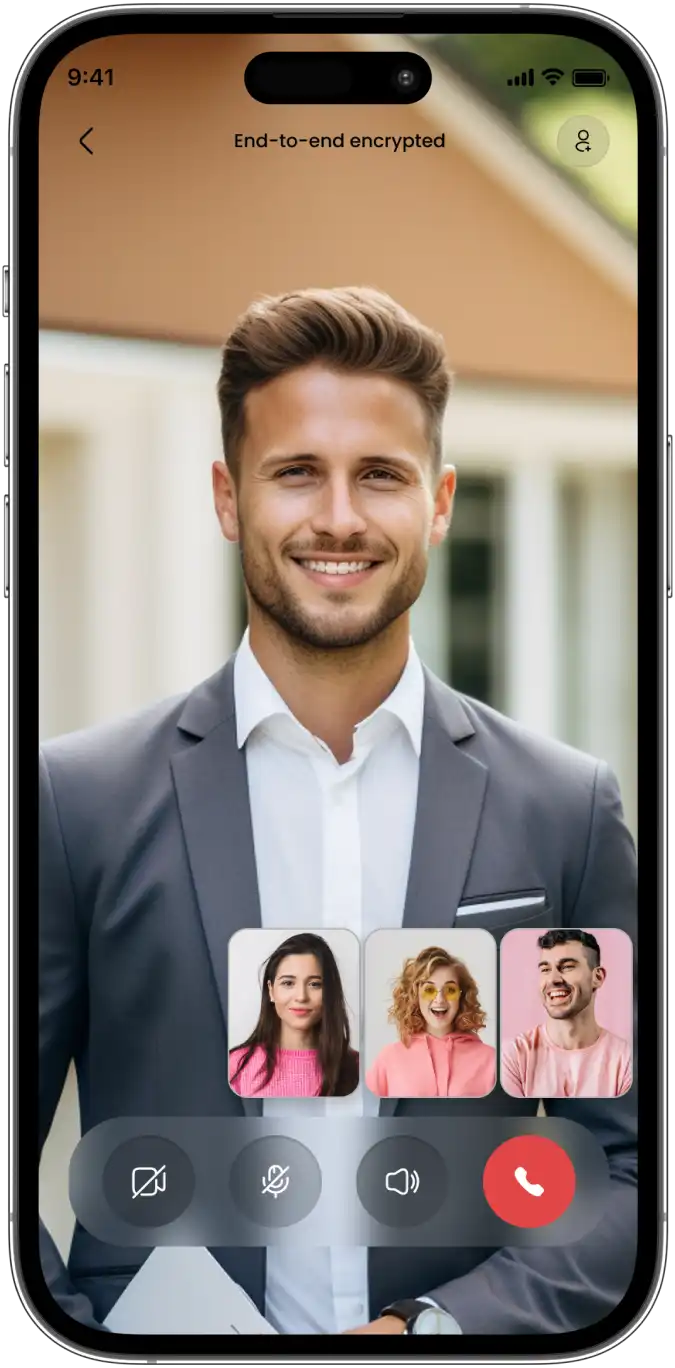
4. Group Video Conferencing

Group Video Grid View

Multiple participants in a clean grid layout, built for real conversations, not just a demo call.

arrow
• Live on the App Stores BUILT BY PRIMOCYS

🎯 See Messaging Products We’ve Shipped

Explore examples of communication products our team has delivered. Live applications provide buyers with a clearer view of our real product experience than mockups or generic portfolio claims.

👆 Whoxa Chat (Android) · Whoxa Chat (iOS) — both built and maintained by Primocys

How Video Calling Connects in Real Time

From the first tap to a live video connection, your app coordinates signaling, network discovery, and media routing — all in a few hundred milliseconds.

01

Caller

02

Signaling

03

Session Negotiation

04

STUN/TURN Connectivity

05

Media Connection / SFU

06

Audio + Video

WebRTC handles real-time media. Signaling coordinates the session. STUN helps determine connectivity. TURN relays traffic when a direct connection can’t be established. SFU architecture may be used for group communication and other scenarios requiring media routing.

WebRTC alone isn’t the complete application. A production video app also needs a backend, authentication, call state, notifications, permissions, media infrastructure, and monitoring.

Self-Hosted WebRTC or a Managed Video SDK?

Both paths can power a production video calling app — the right one depends on control, cost, and how much infrastructure your team wants to own.

• • • •
• • • •
• • • •
• • • •

Custom / Controlled Infrastructure

Possible technologies: WebRTC, LiveKit, mediasoup, Janus, coturn, or other suitable media infrastructure.

Benefits: More infrastructure control, custom call logic, reduced vendor dependency, and cost control at certain usage levels.

Considerations: More engineering, DevOps, and scaling responsibility.

• • • •
• • • •
• • • •
• • • •

Managed Providers

Examples: Agora, Twilio Video, Daily, 100ms, Vonage, or other suitable providers — mentioned as category examples, not implied partnerships.

Benefits: Faster implementation, managed global infrastructure, SDKs, and reduced initial infrastructure work.

Considerations: Usage-based costs and vendor dependency.

The right choice depends on expected minutes, concurrency, geography, features, budget, and how much infrastructure your team wants to own.

Reliable Video Calling on Mobile and Web

Permissions, background state, audio routing, and platform quirks decide whether calling feels solid or breaks — Flutter, Swift, Kotlin, or WebRTC on the web.

Camera/Mic Permissions

Requesting and handling camera/mic access across iOS, Android, web.

Incoming Call Behavior

Ringing, background state, and call handling while the app is closed.

Audio Routing & Bluetooth

Switching cleanly between speaker, earpiece, and Bluetooth devices.

Device & Network Changes

Handling rotation and Wi-Fi to mobile-data switches without drops.

App Lifecycle & Notifications

Managing background/foreground states and reliable push delivery.

Browser & Device Compatibility

Testing across browsers, OS versions, and device permission models.

iOS: CallKit/PushKit

Native iOS call UI and background wake-up where appropriate.

Android Native Integration

Native calling UI and notification handling for Android devices.

Real Users Don’t Always Have Perfect Wi-Fi

Network changes, packet loss, jitter, bandwidth variation, and Wi-Fi-to-mobile-data transitions are normal conditions, not rare edge cases.

Strong Network

High-quality video

Moderate Network

Reduced bitrate

Weak Network

Lower video quality / audio priority

Strategies include adaptive bitrate, simulcast where appropriate, quality degradation, audio-first fallback, reconnection logic, and network indicators. We don’t promise zero latency, perfect HD everywhere, or 100% call quality — those depend on the network the user actually has.

The Video Stream Is Only One Part of the Product

Users, authentication, call creation, call invitations, room state, participant state, presence, permissions, call history, notifications, billing/subscriptions if needed, and moderation/reporting where applicable.

Mobile / Web

Application API

Signaling / Real-Time Layer

Media Infrastructure

Supporting systems: database, Redis, push notifications, storage, and monitoring. Possible technologies: Node.js/NestJS, WebSocket/Socket.IO, PostgreSQL/MySQL, Redis, Firebase/APNs — used as examples, not mandatory architecture.

More App Development Solutions by Primocys

Video calling rarely stands alone — if your roadmap includes other app categories, we build those too, under one team and one contract.

workout tracking AI coaching

Custom Mobile App Development

Full-stack mobile app development services for iOS, Android & Flutter — 1,200+ apps shipped across 25 countries for startups and enterprises.

Explore mobile app dev
photo sharing reels & stories

Instagram Clone App

Launch a full-featured photo and video sharing platform with reels, stories, creator monetization, AI-powered feeds, and brand collaboration tools — built for global scale and high engagement.

Explore Instagram clone
short videos creator monetization

TikTok Clone App

Launch a short video sharing platform with AI-powered feeds, live streaming, virtual gifts, in-app coins, PK battles, and full creator monetization tools — ready for viral growth from day one.

Explore TikTok clone
restaurant tech real-time tracking

Food Delivery App

Build a complete food delivery platform with multi-restaurant ordering, real-time GPS tracking, delivery partner management, secure payments, and restaurant admin dashboards for scalable growth.

Explore Food Delivery
matchmaking profile discovery

Dating App Development

Create a feature-rich dating app with smart matchmaking algorithms, swipe-based discovery, secure chat, video calls, profile verification, and premium subscription tiers to monetize your user base.

Explore Dating App

Need Help Choosing the Right AI Approach?

We’ll assess your systems and recommend the fastest, lowest-risk path to production-ready AI.

Contact Us arrow

What Happens After the Call Ends?

Call history, recordings, meeting notes, transcripts, screenshots, files, analytics, quality reports, and post-call ratings — recording is optional, not assumed.

Media server

Recording process

Object storage

Authorized playback

Storage lifecycle and retention need planning too. AI transcription or summarization can be added optionally — see AI Integration Services for that layer specifically.

Add Video Calling SDK to Your Existing App

We integrate a video calling SDK into your existing app’s frontend, backend, and auth layer — no rebuild, no downtime, no user migration.

Existing App
Calling Module
Signaling → Media Layer
Call State / Notifications

From Call Workflow to Production Voice Agent

Timeline depends on telephony provider, integrations, voice architecture, and production requirements — scoped after discovery, not guessed upfront.

01
Discovery
Users, call types, platforms, concurrency, geographies.
02
Architecture
WebRTC/SDK, SFU, TURN, signaling, backend.
03
UI/UX
Incoming call, outgoing call, active call, group call, permissions, failure states.
04
Development
Mobile/web clients, backend, real-time layer, media integration.
05
Real-World Testing
Different devices, network conditions, permissions, background behavior, audio routes.
06
Load & Infrastructure Testing
Concurrent rooms/participants appropriate to expected usage.
07
Deployment & Support
Backend deployment, store submission, monitoring, post-launch improvements.
08
Optimization & Support
Review call quality, drop rates, latency, feature requests, ongoing updates.

Video Calling Development Backed by Real-Time Product Engineering

Full-stack engineering, existing-app integration experience, and complete source-code ownership — from a team with real product experience.

  • Mobile and backend engineering handled under one accountable team, not separate vendors managing different pieces.
  • Real-time communication experience across WebRTC, signaling, and media infrastructure for live calling products.
  • Custom and managed infrastructure options, so you’re never locked to one vendor or a single SDK provider.
  • Existing-app integration experience, adding calling into your current frontend, backend, and auth layer without a rebuild.
  • UI/UX and engineering handled under one team, so call screens and backend logic stay aligned throughout.
  • Cloud deployment planned around expected call volume, concurrency, and the geographies your users call from.
  • Ongoing maintenance covering call quality, infrastructure scaling, and fixes well after the initial launch.
  • 8+ years of overall software and product engineering experience across real, production-grade business applications.

What our clients Say About Us

Real feedback from businesses we’ve built video calling products for — from quick 1:1 integrations to full group conferencing platforms.

We needed audio/video calls for patient consultations, live streaming for health seminars, and an Instagram-style photo/video feed for our medical community. Primocys delivered every feature, production-ready and on schedule. Their deep understanding of healthcare workflows stood out — they didn’t just build features, they built the right experience. Patient engagement and retention have grown significantly since launch.

Primocys developed my mobile application from scratch, handling everything from initial design to final deployment. They managed the entire project, demonstrating great flexibility by incorporating all my feedback and retakes. Beyond development, they successfully guided me through the App Store and Google Play submission process and are currently managing the app’s ongoing maintenance.

Our B2B and B2C platform helps Nigerian manufacturers sell at wholesale prices and suppliers offer competitive retail pricing, with a strong focus on Made in Africa products and easy local and international distribution. The app has received excellent user reviews for its design and unique features. Communication with the Primocys team was smooth in an agile setup, even beyond office hours when needed. Their mobile app development expertise is excellent—highly professional and reliable.

We hired Primocys to develop a highly complex and specialized mobile application, and they delivered outstanding results. The app includes advanced features such as timeline mixers, classifieds, payments, advertisements, GPS functionality, and more. Their technical skills, timely delivery, availability, and the personal attention Arpan Sagar brings to each project truly stand out. The team stays focused and committed from start to finish—an excellent experience overall.

The dating app was delivered successfully and approved by both Apple App Store and Google Play. Our users are highly impressed with the design, UI, and overall functionality. The project was well planned with clear milestones, and all modules were delivered on time. The team is talented, patient, and flexible, accommodating multiple scope revisions as requirements evolved. Their 24/7 development and support availability made the entire process smooth and reliable.

Great team with excellent communication and a strong commitment to on-time delivery. They developed a fully customized mobile app for both Android and iOS, perfectly matching our requirements. The entire process was smooth and professional, with clear updates at every stage. They are reliable, skilled, and very easy to work with. We’re continuing our partnership on more projects, and choosing them has been one of the best business decisions I’ve made.


Voice AI Built Around Your Industry

Call flows, compliance needs, and system integrations differ by industry — Primocys scopes each voice agent to how your business actually works.

Social Media & Content Social Media & Content
On-Demand Application On-Demand Application
Local Business & Directory Local Business & Directory
Automotive & Fleet Management Automotive & Fleet Management
Real Estate Real Estate
Education Education
Healthcare & Fitness Healthcare & Fitness
Ecommerce & Shopping Ecommerce & Shopping
Banking & Finance Banking & Finance
Food & Restaurant Food & Restaurant
Media & Social Media & Social
Hotel Booking Hotel Booking
Sports & Fantasy Gaming Sports & Fantasy Gaming

How Much Does Video Calling App Development Cost?

Cost depends on 1:1 vs. group calling, number of participants, iOS/Android/web scope, managed SDK vs. custom infrastructure, screen sharing, recording, in-call chat, moderation, scheduling, subscriptions, expected concurrency, geography, admin requirements, and whether it’s an existing-app integration.

Video Calling Integration Custom 1:1 Calling App Group Video Platform Advanced Conferencing Product
Get My Video Calling Estimate

Video Calling App Development – FAQ

Have a project in mind? Get straight answers on our video calling development process, tech choices, timelines, and pricing — then book a free discovery call .

How do you build a video calling app?

By combining a client experience (mobile/web UI), signaling to coordinate sessions, media infrastructure (WebRTC or a managed SDK), and a backend for authentication, call state, and notifications — the video feed is only one piece.

What is WebRTC?

An open technology standard that handles real-time audio/video transport in the browser and on mobile. It’s a core building block for video calling, not a complete application by itself.

Can you build 1-to-1 and group video calls?

Yes — 1:1 calling can use simpler architectures, while group calling usually needs a media-server architecture such as an SFU to handle multiple participants efficiently.

Can you add video calling to our existing app?

Yes. We review your current frontend, backend, authentication, and infrastructure, then design a calling module that integrates without a rebuild.

Do we need WebRTC, Agora, Twilio or another video SDK?

It depends on your expected minutes, concurrency, geography, features, and budget. We compare custom WebRTC infrastructure against managed providers honestly rather than defaulting to one.

What are STUN and TURN servers?

STUN helps determine network connectivity for a peer-to-peer connection. TURN relays media traffic when a direct connection can’t be established — both are part of how WebRTC establishes a working call.

When does a video calling app need an SFU?

Typically for group calls, where routing media through a selective forwarding unit is usually more efficient than every participant connecting directly to every other participant.

Can you build video calling for iOS, Android and web?

Yes, using Flutter, native Swift/Kotlin, or browser-based WebRTC depending on your product and existing stack.

Can users share their screens during calls?

Yes, screen sharing can be included as one of the in-call features, scoped to the platforms that need it.

Can calls be recorded?

Yes, where required — recording is optional and involves a media server, a recording process, storage, and authorized playback, with retention planned deliberately.

How much does video calling app development cost?

Cost depends on 1:1 vs. group calling, platform scope, managed SDK vs. custom infrastructure, and features like recording or screen sharing. We provide a scope-based estimate after discovery.

Do you provide ongoing infrastructure and app support?

Yes — monitoring, maintenance, and improvements are available after launch as an ongoing engagement.

Ready to build your video calling app?

Get a free 30-minute consultation with a senior video calling architect. We’ll review your existing app, recommend the right SDK or infrastructure approach, and scope a timeline within 24 hours.

Get My Video Calling Quote →

Our Latest ARTICLE

Explore More arrow

Services to help businesses establish and enhance their online presence.

Let’s Talk Business

Email Address:

[email protected]

Contact Number:

+91-9879595948

Contact Number:

+91-9824614016

Follow Us:

Choose files
Your message has been sent successfully!
Talk to an Expert