We want to use AI but don’t know where it will create value.
01
 DapkeSocial video app with live streaming and PK battles.
 Lika Real EstateProperty discovery platform for listings and leads.
 BurpoutSocial fitness challenges that keep people moving.
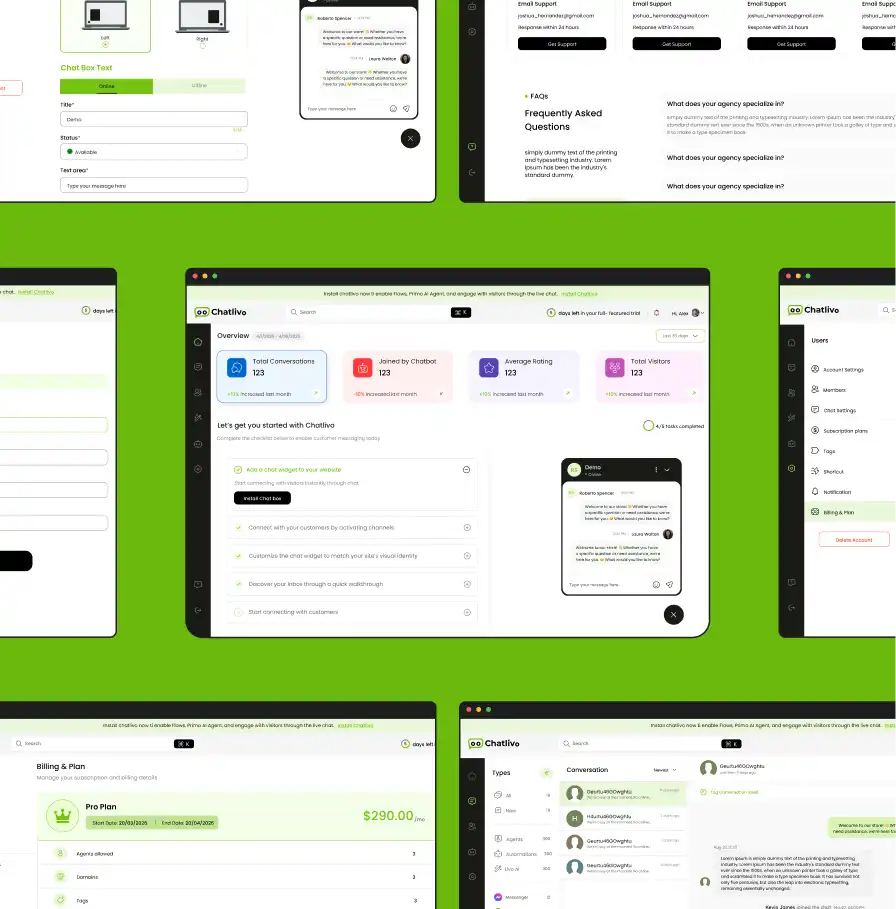
 ChatLivoConnected customer communication SaaS workspace.
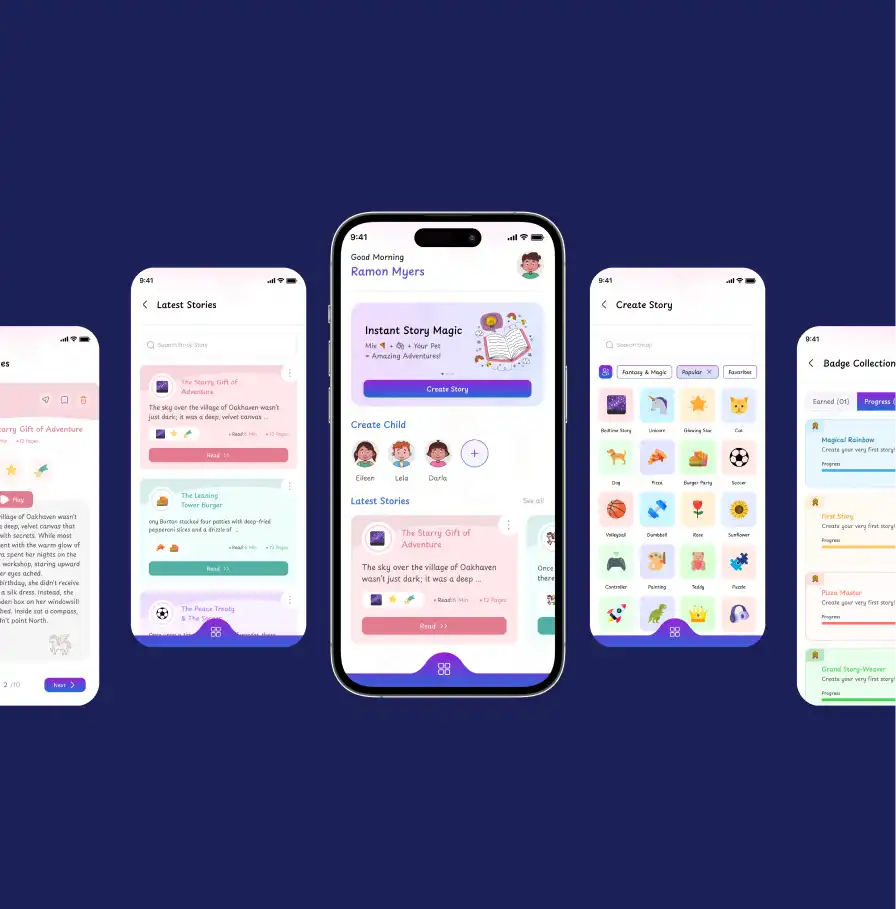
 EmoTalesAI storytelling adventures designed for children.
 EarnifyTrack Income from Multiple Sources with Analytics & Tax Planning.
Already using Microsoft 365 but still relying on spreadsheets, manual approvals, disconnected forms, or repetitive internal processes? Primocys designs and builds Power Platform solutions using Power Apps, Power Automate, Microsoft Dataverse, and Microsoft 365 integrations to turn those processes into structured business applications your team can actually operate and maintain.
Get a Free AI Strategy Call



You know AI could help. The hard part is knowing where — from picking the right use case to knowing if you even need an agent.
Microsoft Power Platform development services help businesses automate workflows, connect data, build custom apps, and improve productivity with scalable solutions.
Custom internal applications, forms, dashboards, and workflow interfaces.
Approvals, notifications, data synchronization, and workflow automation.
Structured business data, relationships, security roles, and application data.
External-facing portals where Power Pages is the right technical fit.
Conversational experiences where currently supported and appropriate for the use case.
Connect solutions with Outlook, Teams, SharePoint, and other Microsoft 365 capabilities.
Integrate systems not adequately covered by standard connectors.
Audit, fix, refactor, productionize, and maintain existing solutions.
From internal tools to customer-facing portals, Power Platform covers a wide range of business applications built for how your teams actually work.
Build a connected Power Platform ecosystem with Power Apps, Power Automate, and Dataverse to streamline workflows, unify data, and scale business operations.
The user interface / application layer.
Structured business data, relationships, and security.
Workflow, notifications, approvals, and system integration.
Dataverse is often appropriate for structured business applications, but the right data layer depends on licensing, scale, security, and existing systems — it isn’t mandatory for every Power Platform solution.
Automate approvals, eliminate follow-up bottlenecks, and keep every request moving with structured workflows that improve visibility, accountability, and response times.
Not every workflow needs AI. If the rule is predictable, Power Automate should usually execute the rule predictably — document review/approval/storage chains and case-update/task-notification flows work the same way.
Coverage can include Outlook, Calendar, Teams, SharePoint, OneDrive, Microsoft Entra ID where appropriate, Microsoft Graph, and Excel where appropriate.
Microsoft 365 permissions, tenant policies, and licensing affect what can be implemented — we don’t promise unrestricted access to email or calendar data.
Microsoft currently recommends structured environment and ALM practices for serious Power Platform development — at minimum dev and production, and commonly dev/test/production for healthy application lifecycle management.
Build and test changes safely, away from live data and live users.
Validate changes against production-like data before they reach real users.
Deploy validated changes to the live environment your users depend on.
Microsoft Power Platform supports layered security and governance through environments, environment roles, resource permissions, Dataverse security roles, Microsoft Entra ID, data policies, and admin controls.
Who can use the app? Who can see which data?
Which connectors are allowed? Can data move between business and non-business systems?
Who can create/share apps? Who administers environments?
Security and governance are configured around the organization’s tenant, licensing, data, and compliance requirements. Power Platform does not automatically make an application compliant.
A Power Platform solution may need to connect with a custom CRM, ERP, accounting software, industry-specific software, internal databases, REST APIs, or third-party SaaS platforms.
If the business process depends on a system Power Platform doesn’t natively understand, we can work at the API/integration layer too — Power Platform can’t directly connect to everything.
Built-in connectors where they fit, custom connectors where they don’t.
Direct integration with systems that need more control than a connector provides.
An on-premises data gateway or Azure services/custom middleware where necessary.
From startups to global enterprises, Primocys delivers innovative technology solutions with strategic clarity, strong governance, and measurable business results.

















Business applications depend on tables, relationships, required fields, ownership, business rules, security roles, and auditing requirements — not just the screens people see.
Contact details, ownership, linked cases, and communication history in one record.
Status, priority, assigned owner, and linked customer — the core of the workflow.
Approver, decision, timestamp, and comments — tracked for audit and accountability.
File metadata, version, linked record, and storage location — not just the upload.
Existing ER diagrams, data schemas, Excel sheets, SQL databases, or SharePoint lists can be reviewed during discovery — not every project needs data moved into Dataverse.
Primocys handles architecture, Power Apps, Power Automate, Dataverse, integration, testing, deployment, and support.
Your team builds while Primocys provides architecture review, formula/code review, Dataverse design, Power Automate review, API/integration support, security/governance guidance, QA, and deployment support.
Flow monitoring, failed-flow troubleshooting, connector changes, Power Apps updates, Dataverse changes, permissions, environment management, deployment, new modules, Microsoft platform updates, performance review, user support, and governance review.
A defined scope built and delivered end-to-end, ready to hand off once live.
We work alongside your team, reviewing code and guiding architecture decisions.
A dedicated engineer embedded with your team for ongoing, hands-on development.
Regular monitoring and updates that keep your apps and flows running reliably.
Decide between Power Platform and custom software based on complexity, performance needs, licensing economics, and long-term platform independence.
Fits when the organization already uses Microsoft 365, the solution is primarily internal, the workflow is business-process oriented, low-code delivery is valuable, and Dataverse/connectors fit the requirements.
Fits when the customer-facing product is complex, specialized UX matters, workload/performance requirements are very high, licensing economics don’t fit, or deep platform independence is required. See Custom Software Development →
Power Platform for the frontend/workflow, combined with a custom backend or API layer — often the practical answer.
We won’t force a complex product into Power Platform if custom software is the better long-term architecture.
Power Platform projects fail more often from missing engineering depth than from missing low-code tools. Here’s what backing that up with real software engineering actually looks like:
Book a Discovery Call
When a workflow outgrows what low-code can handle, we bring real backend and architecture skills to close the gap.
Deep experience connecting solutions with Outlook, Teams, SharePoint, and the wider Microsoft 365 ecosystem.
We build the connectors standard options don’t cover, so your systems talk to each other without workarounds.
When a requirement outgrows Power Platform, we can move it to custom development without switching vendors.
We layer AI and intelligent automation onto your Power Platform solution only where it genuinely adds value.
The same team can extend your Power Platform solution into custom web and mobile apps without a separate vendor.
We plug into your existing citizen developers and IT team rather than replacing them.
Power Platform recommendations are backed by real product delivery, not a low-code-only practice.
A structured delivery process — from process discovery to training and support — so your Power Platform solution is built on solid data, security, and governance foundations, not just fast prototyping.
Discover how our Power Platform solutions help businesses automate workflows, connect data, build custom apps, and achieve measurable operational results.
Generated by Kids Worldwide
AI Creation Time
Instant Story Personalization
iOS & Android Ready
Automated Lead Engagement
Multi-Flow Chatbot Automation
Live Chat & Handoff
Built & Run by Primocys
From finance to healthcare, Primocys delivers custom Power Platform solutions that automate processes, connect data, and improve efficiency across industries.
 Photo & Video Sharing App
 On-Demand Application
 Business Listing App
 Automotive
 Real Estate
 Education
 Healthcare & Fitness
 Ecommerce & Shopping
 Banking & Finance
 Food & Restaurant
Media & Social
Food & Restaurant
Media & Social
 Hotel Booking
 Sports
Cost depends on the number of apps, number/complexity of flows, Dataverse architecture, Microsoft 365 integrations, external APIs, custom connectors, security requirements, migration, Power Pages, Copilot Studio, and ALM/governance requirements.




Our B2B and B2C platform helps Nigerian manufacturers sell at wholesale prices and suppliers offer competitive retail pricing, with a strong focus on Made in Africa products and easy local and international distribution. The app has received excellent user reviews for its design and unique features. Communication with the Primocys team was smooth in an agile setup, even beyond office hours when needed. Their mobile app development expertise is excellent—highly professional and reliable.
We hired Primocys to develop a highly complex and specialized mobile application, and they delivered outstanding results. The app includes advanced features such as timeline mixers, classifieds, payments, advertisements, GPS functionality, and more. Their technical skills, timely delivery, availability, and the personal attention Arpan Sagar brings to each project truly stand out. The team stays focused and committed from start to finish—an excellent experience overall.
The dating app was delivered successfully and approved by both Apple App Store and Google Play. Our users are highly impressed with the design, UI, and overall functionality. The project was well planned with clear milestones, and all modules were delivered on time. The team is talented, patient, and flexible, accommodating multiple scope revisions as requirements evolved. Their 24/7 development and support availability made the entire process smooth and reliable.
Great team with excellent communication and a strong commitment to on-time delivery. They developed a fully customized mobile app for both Android and iOS, perfectly matching our requirements. The entire process was smooth and professional, with clear updates at every stage. They are reliable, skilled, and very easy to work with. We’re continuing our partnership on more projects, and choosing them has been one of the best business decisions I’ve made.
Have a project in mind? Get straight answers on our Power Platform process, tech choices, timelines, and pricing — then book a free discovery call .
Tell us about your workflows, data, and business goals. We’ll help you choose the right Power Apps, Power Automate, and Dataverse approach before you start.
Book a Free Power Platform Consultation →
Services to help businesses establish and enhance their online presence.
Contact Us
Hear from our clients and why 1200+ businesses trust Primocys

"Our B2B and B2C platform helps Nigerian manufacturers sell at wholesale prices and suppliers offer competitive retail pricing, with a strong focus on Made in Africa products and easy local and international distribution. The app has received excellent user reviews for its design and unique features. Communication with the Primocys team was smooth in an agile setup, even beyond office hours when needed. Their mobile app development expertise is excellent—highly professional and reliable."
"The dating app was delivered successfully and approved by both Apple App Store and Google Play. Our users are highly impressed with the design, UI, and overall functionality. The project was well planned with clear milestones, and all modules were delivered on time. The team is talented, patient, and flexible, accommodating multiple scope revisions as requirements evolved. Their 24/7 development and support availability made the entire process smooth and reliable."
" We hired Primocys to develop a highly complex and specialized mobile application, and they delivered outstanding results. The app includes advanced features such as timeline mixers, classifieds, payments, advertisements, GPS functionality, and more. Their technical skills, timely delivery, availability, and the personal attention Arpan Sagar brings to each project truly stand out. The team stays focused and committed from start to finish—an excellent experience overall."
" Great team with excellent communication and a strong commitment to on-time delivery. They developed a fully customized mobile app for both Android and iOS, perfectly matching our requirements. The entire process was smooth and professional, with clear updates at every stage. They are reliable, skilled, and very easy to work with. We’re continuing our partnership on more projects, and choosing them has been one of the best business decisions I’ve made."
AWARDS
TRUSTED BY GLOBAL BRANDS