






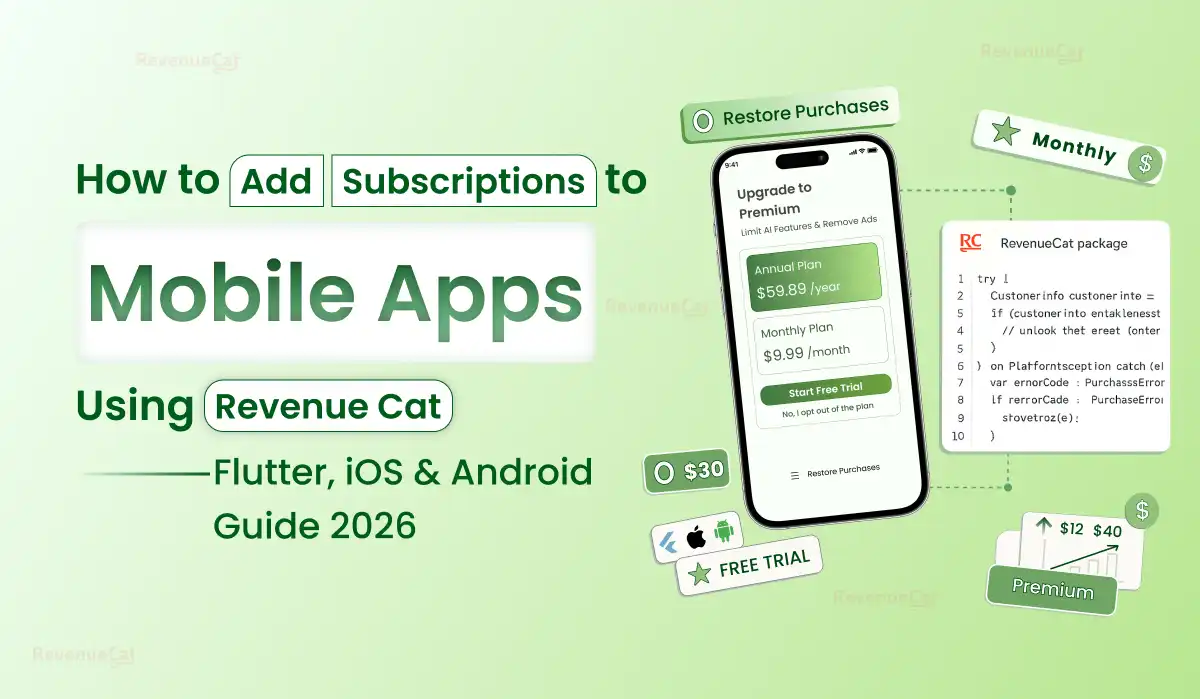
RevenueCat handles Apple StoreKit and Google Play Billing so you don’t have to build it twice. This is the complete guide — from first SDK install to live paywall — for Flutter, iOS, and Android developers and the founders who hire them.
Quick Summary: RevenueCat is a subscription management platform that makes it simple to add subscriptions to mobile app by wrapping Apple StoreKit and Google Play Billing into one SDK. For Flutter, add purchases_flutter to your pubspec.yaml, initialise with your API keys, create products in App Store Connect and Google Play Console, set up entitlements and offerings in the RevenueCat dashboard, then present the paywall. RevenueCat handles receipt validation, subscription status, renewals, cancellations, and analytics — saving 3–5 weeks vs building it yourself. Primocys implements RevenueCat →
What Is RevenueCat and Why Does Every Flutter SaaS App Use It?
Building Flutter in-app subscriptions directly with Apple IAP and Google Play Billing is one of the most underestimated engineering tasks in mobile development. On the surface it looks simple — create a product in App Store Connect, call a purchase API, check if the user is subscribed. In reality it involves server-side receipt validation for both platforms separately, handling subscription state across upgrades, downgrades, refunds, cancellations, pauses, grace periods, billing retries, and family sharing — all with different logic on iOS and Android.
RevenueCat solves this by acting as a unified backend layer — the complete RevenueCat iOS Android guide solution — that handles all of the above with one SDK. You write Flutter subscription app development logic once and it works on iOS and Android identically.
| Approach | Development Time | Platforms | Receipt Validation | Analytics | Recommended |
|---|---|---|---|---|---|
| RevenueCat SDK | 1–2 weeks | iOS + Android unified | Handled by RevenueCat | Built-in charts | ✓ Yes |
| Native Apple IAP only | 2–3 weeks | iOS only | Build your own server | None | iOS-only apps |
| Native Google Play only | 2–3 weeks | Android only | Build your own server | None | Android-only apps |
| Both native separately | 5–8 weeks | Both platforms | Two validation servers | None | Avoid |
| in_app_purchase Flutter pkg | 3–4 weeks | Both platforms | Still need server | None | MVP only |
RevenueCat pricing — what founders actually pay: RevenueCat is free up to $2,500 monthly tracked revenue (MTR). Starter plan: free. Pro plan: $119/month up to $10,000 MTR — includes A/B testing, advanced charts, and third-party integrations. Enterprise: custom pricing above $10,000 MTR. Critically: RevenueCat does not take a percentage of your revenue. Apple takes 15–30% and Google takes 15–30% — RevenueCat charges only a flat platform fee for their infrastructure.
RevenueCat iOS Android Guide — Core Concepts Explained Simply
Before touching any code in your Flutter subscription app development project, understand these four RevenueCat iOS Android guide concepts. Confusing them is the #1 cause of mobile app subscription bugs that take days to diagnose:
Entitlement
A level of access your app grants. Abstract — not tied to a specific product. Your code checks if a user has an entitlement, not which product they bought..
Offering
A collection of packages shown to a user at a given time. You can have multiple offerings — “default”, “sale”, “annual_promo” — and switch them remotely without an app update.
Package
A group of equivalent products across platforms. Monthly package contains both the iOS monthly product and Android monthly product — same value, different store product IDs.
Customer Info
The object returned by RevenueCat after every purchase or restore. Contains the user’s active entitlements, expiration dates, and purchase history. This is what you check to gate premium features.
Always use entitlements in your Flutter code — never product IDs: Check customerInfo.entitlements.active[“premium”] — not whether a specific product ID was purchased. If you ever change your pricing or add a new product, entitlement-based checks keep working automatically. Product ID checks break every time you update your subscription offerings.
Create Your RevenueCat Project & Configure App Stores
30–60 minBefore writing a single line of Flutter code, set up your products in Apple App Store Connect and Google Play Console, then connect them to RevenueCat. This is where most developers lose time — getting the store configuration right before touching the SDK.
- Set product ID (e.g. com.yourapp.premium_monthly)
- Configure pricing, duration, and localisation
- Enable In-App Purchase capability in Xcode
- Generate App Store Connect API key for RevenueCat
- Add Shared Secret in RevenueCat dashboard under iOS app
- Create subscription products under Monetise → Subscriptions
- Set product ID (must match your RevenueCat package)
- Configure base plan: renewal period, grace period, price
- Add BILLING permission to AndroidManifest.xml
- Create Service Account and grant Financial reporting access
- Upload Service Account JSON key to RevenueCat dashboard
Google Play requires a published app to test subscriptions: You need at least one closed testing track release published before Google Play will process subscription purchases. Create a closed test track, add your test account as a tester, and upload an APK before you can test billing on Android.
Add RevenueCat to Your Flutter Project
15–20 minAdd the RevenueCat Flutter SDK packages and configure both platforms:
# Add both packages for SDK + paywall UI
dependencies:
  purchases_flutter: ^8.10.5
  purchases_ui_flutter: ^8.10.5
// Android: subclass FlutterFragmentActivity for paywall support
import io.flutter.embedding.android.FlutterFragmentActivity

class MainActivity: FlutterFragmentActivity()
<!-- Add BILLING permission for Google Play -->
<uses-permission android:name="android.permission.INTERNET" />
<uses-permission android:name="com.android.vending.BILLING" />
iOS: Enable In-App Purchase capability in Xcode: Open your iOS project in Xcode → Project Target → Signing & Capabilities → + Capability → add In-App Purchase. Without this, purchases will silently fail on real iOS devices. Also ensure your Podfile specifies Swift 5.0+ minimum.
Initialise RevenueCat at App Start
10 minInitialise RevenueCat once at app launch — before any subscription-gated feature is accessed. Use different API keys for iOS and Android:
import 'package:purchases_flutter/purchases_flutter.dart';
import 'dart:io';

void main() async {
  WidgetsFlutterBinding.ensureInitialized();
  await _initRevenueCat();
  runApp(MyApp());
}

Future<void> _initRevenueCat() async {
  // Enable debug logs in development only
  await Purchases.setLogLevel(LogLevel.debug);

  PurchasesConfiguration config;
  if (Platform.isIOS) {
    config = PurchasesConfiguration('appl_YOUR_IOS_KEY');
  } else {
    config = PurchasesConfiguration('goog_YOUR_ANDROID_KEY');
  }
  await Purchases.configure(config);
}
Connect to your user authentication system: After the user signs in, call Purchases.logIn(yourUserId) to link their RevenueCat subscription to your backend user. This ensures subscription state persists across devices and app reinstalls.
Configure Entitlements, Offerings & Packages in RevenueCat Dashboard
20–30 minIn the RevenueCat dashboard, create the three layers of configuration that power your subscription logic:
Create an Entitlement
Dashboard → Entitlements → New. Give it a simple ID like “premium”. This is what your Flutter code checks — abstract from any specific product.
Create Products
Dashboard → Products → New. Add your iOS and Android product IDs exactly as entered in the respective store consoles. Attach them to your entitlement.
Create an Offering with Packages
Dashboard → Offerings → New → “default”. Add packages (monthly, annual, lifetime). Each package groups your iOS and Android products that represent the same billing period. This “default” offering is what your paywall fetches automatically.
Build Your Paywall in Flutter
1–3 hoursTwo approaches: use RevenueCat’s built-in paywall UI (fastest) or build a custom paywall with full control over design.
Option A — RevenueCat Paywall Flutter Widget (Fastest)
import 'package:purchases_ui_flutter/purchases_ui_flutter.dart';

// Present the RevenueCat paywall — design configured in dashboard
await RevenueCatUI.presentPaywallIfNeeded(
  "premium", // your entitlement ID
);

// Or embed inline as a widget
PaywallView(
  offeringIdentifier: "default",
  onPurchaseCompleted: (customerInfo, storeTransaction) {
    // User subscribed — unlock premium features
    Navigator.pop(context);
  },
  onPurchaseCancelled: () {
    // User closed without buying — handle gracefully
  },
  onRestoreCompleted: (customerInfo) {
    // User restored a prior purchase
  },
);
Option B — Custom RevenueCat Paywall Flutter (Full Design Control)
// Fetch offerings — build your own UI around them
final offerings = await Purchases.getOfferings();
final current = offerings.current;

if (current != null) {
  final monthly = current.monthly; // Package?
  final annual = current.annual;

  // Purchase a specific package
  if (monthly != null) {
    final customerInfo = await Purchases.purchasePackage(monthly);
    final isPremium =
      customerInfo.entitlements.active.containsKey("premium");
    if (isPremium) { // ✅ Unlock features }
  }
}
RevenueCat Paywall = no app update needed for pricing changes: With the built-in PaywallView, you configure paywall copy, layout, and pricing in the RevenueCat dashboard. Changes go live immediately — no App Store review required. This lets you A/B test pricing and messaging without a deployment cycle.
Check Subscription Status & Gate Premium Features
30 minCheck entitlement status everywhere in your app where premium features are accessed. Use a stream listener for real-time updates or fetch on demand:
// Check subscription status anywhere in your app
Future<bool> isPremium() async {
  try {
    final customerInfo = await Purchases.getCustomerInfo();
    return customerInfo.entitlements.active.containsKey("premium");
  } catch (_) {
    return false; // fail gracefully — don't block the app
  }
}

// Listen to subscription changes in real-time (e.g. during live streaming)
Purchases.addCustomerInfoUpdateListener((customerInfo) {
  final isPremium =
    customerInfo.entitlements.active.containsKey("premium");
  // Update UI state based on new subscription status
});

// Restore purchases (required by App Store guidelines)
TextButton(
  onPressed: () async {
    await Purchases.restorePurchases();
  },
  child: Text("Restore Purchases"),
);
Apple requires a “Restore Purchases” button — no exceptions: Apple App Review will reject your app if it doesn’t have a visible “Restore Purchases” option. Add it to your paywall screen and settings page. Call Purchases.restorePurchases() and update your UI state based on the returned CustomerInfo.
Test With Sandbox & Launch to Both Stores
1–3 daysTest subscriptions using sandbox accounts before launching. Never test with a real payment method in development.
- Create Sandbox Tester in App Store Connect → Users & Access
- Sign out of real Apple ID on device, sign in with sandbox account
- Sandbox subscriptions renew every 5 minutes (monthly) or 30 min (annual)
- Check RevenueCat dashboard → Sandbox data toggle to see test purchases
- Add Gmail accounts as licence testers in Google Play Console
- Upload release to closed testing track — testers must opt-in via link
- Test purchases are free — Google Play marks them as test transactions
- Check RevenueCat dashboard → Sandbox mode for Android test events
Test every subscription scenario before launch: Test: successful purchase → premium unlocked. Cancellation → access continues until period end. Expired subscription → access removed. Restore purchase → access restored. Grace period → access continues during billing retry. Each scenario should behave correctly before submitting to the App Store.
We Built & Tested a Real RevenueCat Flutter Subscription — Here’s Exactly What Happened
This guide isn’t theoretical. The Primocys team implemented a complete RevenueCat subscription system in a Flutter app and ran a live end-to-end test — from sandbox purchase through entitlement unlock to RevenueCat dashboard confirmation. Below is every step we verified, and what the results showed.
Flutter App Integration
Sandbox purchase success rate
Entitlement unlock after payment
Lines of server-side code required
iOS Sandbox purchase flow completed on physical device
Used dedicated Sandbox Tester account — not a real Apple ID. Purchase dialog appeared, payment processed in under 2 seconds.
RevenueCat dashboard showed INITIAL_PURCHASE event within 3 seconds
Switched to sandbox view in dashboard — event appeared nearly instantly with correct product ID, price, and user alias.
Entitlement “premium” marked active immediately after purchase
customerInfo.entitlements.active.containsKey(“premium”) returned true without any app restart.
Premium features unlocked inside Flutter app in real-time
The addCustomerInfoUpdateListener fired and updated the UI state — no manual refresh needed.
Restore purchases worked after app reinstall on same device
Uninstalled the app, reinstalled, tapped Restore Purchases — entitlement restored within 2 seconds using the same sandbox account.
Auto-renewal verified — subscription renewed every 5 minutes (sandbox)
Dashboard showed RENEWAL events on schedule. Entitlement stayed active through each renewal cycle with no code changes required.
Cancellation reflected in dashboard within 5 minutes
Cancelled via iOS Settings → Subscriptions. RevenueCat dashboard showed CANCELLATION event; app correctly reverted to free tier after period ended.
Android Google Play test purchase verified on closed test track
Added Gmail as licence tester, opted in via Play Store link — purchase completed, entitlement active, RevenueCat dashboard confirmed the Android event.
📊 RevenueCat Dashboard Events We Saw in Real-Time
Triggered the instant sandbox purchase completed. Appeared in dashboard within 3 seconds with full product and pricing details.
Auto-triggered every 5 minutes in sandbox (monthly plan). Entitlement stayed active through renewals. Zero app-side code needed for renewals.
Triggered when subscription was cancelled via iOS Settings. App correctly showed free-tier content after the period ended — no extra logic needed.
Sandbox renewals happen every 5 minutes — not monthly. Use this to your advantage. During development, RevenueCat sandbox subscriptions auto-renew every 5 minutes (monthly plan) and every 30 minutes (annual). This lets you test your full renewal logic, dunning behaviour, and expiry handling in a single afternoon — not over weeks. Always verify that your app handles mid-session subscription state changes correctly before shipping to production.
Testing in RevenueCat sandbox is fast, reliable, and catches 95% of production issues before your app reaches a single real user. The remaining 5% — edge cases like billing retry after a declined card — can be simulated using RevenueCat’s customer override tools in the dashboard. We recommend completing at least one full purchase → renew → cancel cycle on both iOS and Android before submitting to either store.
Mobile App Subscription Model 2026 — SaaS Revenue Models You Can Build With RevenueCat
RevenueCat supports every major mobile app subscription model 2026 founders need. Whether you’re building a freemium Flutter SaaS app development project or a full enterprise subscription platform, here’s how each model works and when to use it:
Free forever with limited features. Premium unlocks full access. Gate specific features or usage caps behind the “premium” entitlement.
7 or 14-day trial with full access, auto-converts to paid. Configured in App Store Connect and Google Play — RevenueCat tracks trial status automatically.
Two packages in your offering. Annual at 40–50% discount drives higher LTV. RevenueCat tracks MRR and ARR separately for each package type.
Basic, Pro, Enterprise tiers — each as a separate entitlement. Users upgrade within the app without a new download. RevenueCat tracks conversion between tiers.
One-time non-consumable purchase for permanent access. Add as a package alongside subscriptions. High upfront revenue but lower predictable LTV.
RevenueCat Experiments lets you A/B test different paywall designs, pricing, and copy — without an app update. Measure conversion and trial-to-paid rates for each variant.
7 Flutter In-App Subscription Mistakes That Cause Production Bugs
Checking product IDs instead of entitlements
Using activeSubscriptions.contains(“com.app.monthly”) instead of checking entitlements. When you add a new product or change a product ID, all your gating logic breaks silently.
Fix: Always use customerInfo.entitlements.active[“premium”] — never product IDs.Not handling restore purchases
Users who reinstall your app or switch devices lose subscription access because no restore flow was built. Apple will also reject your app in review if there’s no “Restore Purchases” button visible on the paywall.
Fix: Add Purchases.restorePurchases() to both your paywall and your settings screen.Not using FlutterFragmentActivity on Android
RevenueCat Paywalls require MainActivity to subclass FlutterFragmentActivity instead of FlutterActivity. Without this change, the paywall widget crashes silently on Android.
Fix: Change your MainActivity.kt to extend FlutterFragmentActivity before testing paywalls.Testing with a real Apple ID
Making test purchases with a real Apple ID charges your real payment method. Sandbox purchases made with a real account also count as real subscriptions — causing confusion when reviewing revenue in the dashboard.
Fix: Always create a dedicated Sandbox Tester account in App Store Connect for all development testing.Not logging in the user before checking entitlements
Calling Purchases.getCustomerInfo() before Purchases.logIn(userId) returns the anonymous user’s subscription state — not the signed-in user’s. Subscriptions appear missing on new devices.
Fix: Call Purchases.logIn(yourUserId) immediately after your user authentication completes, before any subscription checks.Blocking the app on subscription status fetch failure
Wrapping your entire app launch in a subscription check without error handling means a RevenueCat API outage or network failure prevents the app from starting — even for users who don’t have subscriptions.
Fix: Always wrap Purchases.getCustomerInfo() in try/catch and return false on any error — never block the app on a subscription check failure.Mismatched product IDs between RevenueCat and the store
Product IDs in RevenueCat must exactly match the product IDs in App Store Connect and Google Play Console — case-sensitive, including the full bundle ID prefix. A mismatch causes “Product not found” errors that are very hard to diagnose from the Flutter side.
Fix: Copy-paste product IDs directly from the store consoles into RevenueCat. Never retype them manually.Need Flutter Subscription App Development? Primocys Implements RevenueCat
Primocys handles complete Flutter subscription app development — Apple IAP, Google Play Billing, RevenueCat paywall Flutter UI, entitlement gating, dunning flows, A/B testing, and revenue analytics. Whether you need to add subscriptions to mobile app or build a full Flutter SaaS app development project, we deliver. Clutch Top Flutter Developer 2024 & 2026.
Full RevenueCat setup
Dashboard config, entitlements, offerings, packages — complete setup included.
Custom paywall UI
Branded paywall screens that match your app design — not just RevenueCat defaults.
iOS + Android
Both stores configured, tested in sandbox, and launched to production.
Dunning & grace periods
Failed payment recovery, grace period handling, and billing retry logic configured.
Revenue analytics
RevenueCat Charts, MRR tracking, churn rate, trial-to-paid conversion — all connected.
Fixed-price delivery
Transparent quote before we start. No surprises. Clutch 4.9★ verified delivery.
More Flutter SaaS App Development Services from Primocys
How to Add Subscriptions to Mobile App Using RevenueCat — Final Verdict
RevenueCat is the fastest and most reliable way to add subscriptions to mobile app in 2026. Whether you are building a Flutter SaaS app development project from scratch or adding a subscription layer to an existing app, RevenueCat eliminates 3–5 weeks of engineering by handling Apple StoreKit, Google Play Billing, receipt validation, dunning, and revenue analytics in one unified SDK.
The complete Flutter in-app subscription implementation follows seven steps: configure your products in App Store Connect and Google Play Console, install the purchases_flutter SDK, initialise RevenueCat at app start, configure entitlements and offerings in the RevenueCat dashboard, build your RevenueCat paywall Flutter UI, gate premium features using entitlement checks, and test thoroughly in sandbox before launching to both stores.
For founders and developers building a mobile app subscription model 2026, RevenueCat’s free tier — available up to $2,500 monthly tracked revenue — means you pay nothing until your in-app purchase Flutter iOS Android implementation is generating real revenue. At that point, the $119/month Pro plan is easily justified by the engineering time saved and the A/B testing capabilities that drive conversion optimisation.
Your Next Step: If you need a complete RevenueCat iOS Android guide implementation — including paywall UI, entitlement gating, dunning flows, and revenue analytics — Primocys delivers the full Flutter subscription app development stack as a fixed-price service. Contact us for a transparent estimate within 48 hours .
Frequently Asked Questions — Flutter Subscription App Development & RevenueCat
What is RevenueCat and why use it for Flutter apps?
How do I add RevenueCat to a Flutter app?
What is the difference between RevenueCat entitlements, offerings, and packages?
How much does RevenueCat cost?
Can Primocys implement RevenueCat in my existing Flutter app?
What is dunning and does RevenueCat handle it?
How do I test RevenueCat subscriptions before launching?

Build your scalable apps today.
Contact UsLeaving Already?
Hear from our clients and why 1200+ businesses trust Primocys

"Our B2B and B2C platform helps Nigerian manufacturers sell at wholesale prices and suppliers offer competitive retail pricing, with a strong focus on Made in Africa products and easy local and international distribution. The app has received excellent user reviews for its design and unique features. Communication with the Primocys team was smooth in an agile setup, even beyond office hours when needed. Their mobile app development expertise is excellent—highly professional and reliable."

"The dating app was delivered successfully and approved by both Apple App Store and Google Play. Our users are highly impressed with the design, UI, and overall functionality. The project was well planned with clear milestones, and all modules were delivered on time. The team is talented, patient, and flexible, accommodating multiple scope revisions as requirements evolved. Their 24/7 development and support availability made the entire process smooth and reliable."

" We hired Primocys to develop a highly complex and specialized mobile application, and they delivered outstanding results. The app includes advanced features such as timeline mixers, classifieds, payments, advertisements, GPS functionality, and more. Their technical skills, timely delivery, availability, and the personal attention Arpan Sagar brings to each project truly stand out. The team stays focused and committed from start to finish—an excellent experience overall."

" Great team with excellent communication and a strong commitment to on-time delivery. They developed a fully customized mobile app for both Android and iOS, perfectly matching our requirements. The entire process was smooth and professional, with clear updates at every stage. They are reliable, skilled, and very easy to work with. We’re continuing our partnership on more projects, and choosing them has been one of the best business decisions I’ve made."

AWARDS


Share Your Requirements
TRUSTED BY GLOBAL BRANDS