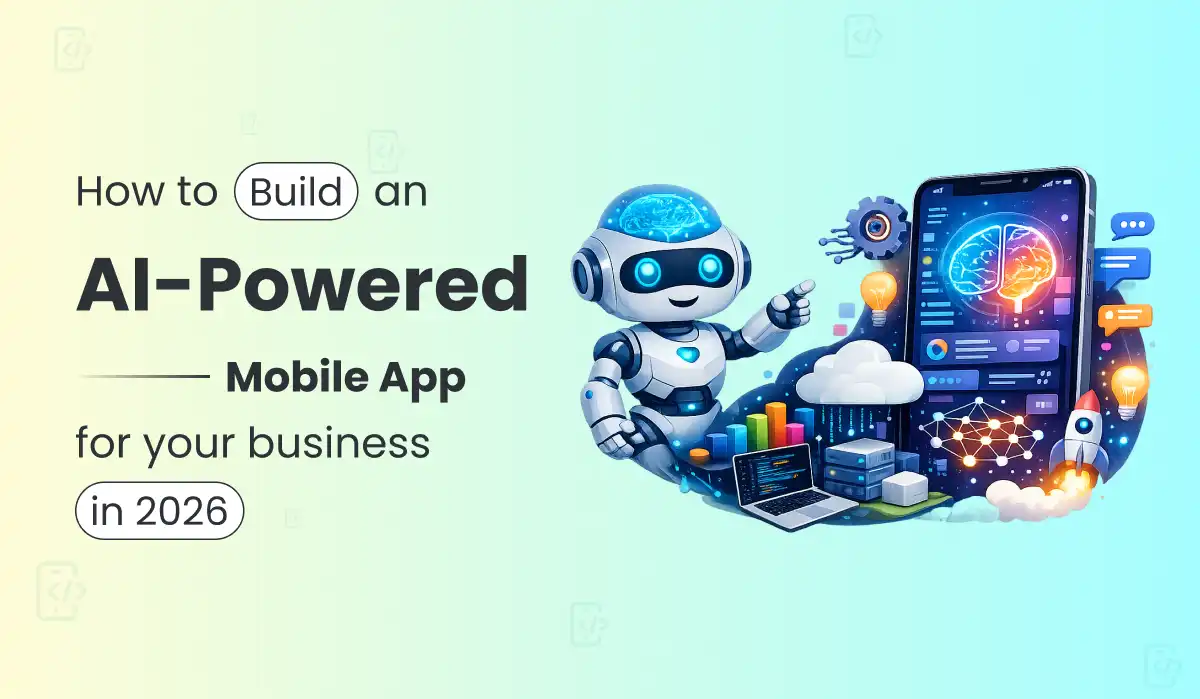
How to Build an AI-Powered Mobile App for Your Business in 2026
Date
18 Jun, 2026
Share:
88% of organizations now use AI in at least one business function. Apps mentioning AI were downloaded 17 billion times in 2024. But “AI-powered” has become a marketing label slapped on a chatbot wrapper — here’s how to build something that actually works, and what it actually costs.
The direct answer first
Building an AI-powered mobile app costs $12,000–$25,000 for an MVP (LLM API integration — a chatbot or copilot using GPT-4o, Claude, or Gemini) at India development rates. A mid-tier app with RAG connecting your business data costs $25,000–$60,000. An enterprise platform with custom workflows and multi-agent orchestration costs $80,000–$200,000+. US agencies quote $30,000 to over $250,000 for the same scope. The single most important decision — the one that determines 60–70% of your budget — is whether you use an existing LLM API or attempt to train a custom model. For almost every business app, the answer is: use the API, skip the custom model entirely. See our AI development service →
Here’s an uncomfortable truth about most “AI-powered” apps launched in 2026: a meaningful number of them are a chat bubble icon connected to ChatGPT’s API with no actual access to the business data that would make the answers useful. That’s not an AI feature. That’s a demo. And the gap between a demo and a genuinely useful AI feature is exactly where most of the budget — and most of the value — actually lives.
AI has moved from an optional feature to core infrastructure in mobile app development. Users who experience AI-powered personalisation in one app now expect similar intelligence everywhere — which means the bar for what counts as “AI-powered” has risen sharply. A static FAQ chatbot impressed people in 2023. It doesn’t anymore. What impresses people now, and what actually drives business value, is AI that knows your specific business — your inventory, your policies, your customer history — and acts on that knowledge intelligently.
Primocys builds AI as an architectural decision made on day one, not a feature bolted on at the end, using OpenAI, Anthropic Claude, Google Gemini, and open-source models depending on the use case. This guide is the honest version of what building AI into a mobile app actually involves in 2026 — the real architecture, the real cost, and the decision that separates a useful AI feature from an expensive toy.
$354B
AI mobile app market by 2034
88%
Of organisations use AI in 2026
17B
AI app downloads in 2024 alone
$12K
AI MVP starting cost (India)
67%
AI vs In-House Success Rate
4 AI Features for Mobile Apps — Chatbots, Copilots, RAG & More
“Add AI to my app” is not a feature request — it’s a category of dozens of different capabilities, each with different architecture, cost, and business value. Before you can scope a budget or a timeline, you need to know which type of AI feature your app actually needs.
Conversational AI / Chatbot
Answers questions in natural language. The simplest AI feature — but only useful if connected to real business data via RAG, not just a generic LLM wrapper.
→ 112% YoY growth — fastest-growing app category
AI Copilot
Actively helps users complete workflows — suggests next actions, automates repetitive tasks, learns preferences over time. The evolution beyond simple Q&A chatbots.
→ Reduces task completion time by 40–60%
Recommendation Engine
Personalises content, products, or matches based on user behaviour. Collaborative filtering or embedding-based similarity — the original mobile AI use case, still highly relevant.
→ Drives retention through personalisation
Computer Vision
Image recognition, document scanning, defect detection, content moderation. On-device (TFLite/CoreML) or cloud-based depending on latency and privacy needs.
→ Strong for retail, logistics, healthcare
Autonomous Agents
Multi-step AI workflows that execute actions, not just generate text — booking, ordering, multi-system data lookups. The most complex and most expensive AI feature category.
→ Highest cost, highest potential value
Predictive Analytics
Forecasts demand, churn risk, fraud probability from historical data. Often the most valuable AI feature for B2B apps — and the least visible to end users.
→ Highest ROI for internal business tools
The question that determines which type you actually need: Ask: “What decision or action does this AI feature need to make better?” If the answer is “answer a question,” you need conversational AI with RAG. If it’s “help the user finish a multi-step task faster,” you need a copilot. If it’s “show the right thing to the right person,” you need a recommendation engine. Founders who skip this question end up building a generic chatbot because that’s the most-discussed AI feature in the press — even when their actual business problem needed a recommendation engine or predictive model instead.
LLM API vs Custom AI Model — The Decision That Shapes 60–70% of Your Budget
This one decision — LLM API vs custom AI model — shapes 60–70% of your total budget before you’ve scoped a single feature. Get it wrong and you either overspend dramatically on infrastructure you didn’t need, or underspend on something that won’t scale to your actual use case.
Right for 95% of Apps
LLM API + RAG
Use OpenAI GPT-4o, Anthropic Claude, or Google Gemini via API. Connect to your business data using RAG (retrieval-augmented generation) and a vector database. No training. No GPU infrastructure. No ML research team. Most business AI problems — chatbots, copilots, document Q&A, content generation — are solved entirely this way. Cost: $0.50–$15 per million tokens depending on model tier, plus your development cost.
Rarely Necessary
Custom Trained Model
Training a proprietary model from scratch needs large datasets, ML researchers, GPU clusters, evaluation frameworks, and ongoing maintenance. Cost: $500,000+ and 6–12+ months minimum. Only justified when you have a problem genuinely unsolvable by prompting an existing model — extremely specialised domains, proprietary data moats at massive scale, or unique latency/privacy constraints that rule out API calls entirely.
“Custom model training sounds powerful. But it is not always necessary. Many businesses can solve their AI use case with API integration, prompt engineering, RAG, or fine-tuning. Training a proprietary LLM from scratch should be the last option, not the first.”
The honest pattern we see repeatedly: a founder reads about custom AI models and assumes that’s what “real AI” requires, when their actual problem — answering customer questions using their product documentation, or summarising long support tickets — is fully solved by an existing model plus RAG, at a fraction of the cost and a fraction of the timeline.
RAG Architecture for Mobile Apps — Vector Database, Chunking & Flutter Integration
RAG (Retrieval-Augmented Generation) is the single most important concept in this entire guide, because it’s the difference between an AI feature that gives generic answers and one that gives answers based on your actual business. Mobile apps with RAG can answer questions using your documentation, policies, product catalog, or historical data rather than generic information pulled from the model’s general training.
Here’s a concrete example worth internalising: a logistics app’s RAG system searches shipping regulations, carrier capabilities, and historical delivery data before answering a routing question. When policies or rates update, the answers automatically reflect the change in future responses — without anyone retraining a model. That update-without-retraining property is what makes RAG dramatically more practical than fine-tuning for almost every business use case.
How the RAG pipeline works — from vector database to LLM response
Your Data
docs, policies, FAQs
Chunking
split into segments
Embeddings
text → vectors
Vector DB
Pinecone / pgvector
Retrieval
find relevant chunks
LLM
generate answer
When a user asks a question in your app, the system converts their question into a vector embedding, searches the vector database for the most semantically similar chunks of your business data, and passes those specific chunks to the LLM alongside the question. The model answers using that retrieved context — not its general training knowledge. This is why RAG-powered answers reference your actual return policy instead of a generic e-commerce return policy that happens to be statistically common in the model’s training data.
In Flutter AI app development, the RAG backend typically runs as a Python or Node.js microservice, while the Flutter app handles the UI, streaming responses, and conversation state. The vector database — commonly Pinecone , Weaviate, or the more cost-effective pgvector extension on PostgreSQL — lives entirely on the backend. For most business apps, pgvector on a managed Postgres instance is sufficient at MVP stage and avoids a separate vector database bill until your dataset grows significantly.
# Simplified RAG query flowuser_question = "What's the return window for electronics?"query_embedding = embed(user_question)relevant_chunks = vector_db.search(query_embedding, top_k=5)context = format_chunks(relevant_chunks)response = llm.generate(system="Answer using only the provided context.",
context=context,question=user_question)
The RAG quality mistake that breaks most early implementations: Chunking strategy matters more than model choice. Splitting your documentation into arbitrary 500-character blocks regardless of content structure produces poor retrieval — a policy gets cut mid-sentence across two chunks, and neither chunk alone answers the question correctly. Chunk along natural document boundaries (sections, paragraphs, FAQ entries) and include enough surrounding context in each chunk that it makes sense on its own. This single decision affects RAG answer quality more than which LLM you choose to generate the final response.
AI App Development Pricing 2026 — 4 Tiers at India Rates
AI app development pricing in 2026 splits cleanly into four tiers, from a simple LLM-API chatbot to a full enterprise AI platform. Here’s what each tier actually includes and what it costs at India development rates.
Tier 1
MVP Chatbot / Copilot
$12K–$25K
US/UK equiv: $30,000–$70,000
LLM API integration (GPT-4o/Claude)
Single-purpose chatbot or assistant
Basic conversation memory
Flutter mobile app (iOS + Android)
Usage tracking and cost monitoring
Simple prompt engineering
Most ValuableTier 2 — Most Valuable
RAG-Powered App
$25K–$60K
US/UK equiv: $80,000–$180,000
All Tier 1 features
RAG pipeline + vector database
Document/knowledge base ingestion
Connects to your actual business data
Response caching (cuts API cost 40%)
Admin dashboard for content management
Tier 3
AI Copilot Platform
$35K–$80K
US/UK equiv: $150,000–$300,000
All Tier 2 features
Multi-step agentic workflows
Action execution (not just text)
Third-party API integrations (CRM/ERP)
User preference learning over time
Per-user cost metering and limits
Tier 4
Enterprise AI Platform
$80K+
US/UK equiv: $300,000+
All Tier 3 features
Multi-agent orchestration
Fine-tuning where genuinely justified
Enterprise data governance/compliance
Multi-tenant SaaS architecture
Dedicated MLOps infrastructure
LLM Integration Cost at Scale — The Ongoing Bill Nobody Budgets For
Development cost is the part everyone budgets for. The part that surprises founders six months post-launch is the LLM API bill — because unlike a fixed monthly hosting fee, API costs scale directly with usage, and usage is exactly what you want if the AI feature is succeeding.
Model Tier
Cost per 1M Tokens
Best For
Monthly Cost @ 10K Daily Queries
GPT-4o-mini / Gemini Flash
$0.15–$0.60
Simple Q&A, classification, summarisation
$45–$180
GPT-4o / Claude Sonnet
$2.50–$15
Complex reasoning, RAG, copilots
$750–$4,500
Claude Opus / GPT-4 (frontier)
$15–$75
Highest-complexity agentic workflows
$4,500–$22,500
Open-source self-hosted (Llama)
GPU cost only
High volume, data privacy requirements
$200–$2,000 (fixed GPU)
The cost-control technique that cuts your API bill by up to 40%: If a user asks a question identical or semantically similar to a previous query, serve the cached response instantly instead of hitting the LLM vendor again — cutting API token expenses by up to 40% in apps with repetitive query patterns (FAQ-style assistants especially). This requires storing query embeddings and checking similarity before making a fresh API call. Build this caching layer into your MVP, not as a later optimisation — it’s substantially harder to retrofit than to design in from day one.
Build per-user cost tracking and usage metering before you go live, not after you receive a surprise invoice. This is the single most overlooked engineering task in AI app development — most teams discover their unit economics only after a viral spike in usage produces an API bill that exceeds their entire monthly revenue.
Build vs Buy AI Development — In-House Team or Specialist Partner?
This build vs buy AI development question is the one every founder eventually asks, and the data on it is more decisive than most expect. Companies purchasing AI capability from specialist vendors succeed roughly 67% of the time , while internal builds succeed only about one-third as often, according to MIT’s GenAI Divide research. That’s not a small gap — it’s the difference between AI features that ship and work, and AI features that get stuck in an endless internal pilot.
The reason isn’t that internal teams are less capable engineers. It’s that AI engineering requires a specific combination of skills — prompt engineering, vector database architecture, evaluation methodology, cost optimisation, and an instinct for where RAG breaks down — that a generalist mobile or web team typically hasn’t built yet. Learning all of that while simultaneously trying to ship a product is expensive in time even when it’s not expensive in direct cost. Working with an AI app development company in India that has already built production RAG systems and LLM-powered apps compresses that learning curve significantly — and typically at 40–60% lower cost than equivalent teams in the US or UK.
When in-house actually makes sense: If AI is your core product — not a feature inside a broader app, but the entire reason your company exists — building in-house ML expertise is the right long-term investment, because you need that capability to evolve continuously as your core differentiator. If AI is one feature among many in a broader business app, working with a specialist partner who has already solved the RAG chunking problems, the cost-metering problems, and the prompt-engineering iteration cycle gets you to a working product faster and more reliably than building that expertise from zero internally.
Primocys · AI Development
We Build Production AI Systems — Not Weekend Prototypes
Primocys treats AI as an architectural decision made on day one, not a feature bolted on at the end. We work with OpenAI, Anthropic Claude, Google Gemini, and open-source models — building LLM-powered chatbots, RAG pipelines, and autonomous AI agents that actually connect to your business data.
RAG pipelines that work
Correct chunking strategy, vector database architecture, and retrieval tuning — not a generic chatbot wrapper.
Cost-metered from day one
Per-user API cost tracking and response caching built into the MVP — no surprise invoices six months post-launch.
Flutter mobile + AI backend
Cross-platform Flutter app with Node.js/Python AI services. One team, one architecture, no integration friction.
Honest API vs custom model advice
We tell you when RAG solves your problem at 1/10th the cost of a custom model — even when that means a smaller invoice.
Multi-agent workflows
Beyond Q&A — AI that executes multi-step actions across your CRM, ERP, and internal systems.
Fixed price from $12,000
Cost agreed before development starts. Full source code. No vendor lock-in to a proprietary AI platform.
Building an AI-powered mobile app in 2026 comes down to a few decisions, not dozens. Choose the right AI feature type — whether that’s a chatbot, an AI copilot, a recommendation engine, or a RAG-powered knowledge assistant — based on the specific business problem you’re solving, not what’s trending on LinkedIn. Decide LLM API vs custom AI model early: for almost every business app, the API route is faster, cheaper, and more maintainable. Add RAG architecture and vector database integration the moment your app needs to answer questions from your own data.
Budget realistically for AI app development: $12,000–$25,000 for an MVP chatbot or copilot, $25,000–$60,000 for a RAG-powered app with vector database integration, and $80,000+ for an enterprise AI platform — all at India development rates, compared to $30,000–$250,000+ at US agency pricing. Budget separately for ongoing LLM integration costs as usage scales, and build response caching from day one to control that bill. On the build vs buy AI development question, let the data decide: specialist AI development companies ship working features far more reliably than generalist teams learning AI for the first time.
Flutter AI app development from India gives you the best combination of cross-platform reach, production-quality performance, and cost efficiency available in 2026. If you know what problem you’re solving, Primocys can scope your AI app, recommend the right architecture, and give you a fixed price — contact us for a free technical consultation .
Frequently Asked Questions — AI Mobile App Development
How much does it cost to build an AI-powered mobile app in 2026?
Building an AI app costs $12K–$25K for an MVP chatbot/copilot, $25K–$60K for a RAG-powered app with vector search, and $80K+ for enterprise multi-agent platforms — all at India rates. US agencies charge 3–5× more for identical scope. For most apps, LLM APIs beat custom model training on both cost and speed. Use our AI app cost calculator for a personalised estimate.
Should I use an LLM API or train my own AI model?
For most business apps, using an LLM API (GPT-4o, Claude, Gemini) with RAG is the right choice. Custom model training requires large datasets, ML engineers, GPU infrastructure, and $500,000+ — rarely necessary. Most problems that seem to need custom models are solved by RAG, which connects an existing LLM to your data without any training.
What is RAG and why does my AI app need it?
RAG combines a large language model with your company-specific knowledge base — documentation, policies, product catalogs, or historical data. Instead of generic answers, it responds using your actual business data. When policies update, answers automatically reflect the change without retraining any model. RAG is what separates a useful business AI feature from a generic chatbot wrapper. See our AI development service →
Should I build AI features in-house or hire a development company?
Companies buying AI from specialists succeed 67% of the time vs ~22% for internal builds (MIT GenAI Divide). Building in-house needs ML engineers, vector database knowledge, and ongoing maintenance most teams underestimate. Unless AI is your core product, a specialist partner ships faster and more reliably than a generalist team learning on the job.
How do I control LLM API costs as my app scales?
The most effective technique is response caching — serving cached answers for similar queries cuts token costs up to 40%. Use cheaper models (GPT-4o-mini) for simple tasks, premium models only for complex reasoning. Build per-user metering from day one. At very high volume, self-hosted open-source models beat per-token API pricing.
Is Flutter a good choice for AI-powered mobile app development?
Flutter builds iOS, Android, and web from one codebase — your AI chatbot or RAG assistant ships to all platforms simultaneously. The AI logic runs on a Python/Node.js backend; Flutter handles UI, streaming responses, and conversation state. For global markets, Flutter AI development costs 30–40% less than native builds with equivalent performance. See our Flutter development service for full details.
Which vector database should I use for my AI mobile app?
For most AI apps, pgvector — PostgreSQL’s vector extension — is the right starting point. It eliminates dedicated vector database costs, runs on AWS RDS, Supabase, or Neon, and handles millions of vectors efficiently. Pinecone or Weaviate only make sense at massive scale. For 95% of RAG apps, pgvector is sufficient through year one.
Build an AI Feature That Actually Works
Tell us the business problem you’re trying to solve — not just “add AI.” We’ll tell you honestly whether you need a chatbot, a copilot, RAG, or something else entirely, and give you a fixed-price estimate within 48 hours.
Arpan leads product and engineering at Primocys, a Top-Rated Clutch app development company based in Ahmedabad, India. With over 10+ years of experience, he has successfully delivered real-time communication platforms for 1,200+ clients worldwide.
He is directly involved in overseeing the development of chat and messaging applications, ensuring high performance, scalability, and seamless user experience in every project.
📧 Email: [email protected]
📱 WhatsApp: Chat on WhatsApp
Trusted by Global Businesses for AI, Mobile, SaaS & Custom Software Development. Your Vision, Our Expertise.Trusted by Global Businesses for AI, Mobile, SaaS & Custom Software Development. Your Vision, Our Expertise.Trusted by Global Businesses for AI, Mobile, SaaS & Custom Software Development. Your Vision, Our Expertise.Trusted by Global Businesses for AI, Mobile, SaaS & Custom Software Development. Your Vision, Our Expertise.Trusted by Global Businesses for AI, Mobile, SaaS & Custom Software Development. Your Vision, Our Expertise.Trusted by Global Businesses for AI, Mobile, SaaS & Custom Software Development. Your Vision, Our Expertise.
Hear from our clients and why 1200+ businesses trust Primocys
"Our B2B and B2C platform helps Nigerian manufacturers sell at wholesale
prices and suppliers offer competitive retail pricing, with a strong focus on Made in Africa products
and easy local and international distribution.
The app has received excellent user reviews for its design and unique features. Communication with the
Primocys team was smooth in an agile setup, even beyond office hours when needed. Their mobile app
development expertise is excellent—highly professional and reliable."
Adegbuyi OduguwaCEO & Co-Founder
"The dating app was delivered successfully and approved by both Apple App
Store and Google Play. Our users are highly impressed with the design, UI, and overall functionality.
The project was well planned with clear milestones, and all modules were delivered on time.
The team is talented, patient, and flexible, accommodating multiple scope revisions as requirements
evolved. Their 24/7 development and support availability made the entire process smooth and reliable."
Revanth KExecutive
" We hired Primocys to develop a highly complex and specialized mobile
application, and they delivered outstanding results. The app includes advanced features such as
timeline mixers, classifieds, payments, advertisements, GPS functionality, and more. Their technical
skills, timely delivery, availability, and the personal attention Arpan Sagar brings to each project
truly stand out. The team stays focused and committed from start to finish—an excellent experience
overall."
Gregor Skerl Founder PROHUNTER
" Great team with excellent communication and a strong commitment to on-time
delivery. They developed a fully customized mobile app for both Android and iOS, perfectly matching
our requirements. The entire process was smooth and professional, with clear updates at every stage.
They are reliable, skilled, and very easy to work with. We’re continuing our partnership on more
projects, and choosing them has been one of the best business decisions I’ve made."