








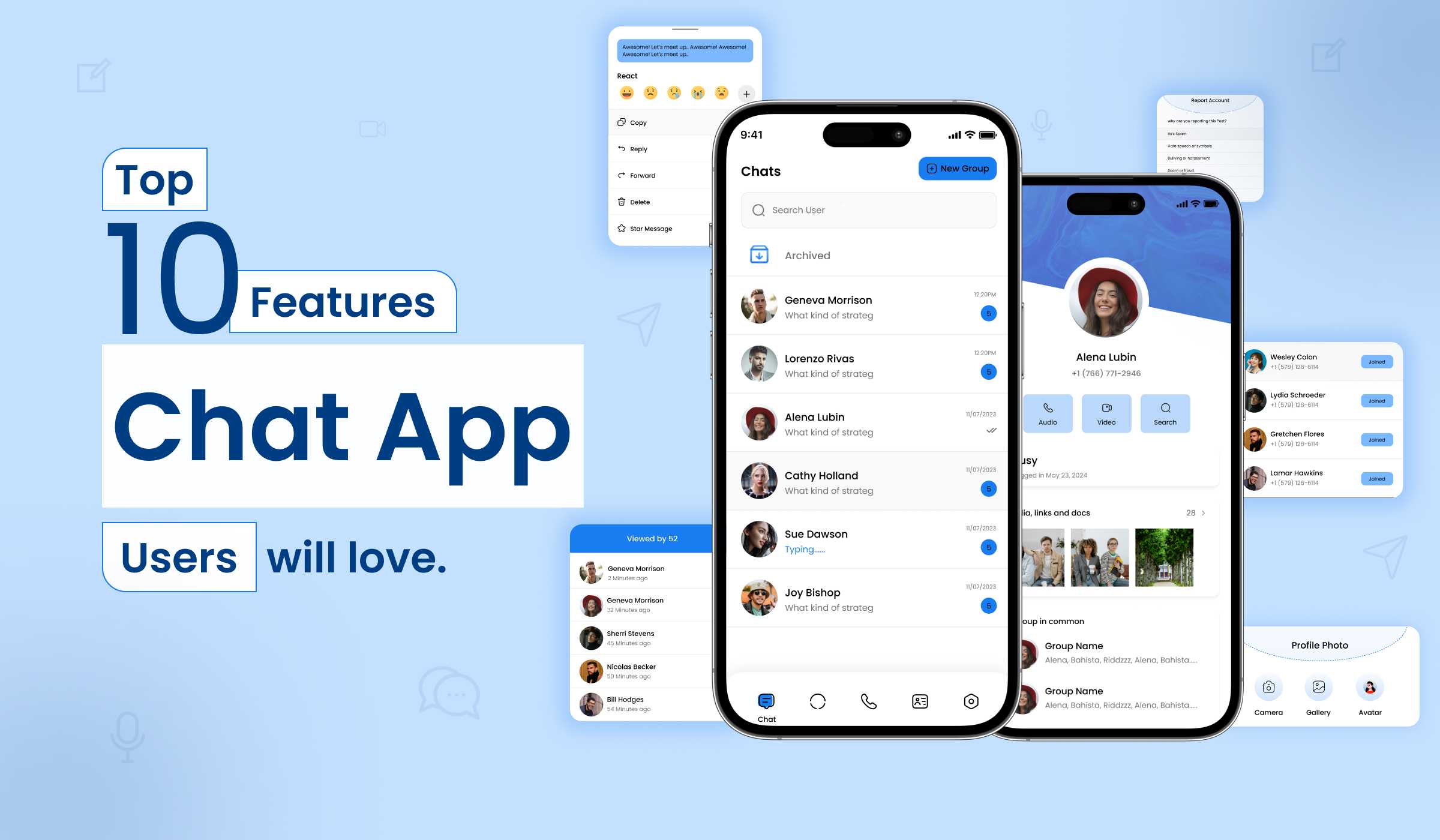
In the competitive world of mobile app development a messaging app must offer far more than the ability to send text. Today’s users compare everything to WhatsApp — and if your app falls short on even one core feature, they will switch back. Whether you are planning to build your own WhatsApp clone or add messaging to an existing platform, understanding what features actually drive user retention is the most important step you can take before development begins.
In this article, we’ll break down the top 10 chat application features that users genuinely appreciate and expect in 2026. From private messaging to real-time media sharing, explore how you can level up your mobile chat app development with functionality that makes users stick.
Quick context At Primocys, we have built multiple live messaging platforms — including corex messenger (enterprise B2B) and Vemenne (student B2C community). Every feature in this list comes from real product decisions made on real shipped apps, not theory.
1. Real-Time Chat Application Feature
Send and receive messages instantly, no delays, no refreshes. This feature leverages real-time technology, one of the most essential chat application features, to ensure your conversations flow smoothly, just like face-to-face chats.
Benefits:
- Instant message delivery via WebSocket / Node.js real-time connection
- Delivery receipts show message status clearly — sent, delivered, and read.
- Shows the typing indicators, users’ availability by online/offline status, and last seen updates.
- The push notification system alerts users to new messages and calls, even when the application is not open.
- Retrieves and stores the past history of the chats and stores the overall data.
It ensures lightning-fast messaging backed by a robust backend infrastructure that handles millions of concurrent connections seamlessly.
2. End-to-End Encryption: A Must-Have Chat Application Feature
Certainly, End-to-End Encryption (E2EE) is an essential feature for any contemporary chat application, particularly when privacy and security are of utmost importance. With military-grade encryption, this essential chat application feature keeps your personal and business conversations safe and private from prying eyes.
Why It Matters:
- Prevents unauthorized access to data or exposure by guaranteeing that only the sender and recipients to read messages.
- Assists in complying with regulations such as GDPR, HIPAA, and CCPA, which require the confidentiality of user data.
- Even if the servers are compromised, the messages stay secure and inaccessible due to encryption.
- Enhances user confidence, particularly in enterprise, dating, and health chat applications, utilized by platforms such as WhatsApp, iMessage, Signal, and others.
Encrypts all messages, calls, and media transfers to ensure complete confidentiality, whether it is private or group conversations.
3. Free Voice & Video Calls in Mobile Chat App Development
Incorporating free voice and video calling into your mobile chat application is a robust feature that can greatly enhance user engagement, retention, and the overall value of the app — particularly within a real-time, social, or service-oriented platform. Whether you’re managing remote teams or catching up with a friend, it includes high-quality voice and video calling as part of its powerful chat app features.
Key Functionalities:
- Adding voice and video calling increases engagement, trust, and app stickiness.
- Employing free video and video calls allows users to interact with the app for a prolonged duration, regardless of whether the calls are for business or personal purposes, and hence decreases bounce rates.
- By establishing habit loops, the features prompt users to consistently engage in communication. The app that presents multiple communication modes reduces the chances of users opting for competitors.
- Video establishes trust among users by allowing them to see and hear one another. This is essential in marketplaces, dating applications, consultation platforms, or service apps where personal interaction is important.
- Strengthens social connectivity between friends and family members, best for global support, which leads to higher satisfaction for real-time resolution of issues.
- Connects seamlessly with additional functionalities such as scheduling appointments and sharing files during calls.
Hence, offering ultra-clear audio and video communication helps users connect without relying on third-party apps and boosts user engagement with the chat app.
4. Group Chat Features for Seamless User Collaboration
Here is an enumeration of Group Chat Features crafted for smooth user collaboration in a chat app, especially well-suited for social, professional, or service-based environments like a vendor-user ecosystem within your app. Create project groups, event chats, or broadcast important messages to multiple users — all while keeping conversations organized and clutter-free with advanced chat app features.
Essential Features:
- Organizes groups by assigning specific roles, including administrator, moderator, and standard member. This facilitates users in forming teams or communities with ease.
- Admins have role-based permissions to add/remove members, mute users, and restrict message sending.
- Makes group discussions responsive and fluid with type indicator, read receipt of (single and double tick), and instant delivery of messages by WebSocket, firebase, or similar.
- Using @mentions to the specific person and smart replies to specific messages keeps context in multi-topic conversations.
- Enables real-time collaboration with assets of sending media files that are photos, videos, and documents.
- Group search enables searching the message to quickly locate information in busy group threads.
- Pinned messages is Ideal for announcements, to-do lists, or shared resources, and keep the pinned message at the top of the chat list.
Group chat functionalities facilitate effortless collaboration via real-time messaging, media sharing, mentions, and replies. Additionally, role-based permissions allow for the smooth creation and management of group discussions, ensuring effective collaboration among friends, teams, and communities.
5. Essential File & Media Sharing Chat App Feature
Enables users to effortlessly share documents, images, videos, and additional content directly within the chat interface — whether in one-on-one or group discussions. If developed with advanced mobile chat application features, it facilitates rapid and secure file transfers.
Capabilities to Include:
- Allows users to transmit pertinent files (PDFs, screenshots, invoices, contracts) without exiting the chat
- Ideal for both users and vendors to exchange work updates, proposals, reports, or event media.
- Offers an instantaneous preview of images, videos, and documents that can be accessed or downloaded with a single click.
- Filters conversations based on file type, along with easy access to prior attachments for reference.
Sharing files and media lets users exchange documents, images, videos and audio files directly in the chat. This functionality improves collaboration, productivity, and the flow of communication. Features such as a preview of real-time, search filters, and file safety contribute to a spontaneous experience. This is an important feature for any modern chat platform.
6. Smart Notifications
Don’t get buried in messages. Smart notification system is a powerful chat application feature that helps you stay informed about what matters — and snooze what doesn’t.
Key Benefits:
- Minimizes Notification Fatigue and prevents overwhelming users with alerts for every message; it only notifies when it is pertinent.
- Increase engagement by keeping users linked to relevant updates and preventing them from missing vital communications.
- Intelligently silence or modify the intensity of notifications according to user activity (for instance, when engaged in chat, driving, or during Do Not Disturb hours).
Therefore, Intelligent notifications within a chat application provide significant alerts while minimizing unnecessary noise and distractions. They give precedence to mentions, consolidate repetitive messages, and modify their behavior according to user activity and preferences.
7. Cross-Platform Chat App Features for Seamless Messaging
Cross-platform messaging applications enable users to send and receive messages effortlessly across various devices, including Android, iOS, web, and desktop, while maintaining context, data, and continuity.
Core Considerations:
- Messages, media, and notifications are synchronized immediately across all devices that are logged in and manage sessions securely.
- Chat history is securely stored in the cloud, guaranteeing that no messages or data are lost.
- Retrieve recent conversations while offline; synchronize updates upon reconnecting to the internet.
- Effortlessly transition between devices during a mid-conversation without any interruptions.
- Notifications that are specific to each device ensure that you receive timely alerts on both mobile and desktop devices.
- Settings such as dark mode, mute preferences, and chat themes synchronize across all devices.
Supports Real-time syncing, responsive UI, secure logins, and cloud message storage, providing a consistent and reliable experience, including a robust WhatsApp Web Clone feature with secure authentication
8. Role-Based Access (Perfect for Teams)
Role-Based Access Control enables admins to establish distinct roles, including Owner, Admin, Moderator, and team member. Each role possesses a unique set of permissions, allowing you to manage visibility, which is particularly beneficial for internal team communication.
Key Points:
- Enhances security measures to limit access to private conversations and media files.
- Every role has been designated a specific responsibility and is aware of its capabilities and limitations.
- The administrator can manage operations effectively and delegate tasks with ease, without relinquishing complete control.
- Functions effectively as teams expand and require more organized communication.
Role-Based Access guarantees that each participant in a chat application possesses the appropriate level of authority corresponding to their duties, thereby maintaining organized and secure communication.
By establishing distinct permissions for Owners, Admins, Moderators, and Members, teams can work together effectively while minimizing the risk of unauthorized modifications or data breaches.
9. AI-Powered Smart Replies & Bots — The Future of Chat App Features
AI-Driven Intelligent Responses and Bots within a chat application introduce automation and cognitive capabilities into daily interactions, enhancing the speed, convenience, and engagement of conversations. It conserves time through contextually tailored auto-suggested replies. The application continuously evolves to assist you in communicating more swiftly.
Smart Chat App Features:
- Decreases the amount of typing required and enhances the speed of communication, leading to quicker responses.
- Modifies responses and recommendations according to the dialogue history and tailored experience.
- Through task automation, users are liberated from monotonous activities such as scheduling or searching.
- By means of User Engagement, it incorporates interactive, beneficial, and enjoyable components into the discussions.
This is where mobile chat app development meets next-gen artificial intelligence, making conversations faster and smarter.
10. Website & Mobile App Sync
Website and Mobile App Synchronization ensures that a user’s messages, media, contacts, and settings are always perfectly synchronized across devices, whether they are communicating on a desktop browser, laptop, tablet, or mobile phone. This feature allows users to switch between devices smoothly without losing context or conversation history. The synchronization is facilitated through cloud-based storage and real-time updates.
Benefits
- It offers convenience, allowing users to initiate a conversation on their mobile devices and complete it on their desktop without any interruptions.
- Enhances productivity, making it suitable for professionals who operate across multiple devices throughout the day.
- It guarantees a consistent chat experience and data availability everywhere.
- Cloud backup guarantees the preservation of chats and files by ensuring data security.
Hence, Website & Mobile App Sync changes a chat application into a truly cross-platform experience, enabling users to switch between devices without losing continuity.
By guaranteeing real-time updates, unified notifications, and secure cloud backups, it ensures both convenience and reliability.
Bonus Chat App Features You Can Consider
The 10 features above are the non-negotiables. These additional features can significantly differentiate your app depending on your target audience and use case:
Users star important messages for quick retrieval — accessible from a dedicated starred inbox across all chats.
Archive individual or group chats to declutter the inbox without deleting. Auto-unarchives on new message.
24-hour disappearing updates — photo, video, and text — that drive daily active engagement and return visits.
Paid verification badges for businesses, creators, and public figures. A trust signal and recurring revenue stream.
Full white-label branding — your logo, colours, domain. API access for CRM, ERP, and third-party integrations.
Emoji reactions to messages and in-chat polls — lightweight engagement features that significantly increase daily interaction.
Search across all conversations by keyword, sender, date, or file type. Essential for power users and business teams.
One-to-many announcement channels for brands, influencers, and community leaders reaching large audiences.
How to Monetize Your Chat App: A Technical Overview
To generate consistent revenue using the chat App platform, you can implement a subscription-based business model around premium features that enhance communication and productivity.
- Monthly or annual SaaS subscription per organisation
- Per-seat pricing for large enterprise teams
- White-label licensing to resellers
- Premium tiers — compliance, analytics, dedicated hosting
- API access for third-party integrations
- Freemium — free base, paid premium upgrade
- Verified business & creator ticks (paid badge)
- In-app virtual gifts and sticker packs
- In-app payment transaction commission
- Business API — brands messaging consumers
The verified tick model is one of the highest-margin monetisation features in any B2C chat app — businesses and creators pay a recurring fee for a verification badge. Zero operational cost, pure recurring revenue. We recommend building it into every consumer chat platform from day one.
Who Needs a Custom Chat App?
A custom messaging platform is the right solution for a wide range of businesses and organisations — not just consumer social apps:
Secure, branded internal communication — replacing WhatsApp with a data-controlled enterprise tool.
Client conversations, partner comms, and vendor interaction — all in one branded platform.
In-app customer support or community chat embedded inside your existing product.
Student-to-student and student-to-teacher messaging — like Vemenne, built by Primocys.
HIPAA-compliant patient–doctor messaging with video consultation and appointment scheduling.
Launch a branded messaging app on Android, iOS, and web with your own brand and feature set.
Why Real-Time Messaging Matters for Mobile App Development?
If you’re planning to build your own communication tool or need a white-labeled solution for your business, Chat App is the platform to consider.
- Market Demand: Mobile messaging is one of the top features used globally. For instance, WhatsApp, Messenger, and Telegram have a combined total of billions of active users. Thus, people look for instant, trustworthy, and secure communication in any service they choose.
- High User Engagement: Messaging apps encourage users to come back several times daily. Features such as instant messaging, group conversations, and sharing media help keep users engaged for extended periods.
- Monetization Potential: You can combine various revenue sources such as in-app ads, subscriptions, premium features, white-label solutions, and business API services. Additionally, you can add marketplace, or payment features to generate more income.
- Cross-Industry Application: Functions for social networks, online shopping, education, healthcare, gaming, and business collaboration. Can be tailored for specific communities or extensive public networks.
A mobile chat app is more than just a way to communicate; it serves as a platform for interaction, making money, and building communities in various sectors. When designed properly, it can adapt to technological changes and continue to provide value for many years.
Final Thoughts
Whether you’re running a business, managing a team, or offering premium services, it adapts to your needs, packed with all the features you’d expect from a modern, secure, and scalable messaging platform.
In the highly competitive digital communication space, chat app features, chat application features, and mobile chat app development make all the difference — and this feature set checks all the boxes.
Need something custom? We’re here to help. You can connect with us to add any tailor-made features to fit your specific use case.
Launch your personalized chat app on Android, iOS, and Web — featuring your logo, custom theme, and brand vision.
Frequently Asked Questions
How can AI features boost user engagement and personalization in your chat app experience?
Do chat apps need end-to-end encryption?
What is the difference between a B2B and B2C chat app feature set?
How long does it take to build a chat app with all these features?
Can Primocys build a custom chat app with all these features?

Build your scalable apps today.
Contact UsLeaving Already?
Hear from our clients and why 1200+ businesses trust Primocys

"Our B2B and B2C platform helps Nigerian manufacturers sell at wholesale prices and suppliers offer competitive retail pricing, with a strong focus on Made in Africa products and easy local and international distribution. The app has received excellent user reviews for its design and unique features. Communication with the Primocys team was smooth in an agile setup, even beyond office hours when needed. Their mobile app development expertise is excellent—highly professional and reliable."

"The dating app was delivered successfully and approved by both Apple App Store and Google Play. Our users are highly impressed with the design, UI, and overall functionality. The project was well planned with clear milestones, and all modules were delivered on time. The team is talented, patient, and flexible, accommodating multiple scope revisions as requirements evolved. Their 24/7 development and support availability made the entire process smooth and reliable."

" We hired Primocys to develop a highly complex and specialized mobile application, and they delivered outstanding results. The app includes advanced features such as timeline mixers, classifieds, payments, advertisements, GPS functionality, and more. Their technical skills, timely delivery, availability, and the personal attention Arpan Sagar brings to each project truly stand out. The team stays focused and committed from start to finish—an excellent experience overall."

" Great team with excellent communication and a strong commitment to on-time delivery. They developed a fully customized mobile app for both Android and iOS, perfectly matching our requirements. The entire process was smooth and professional, with clear updates at every stage. They are reliable, skilled, and very easy to work with. We’re continuing our partnership on more projects, and choosing them has been one of the best business decisions I’ve made."

AWARDS




Share Your Requirements
TRUSTED BY GLOBAL BRANDS