





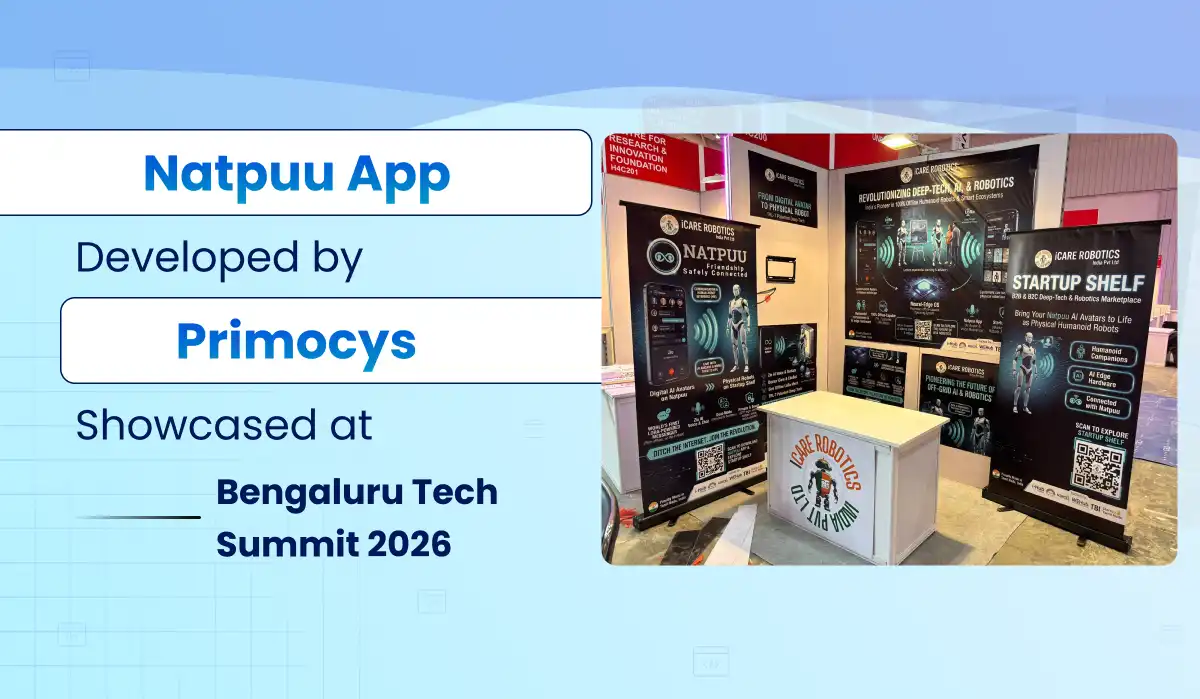
Natpuu, the messaging and AI avatar app Primocys developed for iCare Robotics, was showcased at Bengaluru Tech Summit 2026. Here is what the app does, what we built and what it means for your own app idea.
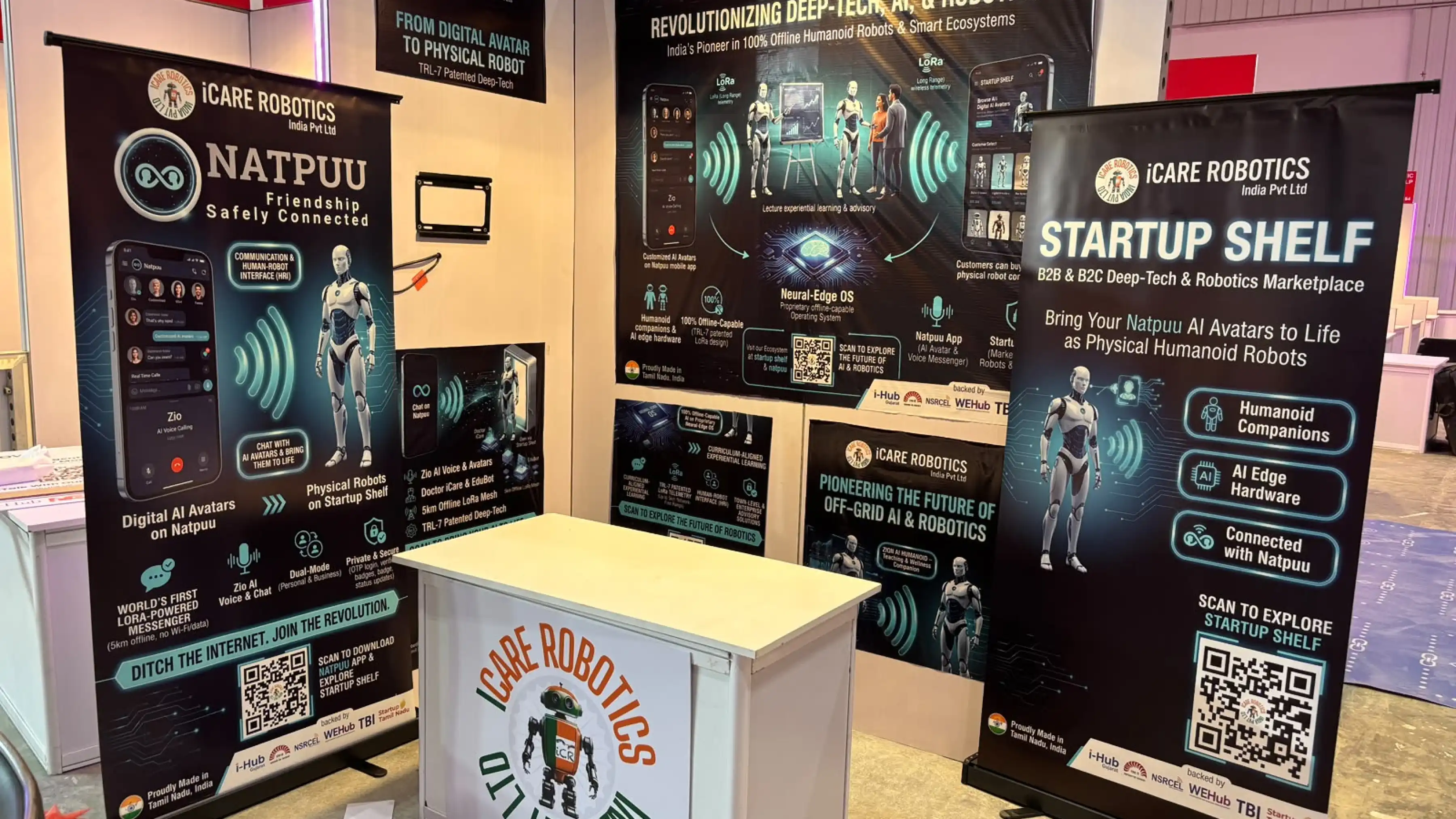
Natpuu is a messaging and AI avatar app developed by Primocys for iCare Robotics India Pvt Ltd. The client showcased the Natpuu app at Bengaluru Tech Summit 2026, held from 17 to 19 November 2026 at the Bangalore International Exhibition Centre (BIEC).
For our team, seeing a product we helped build presented at one of Asia’s biggest technology events was a proud milestone. It also shows what a focused mobile app team can deliver when the idea is ambitious. If you are planning a similar product, you can talk to the Primocys team about scope, timeline and cost.
Below, we cover what Natpuu does, what we built and what founders can learn from the project.
What Is the Natpuu App?
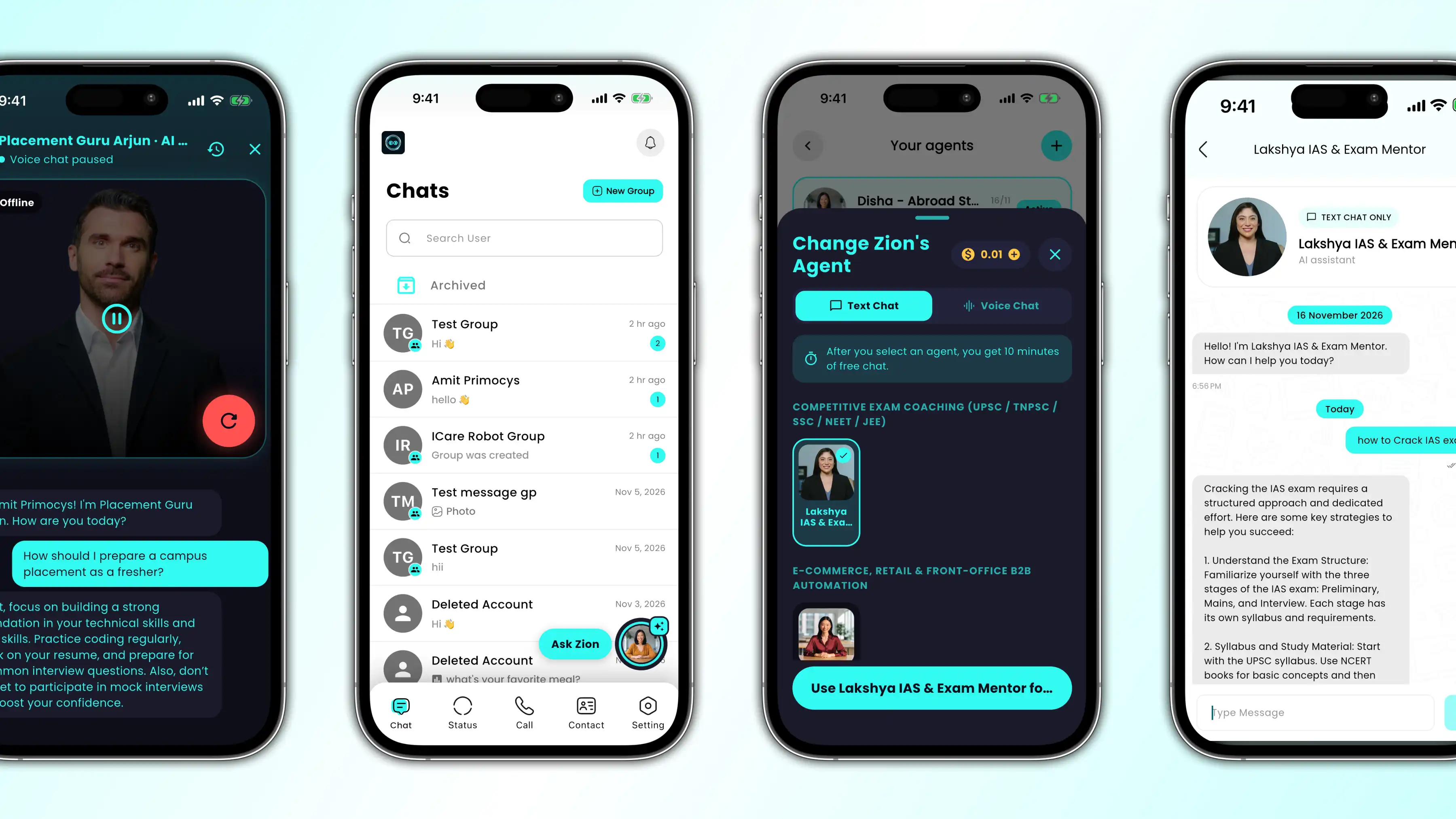
Natpuu is built around a simple human need: staying connected. Its Google Play listing describes it as a WhatsApp-like mobile interface that lets people interact with both humans and robots.
Alongside everyday chat, the app adds AI avatar conversations and an offline messaging concept built on LoRa, a long-range, low-power radio technology. The idea matters where networks are weak or crowded, such as remote areas, large events or emergencies.
An important distinction: offline LoRa messaging needs the optional Natpuu Radio Add-on hardware, and real-world range depends on conditions. The up to 5 km range is the client’s stated figure, not a guarantee that a smartphone alone can send messages that far.
Natpuu is also part of the wider iCare Robotics ecosystem, which includes Startup Shelf, a marketplace for discovering deep-tech and robotics products.
What Makes Natpuu Different?
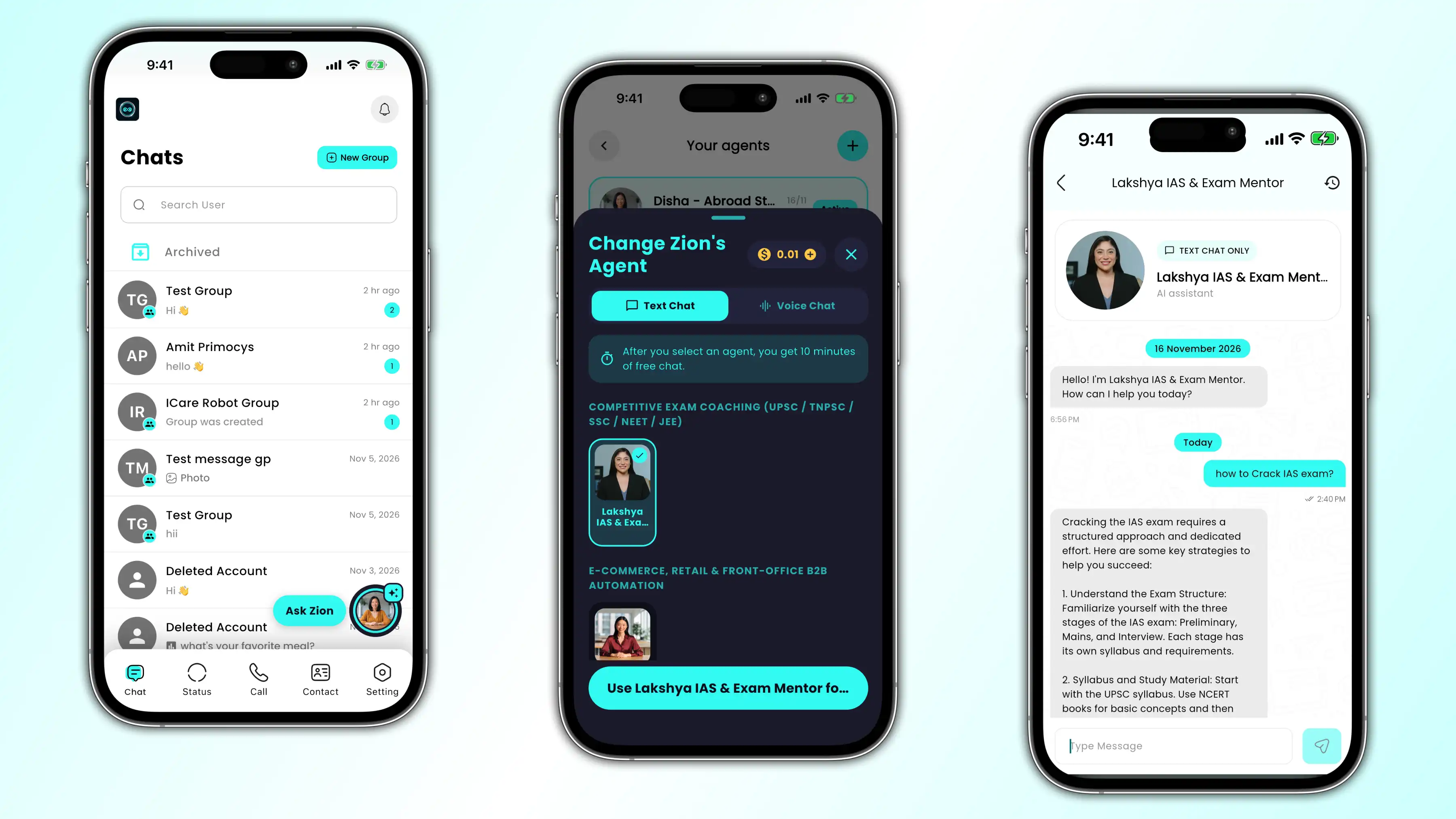
From optional offline LoRa messaging to AI avatars and Zio voice chat, Natpuu packs five standout features into one app for personal and business use.
LoRa offline messaging
With the optional Natpuu Radio Add-on, users can send texts and alerts without Wi-Fi or mobile data within the stated range. It answers a practical question: how does a messenger stay useful when connectivity drops?
AI avatars and Zio AI voice chat
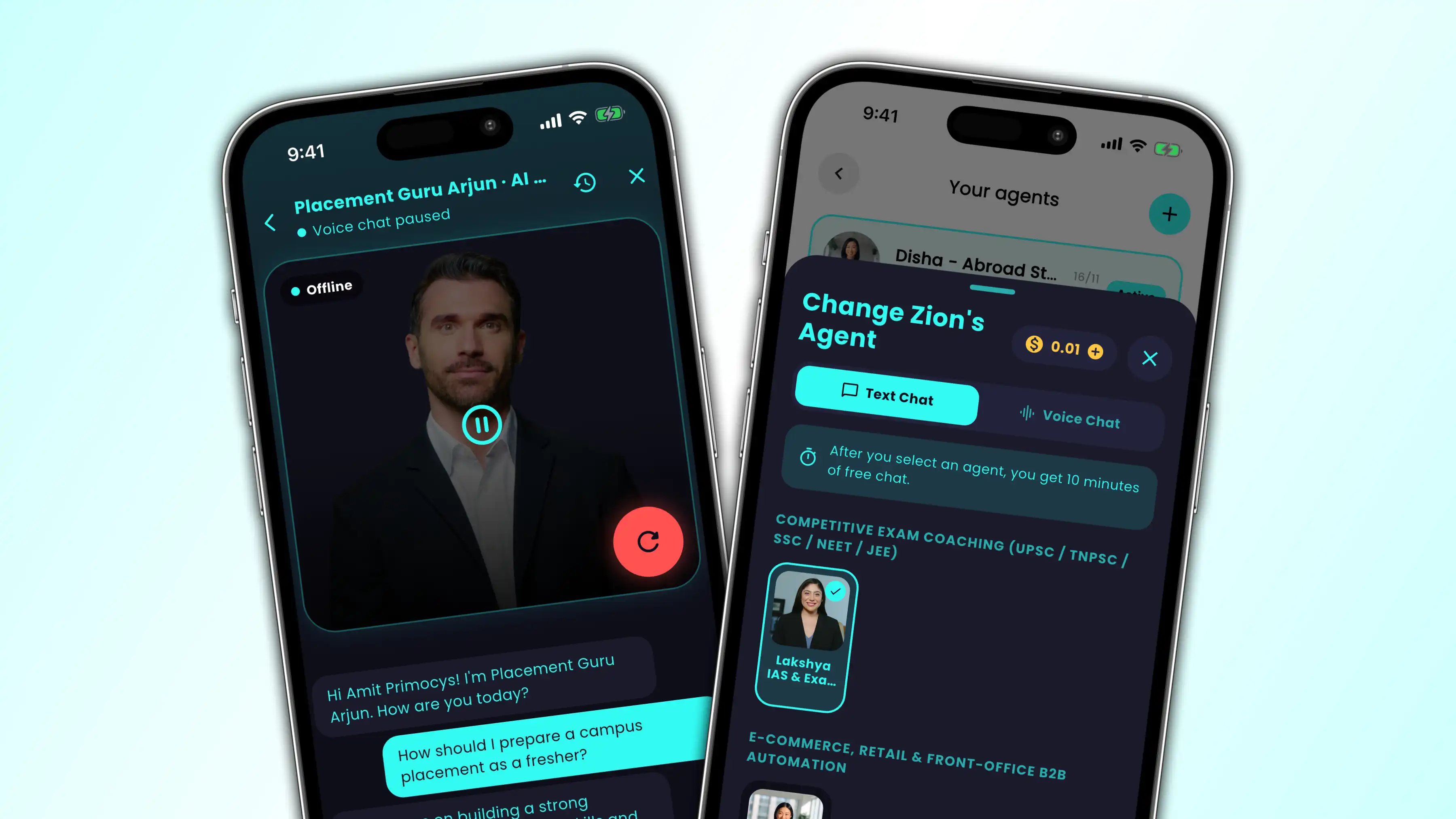
Users can pick an AI avatar and chat with it. The latest app versions also add Zio AI voice chat and recent chats that keep context. The goal is a conversation that feels natural, not a complicated tech demo.
Personal and business modes
Users can switch between personal and business modes inside one app. Private chats and professional conversations stay organised without a second app.
Calls, status and group tools
Natpuu includes voice and video calls with group calling, status updates with stories, and groups with multiple admins and live location sharing. Starred messages, block, report and chat archive give users control over their conversations.
Secure OTP login, verified profiles
Onboarding uses phone-based OTP verification, and verified profiles show a blue tick. As with any communication product, real privacy depends on the full implementation, infrastructure and ongoing operations, not just the login screen.
Why Bengaluru Tech Summit 2026 Mattered
A public showcase puts a product in front of new people and new questions. Bengaluru Tech Summit 2026 ran under the theme “AI & Beyond”, which fits well with Natpuu’s AI avatar experiences.
- Event: Bengaluru Tech Summit 2026 (29th edition)
- Dates: 17–19 November 2026
- Venue: Bangalore International Exhibition Centre (BIEC), Bengaluru
- Theme: AI & Beyond
For iCare Robotics, the summit was a chance to introduce its product vision to the technology community. For Primocys, it was rewarding to see software we helped develop become part of that story.
We are grateful to our client for trusting our team with the development work. Milestones like this are shared achievements: the vision belongs to the people building the business, and our job is to turn that vision into software people can use.
What Primocys Built for Natpuu
Primocys developed the Natpuu mobile apps for Android and iPhone. These are the main capabilities available in the live app listings today:
- Secure onboarding: phone OTP login and verified profile badges
- Messaging: chat with documents, images, video and voice notes
- Calling: voice and video calls, including group calls
- Social features: status and stories, groups with multiple admins, starred messages, block and report
- AI experiences: AI avatar chat and Zio AI voice chat
- Business tools: personal and business modes, coin history and premium subscriptions
Need a similar chat or messaging product? See our chat app development company page for features, process and a free estimate.
How We Approach Apps Like Natpuu
From the outside, a mobile app looks like a set of screens. Behind them are decisions about how features connect, how people move through the experience and how the product keeps evolving after launch.
Natpuu brings communication, AI-driven conversations and a business mode into one user journey. That takes care around navigation, feature boundaries, testing and long-term maintenance.
At Primocys, our mobile app development work starts with the product goal, not a screen count. When a project includes conversational features, we plan how the AI experience fits naturally into the app instead of feeling like an add-on. For messaging products, our chat app development team covers real-time chat, calling and moderation.
About this project story: This article is a product and event spotlight, not a technical implementation report. Detailed architecture, proprietary integrations, performance metrics and commercial results are not disclosed here.
What Founders Can Learn From Natpuu
An ambitious idea does not have to fit neatly into one software category. A messaging product can include AI experiences. A business tool can sit beside personal chat. The challenge is to make those pieces feel like one thoughtful product.
If you are planning an app with several features, start with what your users need to do first. Build that experience clearly. Then add the supporting features that genuinely make it better. That conversation is often more useful than starting with a long feature list.
For teams still shaping a first release, our guide to turning an existing web experience into a mobile app offers another perspective on choosing the right product scope.
Explore the Natpuu App
If you would like to learn more about the product, visit its app listings:
Availability, supported features and device requirements may vary by platform and app version. The offline 5 km messaging feature requires the optional Natpuu Radio Add-on.
Frequently Asked Questions
What is Natpuu?
Who developed the Natpuu app?
Was Natpuu at Bengaluru Tech Summit 2026?
Does Natpuu work without the internet?
Can Primocys build a messaging or AI app?
How much does an app like Natpuu cost?
Can you add chat to my existing app?
Related Guides

Build your scalable apps today.
Contact UsLeaving Already?
Hear from our clients and why 1200+ businesses trust Primocys

"Our B2B and B2C platform helps Nigerian manufacturers sell at wholesale prices and suppliers offer competitive retail pricing, with a strong focus on Made in Africa products and easy local and international distribution. The app has received excellent user reviews for its design and unique features. Communication with the Primocys team was smooth in an agile setup, even beyond office hours when needed. Their mobile app development expertise is excellent—highly professional and reliable."

"The dating app was delivered successfully and approved by both Apple App Store and Google Play. Our users are highly impressed with the design, UI, and overall functionality. The project was well planned with clear milestones, and all modules were delivered on time. The team is talented, patient, and flexible, accommodating multiple scope revisions as requirements evolved. Their 24/7 development and support availability made the entire process smooth and reliable."

" We hired Primocys to develop a highly complex and specialized mobile application, and they delivered outstanding results. The app includes advanced features such as timeline mixers, classifieds, payments, advertisements, GPS functionality, and more. Their technical skills, timely delivery, availability, and the personal attention Arpan Sagar brings to each project truly stand out. The team stays focused and committed from start to finish—an excellent experience overall."

" Great team with excellent communication and a strong commitment to on-time delivery. They developed a fully customized mobile app for both Android and iOS, perfectly matching our requirements. The entire process was smooth and professional, with clear updates at every stage. They are reliable, skilled, and very easy to work with. We’re continuing our partnership on more projects, and choosing them has been one of the best business decisions I’ve made."

AWARDS
Share Your Requirements
TRUSTED BY GLOBAL BRANDS