






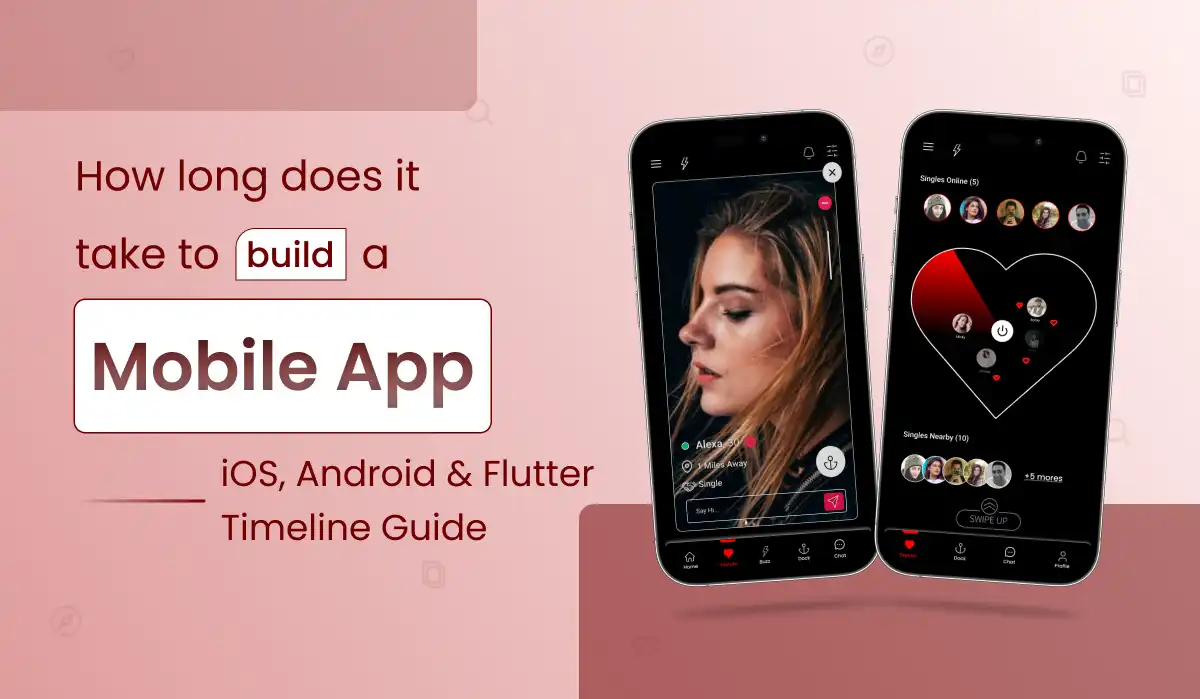
A founder asks, “Can we launch in two months?” The useful answer is not a quick yes or no. It depends on what customers must be able to do on day one, what the app connects to, and how much testing it needs before real people rely on it.
This guide breaks down realistic planning ranges for iOS, Android and Flutter, from first idea to a production-ready release.
How Long Does It Take to Build a Mobile App?
How long does it take to develop an app from scratch? For a typical custom mobile app, a focused MVP often takes 8–16 weeks. More involved apps can take 4–9 months, and complex regulated or integration-heavy platforms may need longer. These are illustrative planning ranges, not benchmarks measured from a universal dataset.
| App scope | Indicative timeline | Examples |
|---|---|---|
| Prototype / proof of concept | 2–6 weeks | Clickable prototype, simple proof of concept, limited data |
| Focused production MVP | 6–10 weeks | Login, core workflow, basic backend, essential QA |
| Moderate multi-role product | 4–6 months | Customer/staff apps, payments, dashboards, integrations |
| Complex platform | 6–9+ months | Real-time features, extensive integrations, complex rules, compliance |
Key distinction: A clickable prototype is not a production MVP. Production readiness also involves security, testing, monitoring, app-store preparation and operational support.
iOS vs Android vs Flutter: Timeline Comparison
The platform affects engineering and QA effort, but requirements and integrations usually have a bigger impact than the logo on the app store.
| Approach | Focused MVP planning range | What affects delivery |
|---|---|---|
| Native iOS (Swift) | 8–14 weeks | iOS-specific UI, Apple services, backend, QA, App Store review |
| Native Android (Kotlin) | 8–14 weeks | Android UI, device testing, backend, Play Store readiness |
| Flutter (iOS + Android) | 10–16 weeks | Shared codebase, native plugins, dual-platform QA and store submissions |
| Separate native iOS + Android | Often 14–24+ weeks | Parallel teams can reduce elapsed time but not total engineering effort |
iOS App Development Timeline
A focused iOS MVP typically takes 8–14 weeks. Native development is a strong fit when the initial audience uses Apple devices, or the product needs deep integration with Apple-specific frameworks. It does not remove the need for backend engineering or user testing. See our iOS app development services .
Android App Development Timeline
A focused Android MVP typically takes 8–14 weeks. Android-first delivery can suit an audience concentrated on Android devices. Account for the variety of screen sizes, manufacturers and OS versions in the test plan. See our Android app development services .
Flutter App Development Time
A focused Flutter MVP for both platforms typically takes 10–16 weeks. Flutter can help a startup launch iOS and Android together with a shared feature implementation and consistent design system. Native SDK integrations, notifications, in-app purchases, device permissions and store policies still require platform-specific attention. Learn more about our Flutter app development services .
7 App Development Phases and Their Timeline
A realistic mobile app development timeline moves through these stages, which overlap when a team works in parallel. Adding the ranges below together would overstate the total duration of a well-coordinated project.
| Phase | Typical planning window | What happens |
|---|---|---|
| 1. Discovery & scope | 1–2 weeks | User journeys, MVP boundaries, dependencies, risks |
| 2. UX/UI design | 2–4 weeks | Flows, wireframes, clickable screens, design system |
| 3. Backend & architecture | 2–6 weeks | Data model, authentication, APIs, admin, infrastructure |
| 4. Mobile app development | 4–10 weeks | Screens, state management, API connections, device features |
| 5. Integrations | 1–5 weeks | Payments, maps, messaging, analytics, external systems |
| 6. QA & stabilization | 2–4 weeks | Functional, device, security and failure-path testing |
| 7. Store submission & release | Several days to 2+ weeks | Store assets, account setup, policy review, fixes, rollout |
Discovery and design can begin before every backend decision is complete. QA should start as features become testable, not only at the end. The critical path is the chain of tasks that cannot be completed in parallel.
How App Features Change Development Time
“A mobile app” could mean a booking form or a full marketplace. The feature set is what changes the schedule.
A limited set of screens and local or straightforward cloud data may be comparatively quick.
Scheduling, availability, payments, notifications and role-based dashboards add backend complexity.
Multiple user roles, feeds, moderation, messaging and administration increase implementation and QA.
Real-time media, connectivity, permissions, scaling and device testing require additional engineering.
Sensitive data, access controls, integrations and applicable compliance requirements extend planning.
Model/provider integration, evaluation, privacy, fallback handling and monitoring add work beyond the UI.
AI Features and Mobile App Development Time
Adding AI to a mobile app, from an AI chatbot to workflow automation, usually stretches the schedule because the work goes well beyond screens. No fixed number fits every product, so plan around these three areas.
Provider & Data Setup
Choose the model or provider, prepare knowledge sources or data, set up AI integration with your backend and add usage and cost controls.
Evaluation & Safety
Test answer quality, edge cases, privacy handling and misuse before real customers rely on the feature.
Fallbacks & Monitoring
Decide what the app does when AI fails or is slow, then track quality, latency and usage after launch.
Planning tip: validate the AI feature with a small prototype early, so it is not an untested dependency on your launch date. An experienced AI development company can help scope that prototype.
Budgeting for AI features? See AI Mobile App Development Cost and the cost of adding AI to existing software .
7 Factors That Delay Your Mobile App Launch
Most mobile app launches slip for avoidable reasons, not coding speed. Spotting these seven delay factors early helps you plan a realistic release date.
LAUNCH DELAY CHECKLIST
- Changing MVP scope: new features arrive after the design and architecture are already in progress.
- Slow approvals: copy, designs, policies and business rules wait for stakeholder decisions.
- Third-party API access: sandbox credentials, commercial agreements or documentation are not ready.
- Backend complexity: roles, payments, booking rules, synchronization and admin tools take longer than expected.
- Device-specific behavior: permissions, background tasks, notifications and SDKs differ by platform.
- Content and operational setup: product data, legal text, support processes and store assets arrive late.
- Underestimated QA: edge cases and unreliable network conditions surface only near launch.
The practical fix is to identify these dependencies during discovery, assign owners and keep a clear definition of “ready to launch.” That is the simplest way to protect your mobile app launch timeline.
MVP App Development Timeline: 12-Week Example
How long does it take to build an MVP app? For a focused scope, about 12 weeks is a realistic Flutter planning example. This example assumes a small, focused app with authentication, a core booking or request flow, basic admin tools and one manageable external integration. It is not a promise for every project.
| Weeks | Main focus | Decision / deliverable |
|---|---|---|
| 1–2 | Discovery, user flows, technical validation | Approved MVP backlog and design direction |
| 3–4 | UI design, backend foundations, Flutter project setup | Testable core screens and API contracts |
| 5–8 | Main features, admin, integration, early QA | End-to-end primary user journey |
| 9–10 | Feature completion, device QA, failure handling | Release candidate and issue triage |
| 11–12 | Stabilization, store preparation, rollout | Production deployment and submission |
How Primocys Plans Your App Timeline Before Development Starts
Most launch dates slip because dependencies, approvals and scope are checked too late. Before any code is written, we map the work that decides your mobile app launch timeline, so the date you plan around is one you can actually keep.
Scope & Milestone Map
We turn your feature list into a clear version-one scope with dated milestones, so you can see what ships first and what moves to the second release.
Dependency & Risk Check
Payment approvals, third-party API access, store requirements and decision owners are reviewed up front, because these items move release dates more than coding speed does.
Working Builds & Launch Support
You review working builds at regular checkpoints instead of waiting for one big handover, and we support store assets, submission and post-launch fixes.
How to Speed Up Mobile App Development
Faster mobile app development comes from smarter planning, not rushed coding. Use these six habits to cut rework, protect quality and hit your release date.
Choose One Core User Journey
Ship the feature that solves the primary problem before adding secondary experiences.
Use Established Components
Reuse proven authentication, payment or notification services where they fit the product.
Validate Integrations Early
Test credentials, SDKs, API limits and edge cases before relying on a provider.
Make Decisions on Time
Set clear owners for design, scope, copy, legal requirements and approvals.
Test Continuously
Automate suitable checks and run real-device tests during development.
Plan the Second Release
Move nonessential features to a post-launch roadmap with explicit priorities.
App Store Review Time and Launch Checklist
A rejected submission can delay your launch. Use this checklist before you submit, or let Primocys handle store submission and release for your mobile app.
LAUNCH CHECKLIST
- Confirm app-store developer accounts, signing, certificates and access.
- Prepare privacy policy, permissions disclosures, screenshots and store descriptions.
- Validate production APIs, payments, notifications, analytics and error monitoring.
- Test supported devices, weak connectivity, empty states and failed transactions.
- Review authentication, role-based access, data retention and secure secret handling.
- Set up backups, incident contacts, support workflow and release rollback where applicable.
- Plan staged rollout, feedback collection and post-launch maintenance.
App store review time varies by store and by app. As a planning buffer, allow several days to two weeks or more for review and any revisions, and build that into your launch plan. Do not announce a guaranteed launch date solely on the assumption of immediate approval.
Does a Shorter Timeline Mean a Lower App Development Cost?
Not always. A larger team can reduce elapsed time on parallel tasks, but coordination, quality assurance and integration dependencies remain. Likewise, a shared Flutter codebase can reduce duplicated work for two platforms without eliminating all platform-specific testing.
For a reliable mobile app development time estimate, ask for a feature-by-feature scope, team assumptions, dependencies, milestone deliverables, QA allocation and launch responsibilities. Compare proposals on what is included—not just the number of weeks.
Conclusion: Plan a Realistic Mobile App Timeline
So, how long does it take to build a mobile app? A focused MVP often takes 8–16 weeks, while complex products can run 4–9 months or longer. Scope, integrations, approvals and app store review time shape the date more than the platform you pick.
The most reliable path is simple: define one core user journey, validate integrations early, reserve time for QA and plan a second release for everything else. Whether you choose iOS, Android or Flutter, a realistic plan beats an optimistic promise.
Mobile App Development Timeline FAQs
How long does it take to build a mobile app in 2026?
What is a realistic app development timeline for startups?
Can a mobile app be built in 30 days?
Should a startup launch iOS and Android together?
Is Flutter faster than building separate iOS and Android apps?
What slows down app development the most?
How long does app store review take?
How do you estimate a custom app timeline?
Related Guides & Services

Build your scalable apps today.
Contact UsLeaving Already?
Hear from our clients and why 1200+ businesses trust Primocys

"Our B2B and B2C platform helps Nigerian manufacturers sell at wholesale prices and suppliers offer competitive retail pricing, with a strong focus on Made in Africa products and easy local and international distribution. The app has received excellent user reviews for its design and unique features. Communication with the Primocys team was smooth in an agile setup, even beyond office hours when needed. Their mobile app development expertise is excellent—highly professional and reliable."
"The dating app was delivered successfully and approved by both Apple App Store and Google Play. Our users are highly impressed with the design, UI, and overall functionality. The project was well planned with clear milestones, and all modules were delivered on time. The team is talented, patient, and flexible, accommodating multiple scope revisions as requirements evolved. Their 24/7 development and support availability made the entire process smooth and reliable."

" We hired Primocys to develop a highly complex and specialized mobile application, and they delivered outstanding results. The app includes advanced features such as timeline mixers, classifieds, payments, advertisements, GPS functionality, and more. Their technical skills, timely delivery, availability, and the personal attention Arpan Sagar brings to each project truly stand out. The team stays focused and committed from start to finish—an excellent experience overall."

" Great team with excellent communication and a strong commitment to on-time delivery. They developed a fully customized mobile app for both Android and iOS, perfectly matching our requirements. The entire process was smooth and professional, with clear updates at every stage. They are reliable, skilled, and very easy to work with. We’re continuing our partnership on more projects, and choosing them has been one of the best business decisions I’ve made."

AWARDS


Share Your Requirements
TRUSTED BY GLOBAL BRANDS