
They insist on a Discovery phase before quoting
A serious company asks deep discovery questions before pricing. A quote on a first call means they’re quoting low to win — then charging more through scope changes later.
 DapkeSocial video app with live streaming and PK battles.
 Lika Real EstateProperty discovery platform for listings and leads.
 BurpoutSocial fitness challenges that keep people moving.
 ChatLivoConnected customer communication SaaS workspace.
 EmoTalesAI storytelling adventures designed for children.
 EarnifyTrack Income from Multiple Sources with Analytics & Tax Planning.
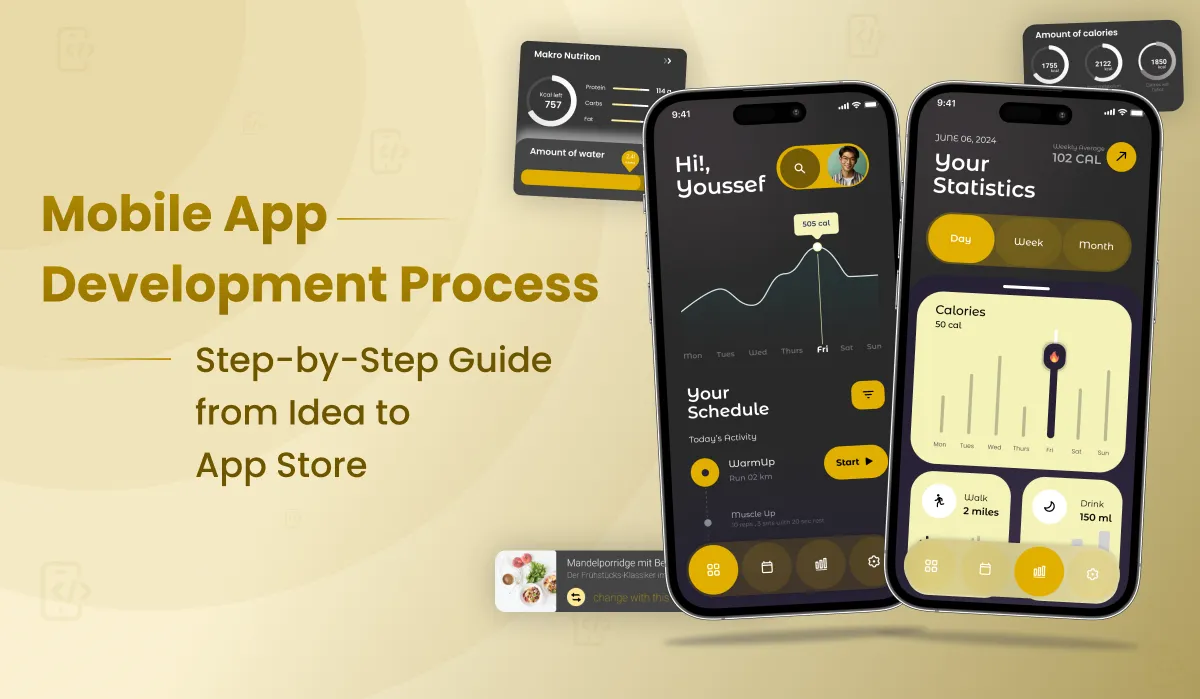
Everything a founder needs to understand about how mobile apps are actually built — all 6 stages, real timelines, the tech decisions that cut costs, and what separates companies that launch from those that don’t.
The mobile app development process is widely misunderstood — most founders think it’s a two-step journey: “design it, then code it.” In reality, a professionally delivered app passes through six distinct stages — each with its own team, deliverables, timeline, and cost. Understanding these stages before you hire a mobile app development company is one of the highest-leverage things you can do. It helps you ask better questions, set realistic expectations, and spot exactly where agencies cut corners.
This guide walks through the complete mobile app development process that Primocys uses to deliver 650+ apps for clients across the USA, UAE, UK, and Southeast Asia — from the first discovery call to App Store approval.
The single biggest reason apps fail mid-project: It’s not bad code. It’s starting development without a proper discovery phase — building the wrong features, in the wrong order, for the wrong users. Stage 1 is the most important stage in this guide. Don’t let any agency skip it.
Every professional mobile app development project follows these six stages. Understanding the steps in mobile app development from the start — before you brief a single agency — puts you in a far stronger position as a buyer and a product owner. Each stage builds on the previous one, and skipping any stage increases risk exponentially. Here’s the bird’s-eye view before we go deep on each:
1-2 wks
2-4 wks
3-5 days
8-20 wks
2-4 wks
1-2 wks
Ongoing
The cost of your app scales with complexity at each stage — not just the development stage. Understanding this helps you budget accurately from day one. Use our free App Cost Calculator for a personalised estimate →
Discovery is the most overlooked stage — and skipping it is the #1 cause of app project failures. Before a single wireframe is drawn, your team needs to answer three fundamental questions: Who exactly is your user? What problem does your app solve better than what exists today? What does a successful first version look like?
A proper discovery phase produces a scope document that becomes the project’s source of truth. Everything — design decisions, tech choices, sprint planning — flows from this document. Without it, you’re building on assumptions, and assumptions in software development cost real money to correct later.
At Primocys, our Discovery phase includes competitor analysis (we audit 5–10 comparable apps), user persona mapping, feature prioritisation using a MoSCoW framework, technical feasibility assessment, and a formal Project Requirements Document (PRD) with annotated feature specifications.
The ROI of Discovery: A well-executed discovery phase typically saves 25–35% of total project budget by eliminating features that don’t serve user goals and catching architectural issues before development begins. It is always worth the investment — even for small projects.
Design is not about how your app looks — it determines how users feel when using it, what actions they take, and whether they return. Apps with strong UX design see 40% higher user retention in the first 30 days. More critically: design changes at this stage cost 10× less than equivalent changes during development. Every hour invested in design review now saves ten hours of developer rework later.
The design process runs in three phases: Wireframes (black-and-white structural layouts showing information hierarchy and user flows, no colours or branding), Interactive Prototype (clickable mockup in Figma so you can test the UX before any code is written), and High-Fidelity UI (final designs with brand colours, typography, icons, and micro-interactions — approved screen by screen before development begins).
Never approve a quote before seeing wireframe: If a mobile app development company is quoting your project without producing wireframes first, they’re estimating without understanding your app. Any serious company will wireframe during or immediately after discovery — before locking in a price.
The technology decisions made here shape everything downstream: your development cost, launch timeline, app performance, future scalability, and ongoing maintenance budget. This is where many founders make their most expensive mistake — choosing a tech stack because it sounds impressive rather than because it fits their project’s actual requirements.
The single most important decision for most apps in 2026 is whether to go cross-platform (Flutter) or native (Swift/Kotlin). For the vast majority of business, startup, and consumer apps, Flutter is the right answer — and the data supports this clearly.
One codebase for iOS, Android, and web simultaneously. Native-quality performance for 95%+ of use cases.
JavaScript-based cross-platform. Good for web-to-mobile teams. Slightly slower performance than Flutter.
Separate native apps for iOS and Android. Best for AR/VR, intensive graphics, or highly regulated apps.
Web app that behaves like a native app. No App Store required. Limited access to device hardware features.
Primocys: Clutch Top Flutter Developer 2024 & 2026: Flutter is our primary mobile framework — not a secondary offering. We have a dedicated in-house Flutter team with 6+ years of Dart expertise, delivering apps that consistently pass Apple’s review in the first submission. See our Flutter development services →
This is the largest stage — where your app is actually built. Development runs across three parallel workstreams that must be carefully coordinated by your project manager. Frontend developers build the screens and interactions users see. Backend engineers build the server, database, and business logic that powers the app. Integration specialists connect third-party services (payments, maps, SMS, video, AI) via APIs.
Primocys uses 2-week agile sprints with a working build delivered after every sprint. This means you’re never waiting four months for your first look — you can see progress, test features, and provide feedback throughout. Every sprint ends with a demo call where you approve the delivery before the next sprint begins.
| Workstream | What Gets Built | Team | Timeline Share |
|---|---|---|---|
| 📱 Flutter Frontend | All screens, navigation, animations, state management, device-specific features (camera, GPS, biometrics) | 2–3 Flutter devs | ~40% |
| ⚙️ Backend / API | Database schema, REST/GraphQL APIs, authentication, business logic, server infrastructure (AWS/GCP), admin panel | 1–2 backend devs | ~40% |
| 🔗 API Integrations | Payment gateways, maps/GPS, push notifications, video calling, SMS, social logins, analytics SDKs | Senior dev + PM | ~20% |
Red flag: No sprint demos If a mobile app development company can’t show you a working build every 2 weeks, they are not running an agile process. This means you’ll wait months with no visibility — and risk discovering problems when it’s too expensive to fix them. Always insist on sprint-based demos before signing any contract.
QA is not optional — it is what stands between you and a 1-star App Store review on launch day. A bug caught in QA costs $50 to fix. That same bug discovered by users in production costs $500+ (developer time, App Store re-submission, user reviews, and lost installs). The economics of QA are overwhelmingly in favour of thorough testing before release.
Your app needs to be tested on multiple real devices, multiple OS versions, multiple screen sizes, and under varied network conditions (3G, 4G, Wi-Fi, offline). Edge cases that never appear on one device regularly break apps on another. Primocys QA tests across the top 25 most-used Android and iOS devices globally, covering 85%+ of the real-world device market.
| Test Type | What It Covers | Why It Matters |
|---|---|---|
| Functional | Every user flow, every button, every screen — does the app do what it’s supposed to do? | Catches logical errors and broken user journeys |
| Performance | Load times, memory usage, battery drain, API response times under load | Prevents crashes and slow-app reviews |
| Security | Data encryption, auth vulnerabilities, SQL injection, API security | Compliance, user trust, and legal liability |
| Device Matrix | iPhone 14/15/16, Samsung Galaxy range, Google Pixel, various Android OEMs | Your users have different phones — your app must work on all |
| Regression | Re-testing previously approved features after new code is merged | New features regularly break existing functionality |
Never let developers test their own code: Developers are cognitively blind to their own bugs. They know what the code is supposed to do, so they unconsciously avoid the paths that expose errors. Dedicated QA engineers think adversarially — they actively try to break the app, simulating real user behaviour. Always insist on a separate QA team. Ask any agency whether QA is in-house or outsourced before signing.
Submitting to the App Store and Google Play is not as simple as uploading a file. Apple’s App Store Review process is stringent — apps are rejected for technical reasons (performance issues, crashes), design reasons (non-standard UI patterns), privacy reasons (incomplete data handling disclosures), and policy reasons (missing required metadata). First-time submitters get rejected 30–40% of the time without experienced guidance.
Each rejection adds 3–7 days to your launch timeline. Experienced mobile app development companies handle this proactively — building to Apple’s guidelines from day one, preparing all submission assets in advance, and knowing how to respond to reviewer feedback to minimise back-and-forth.
iOS vs Android submission: key differences Apple App Store review takes 1–3 days (human review, strict guidelines, $99/year developer account). Google Play Store review takes 1–7 days (partly automated, less strict, $25 one-time account fee). Both platforms require different asset sizes, metadata formats, and compliance documentation.
Your app is a living product — not a one-time delivery. Apple releases a new iOS version every September. Google releases a new Android version every August. Both require app updates to maintain compatibility. Third-party APIs change their interfaces without notice. New device models introduce new screen sizes and hardware capabilities. Security vulnerabilities are discovered in dependencies you use. User reviews surface bugs you didn’t find in QA.
Skipping post-launch maintenance is the fastest way to destroy an app’s rating and user base. A well-maintained app stays competitive. A neglected app drops in search rankings, accumulates 1-star reviews, and eventually gets delisted by Apple or Google for outdated SDKs.
Negotiate maintenance into your initial contract: The best time to negotiate a maintenance package is before you sign the development contract — not after launch when you’re dependent on the team. Bundle 6–12 months of maintenance at a fixed monthly retainer. It’s almost always 20–30% cheaper than paying post-launch, and it keeps the same team familiar with your codebase. Ask Primocys about maintenance packages →
Every project is different — but here are realistic timeline ranges for each stage by app complexity. These are based on real project data from 650+ apps delivered by Primocys:
Simple App (1–2 features): Steps to Develop a Mobile App on a Lean Budget
| Stage | Timeline | Cost (India) | % Budget | Progress |
|---|---|---|---|---|
| Discovery & Research | 3–5 days | $300–600 | 5% |
|
| UI/UX Design | 1–2 weeks | $800–1,500 | 15% |
|
| Tech Stack Decision | 2–3 days | Included | — |
|
| Development | 4–8 weeks | $3,000–4,000 | 60% |
|
| QA Testing | 1 week | $500–1,000 | 10% |
|
| App Store Launch | 3–5 days | $300–500 | 5% |
|
| Stage | Timeline | Cost (India) | % Budget | Progress |
|---|---|---|---|---|
| Discovery & Research | 1–2 weeks | $800–1,000 | 5% |
|
| UI/UX Design | 2–4 weeks | $1000–2,000 | 18% |
|
| Development | 10–14 weeks | $2,000–3,000 | 62% |
|
| QA Testing | 2–3 weeks | $2,000–3,000 | 12% |
|
| App Store Launch | 1 week | $300–500 | 3% |
|
Flutter saves 25–35% of timeline versus native development: A medium app built natively (separate iOS + Android teams) typically takes 2–3 months. The same app built in Flutter takes 3–4 months — because the frontend is built once for both platforms simultaneously. For most businesses, this time saving alone justifies the framework choice. Learn more about Flutter development →
| App Type | Total Timeline | Cost (India) | Cost (US Agency) | Framework |
|---|---|---|---|---|
| Simple MVP (1–2 features)/td> | 2–3 months | $2K–$4K | $4K–$6K | Flutter / PWA |
| Medium App (5–10 features) | 3–4 months | $3K–$5K | $5K–$8K | Flutter |
| Complex App (marketplace, real-time) | 4–5 months | $5K–$8K | $8K–$10K | Flutter + Node.js |
| Enterprise Platform | 9–18 months | $6K–$7K+ | $7K–$10K+ | Native + custom infra |
Not all mobile app development companies manage these 6 stages with the same rigour. Here’s how to quickly evaluate whether an agency is genuinely process-driven — or just process-claiming:
A serious company asks deep discovery questions before pricing. A quote on a first call means they’re quoting low to win — then charging more through scope changes later.
If a company goes straight from brief to code, expect design issues that require expensive developer rework. Wireframes are a non-negotiable quality gate.
A company recommending separate native apps for a standard business app in 2026 either doesn’t have Flutter expertise, or is charging more by doubling the scope.
Agile delivery means you see working software every two weeks — not a big reveal at month four. Insist on this. It’s the best protection against project derailment.
Ask specifically: “Do your developers test their own code, or do you have separate QA engineers?” The answer tells you everything about their quality process.
Ask for App Store links from the last 12 months. A company with active submissions knows the current review guidelines — which change frequently and matter enormously at launch.
The handover conversation should happen before you sign, not after you launch. A company that doesn’t discuss maintenance hasn’t thought past the delivery milestone.
The full hiring guide: 8 questions to ask before you sign: Want a complete vetting checklist for choosing the right mobile app development company? Read our detailed guide: How to Hire a Mobile App Development Company in 2026: 8 Questions to Ask Before You Sign →
These are the mistakes we see most often when clients come to Primocys after a bad experience with another agency — or when managing their first app build:
Discovery takes 1–2 weeks. Rebuilding features that discovery would have eliminated takes 4–6 weeks. The math isn’t close.
Unless you have very specific performance requirements, building two separate native apps doubles your cost and timeline. Flutter delivers equivalent results at 60–70% of the price.
A $10,000 full-featured app with zero users is a more expensive mistake than a $15,000 MVP that validates your core assumption. Build lean, validate fast, then scale.
Always structure payments around milestone deliveries — not calendar dates. This creates natural accountability at each stage and protects your budget if anything goes wrong.
Development is the first payment. Budget 15–25% of build cost annually for maintenance, hosting, and OS updates. An unmaintained app loses users and gets delisted.
We cover the full spectrum of mobile, web, and AI development — all under one roof. Here’s what we build:
Core Service
Framework
Platform
Platform
AI Center
Web
Backend
Solutions
Custom
Clone
Custom
Hire
The mobile app development process is not a single event — it is a structured, multi-stage journey that requires careful planning, disciplined execution, and ongoing investment after launch. From the first discovery session to post-launch maintenance, every stage in this mobile application development guide plays a critical role in determining whether your app succeeds or fails in a crowded marketplace.
Whether you are following this as an app development process for beginners or using it to audit an existing project, the principles remain the same: validate early, design before you build, ship in increments, and never stop iterating. The companies that win in mobile are those that treat their app as a living product — not a one-time project.
If you are ready to start your own mobile app development process, reach out to the Primocys team → Our in-house team of designers, Flutter developers, backend engineers, and QA specialists handles all six stages end-to-end. We have delivered 650+ apps and we are ready to help you build the next one.

Hear from our clients and why 1200+ businesses trust Primocys

"Our B2B and B2C platform helps Nigerian manufacturers sell at wholesale prices and suppliers offer competitive retail pricing, with a strong focus on Made in Africa products and easy local and international distribution. The app has received excellent user reviews for its design and unique features. Communication with the Primocys team was smooth in an agile setup, even beyond office hours when needed. Their mobile app development expertise is excellent—highly professional and reliable."
"The dating app was delivered successfully and approved by both Apple App Store and Google Play. Our users are highly impressed with the design, UI, and overall functionality. The project was well planned with clear milestones, and all modules were delivered on time. The team is talented, patient, and flexible, accommodating multiple scope revisions as requirements evolved. Their 24/7 development and support availability made the entire process smooth and reliable."

" We hired Primocys to develop a highly complex and specialized mobile application, and they delivered outstanding results. The app includes advanced features such as timeline mixers, classifieds, payments, advertisements, GPS functionality, and more. Their technical skills, timely delivery, availability, and the personal attention Arpan Sagar brings to each project truly stand out. The team stays focused and committed from start to finish—an excellent experience overall."

" Great team with excellent communication and a strong commitment to on-time delivery. They developed a fully customized mobile app for both Android and iOS, perfectly matching our requirements. The entire process was smooth and professional, with clear updates at every stage. They are reliable, skilled, and very easy to work with. We’re continuing our partnership on more projects, and choosing them has been one of the best business decisions I’ve made."

AWARDS
TRUSTED BY GLOBAL BRANDS