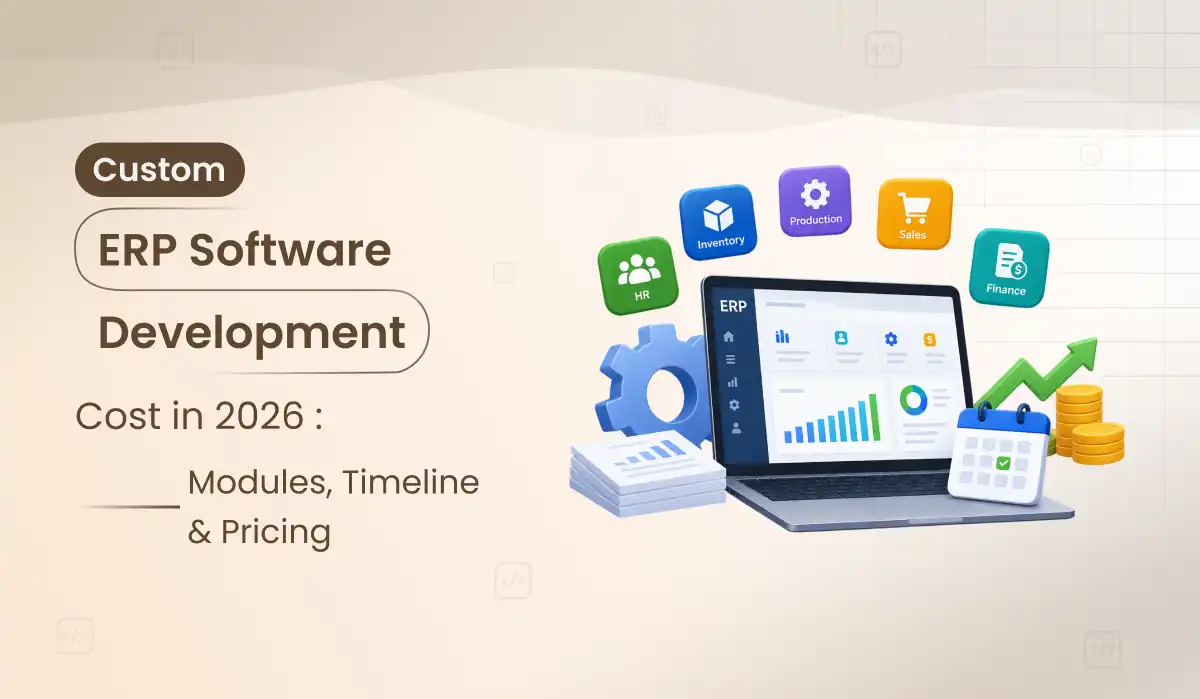
Custom ERP Software Development Cost in 2026: Modules, Timeline & Pricing
Date
29 Sep, 2026
Share:
Custom ERP software development can replace spreadsheets, disconnected tools and repetitive handoffs with one system built around how your company actually operates. But “ERP development cost” is not one number. Finance-only software and a multi-location ERP connecting sales, inventory, procurement, HR, reporting and external systems are completely different projects. This guide breaks down the budget in a way you can actually use before asking for a quote.
If you only need the short answer: a focused custom ERP MVP can reasonably start around $20,000–$40,000 at India development rates (ERP software development cost in India is often lower than US or EU rates), a mid-market ERP with several connected modules commonly falls around $40,000–$100,000, and complex enterprise ERP programs can move beyond $100,000–$250,000+. These are planning ranges, not fixed Primocys quotations. The final cost is driven by modules, workflows, integrations, data migration, permissions, reporting, compliance and rollout complexity.
The useful way to budget an ERP:
do not count screens first. Count business processes, user roles, approval rules, data sources, integrations and exceptions. Ten simple screens can cost less than one procurement workflow with multi-level approvals, inventory reservation, accounting entries and supplier synchronization.
How Much Does Custom ERP Software Cost in 2026?
The word “ERP” covers a huge range of software. A 25-person business may need sales, purchasing, inventory and basic finance in one application. A larger company may need multiple legal entities, warehouses, locations, departments, currencies, approval hierarchies, audit trails and integrations with accounting, eCommerce, logistics or manufacturing systems. For a small business, ERP software development cost usually starts with a focused MVP rather than a full suite.
ERP Scope
Best Fit
Illustrative 2026 Build Range
Typical Timeline
Focused ERP MVP
2–3 core modules, limited integrations, one primary business workflow
$20K–$40K
12–18 weeks
Mid-Market Custom ERP
4–7 connected modules, RBAC, dashboards, approvals, integrations and migration
$40K–$100K
5–9 months
Advanced / Enterprise ERP
Multi-company/location, complex workflows, deeper integrations, reporting, compliance and scale
$100K–$250K+
9–18+ months, phased
Illustrative planning ranges using India-based custom development economics. Actual scope, team composition, integrations, data quality and acceptance requirements determine the final quote.
Want your own number? Share your modules, users and integrations and we will map a realistic budget. Get your custom ERP estimate →
ERP Development Cost by Module
For ERP software development cost, modules are a better starting point than a single “ERP price,” but even module pricing depends on workflow depth. An inventory screen that stores stock quantity is not the same as inventory software with multiple warehouses, transfers, reservations, batches, serial numbers, reorder rules and valuation.
Module
What Usually Drives the Cost
Illustrative Range
Finance & Accounting
Chart of accounts, journals, AP/AR, tax, reconciliation, multi-currency, financial reports
Do not add these module ranges together and treat the result as a quote. Shared authentication, master data, design system, API infrastructure and common workflows can reduce duplication. On the other hand, complex integration and migration work can push the total above a simple module sum.
8 Factors That Affect Custom ERP Development Cost
ERP budgets grow with workflow depth, not screen count. These 8 factors show what drives ERP software development cost and where to save before you request a quote.
01
Number of Modules
More modules mean more data relationships, workflows, permissions and cross-module testing—not simply more navigation items.
02
Workflow Complexity
Multi-step approvals, exception handling, automated actions and department handoffs often cost more than the visible UI.
03
User Roles & Permissions
Admin, finance, sales, warehouse, manager, supplier and other roles may each require different data access and actions.
04
ERP Integration Cost
Accounting, payment, eCommerce, logistics, banking, CRM, HR or legacy APIs add mapping, error handling and testing. See our enterprise ERP and legacy integration work.
05
ERP Data Migration Cost
Moving years of inconsistent spreadsheet or legacy data can become a project of its own once mapping and validation begin.
06
Reporting
Operational dashboards are straightforward compared with cross-entity finance, audit and executive reporting requirements.
07
Mobile / Offline
Warehouse, field-sales or service teams may need mobile workflows, scanning, offline states and background synchronization.
08
Compliance & Audit
Audit history, retention, approvals, segregation of duties and industry controls affect both architecture and QA.
09
AI in ERP Development
AI can assist search, document processing, forecasting or workflow automation, but permissions and data quality matter more than adding a chatbot.
Custom ERP Development Timeline: How Long Does It Take?
Trying to launch every department at once is one of the easiest ways to make an ERP project slow and risky. A better plan is usually to establish shared master data and the most valuable operational workflow first, then roll out connected modules in controlled phases. That phasing is what keeps the custom ERP development timeline predictable.
Phase
Typical Work
Indicative Duration
Discovery & Process Mapping
Departments, current tools, roles, approvals, reports, integrations, pain points
2–5 weeks
UX + ERP Architecture
Information architecture, data model, permissions, workflow states, prototypes
3–6 weeks
Core Development
Shared platform + prioritized modules and APIs
8–24+ weeks
Integrations & Migration
External systems, import tooling, data mapping, validation
3–10+ weeks
UAT & Rollout
Real user scenarios, permission testing, training, staged go-live
2–6+ weeks
Custom ERP MVP Development: What to Include
An ERP MVP should not mean “a tiny version of every department.” It should solve one connected business loop well enough to replace the current manual process. For a distributor, that might be customer order → inventory → purchasing → fulfillment → invoice. For a service company, it might be lead → quote → project → resource/time tracking → invoice.
A sensible first release usually includes authentication, role-based permissions, shared master data, 2–3 core modules, dashboard/reporting essentials, import tools, notifications where useful, audit history for important actions, and the integrations required to complete the chosen workflow. Our EMR and telemedicine platform development project shows how a focused first release can connect patient records, appointments and staff management.
Planning your first ERP release? We can help you scope an MVP that proves one workflow before you invest in the full system. Talk to our ERP team →
Build vs Buy ERP: Custom ERP vs Odoo, NetSuite, SAP
Custom is not automatically the better answer. If your processes are standard and a mature ERP already covers them, buying and configuring existing software can be faster and lower risk. Custom development becomes more rational when your operating workflow is genuinely different, licensing grows expensive at your user count, multiple tools create constant manual work, or your competitive advantage depends on processes that packaged software handles poorly.
Choose Existing ERP When…
Your processes largely match standard accounting, inventory, HR or CRM workflows.
You need a proven system quickly and can adapt operations to the product.
Vendor integrations already cover your stack.
Per-user licensing remains economical.
Consider Custom ERP When…
Your core workflows are unique and require repeated workarounds in packaged software.
You need the software to adapt to an established, valuable operating model.
Legacy or industry-specific systems require custom integration and data behavior.
Long-term licensing/customization cost is becoming disproportionate to the value received.
The development quote is only part of the ERP budget. Real implementations also need clean data, user acceptance, change management and post-launch ownership. Ignoring these does not remove the cost—it usually moves it to the most stressful part of the rollout.
ERP COSTS BEYOND THE DEVELOPMENT QUOTE
Data cleanup and migration: duplicate customers, inconsistent SKUs and incomplete supplier records have to be resolved somewhere.
Third-party fees: cloud hosting, email/SMS, maps, payment providers, document services and external APIs may have recurring charges.
Training and process change: the system only creates value when teams use the new workflow correctly.
Reporting iteration: management often discovers the reports it truly needs after real data begins moving through the new ERP.
Maintenance: dependencies, security, infrastructure and integrations continue changing after launch.
Future modules: a good ERP architecture should make later modules easier, but later modules still require product and engineering work.
How AI Changes ERP Development Cost in 2026
AI can be useful inside an ERP, but it should be attached to a real operational problem. Examples include natural-language search across permitted records, extracting structured data from documents, summarizing account or supplier activity, suggesting next actions, anomaly detection, forecasting, or an agent that performs approved actions through ERP APIs.
The expensive part is often not calling an LLM. It is creating reliable APIs, permissions, retrieval, approval steps, audit logs and evaluation around the action. A legacy ERP with weak APIs may need a middleware layer before an AI agent can safely interact with it.
For most businesses, maintainability matters more than choosing the most fashionable architecture. A well-structured modular backend can be easier to operate than premature microservices. Modules should have clear responsibilities while sharing controlled identity, permissions, master data and audit infrastructure.
A modern ERP may use a web frontend such as React/Next.js, APIs built with Node.js, Python, Java or another suitable backend, a relational database such as PostgreSQL, object storage for documents, queues/background jobs for asynchronous work, and cloud infrastructure on AWS, Azure or GCP. The correct choice depends on the existing environment, team and integration requirements—not a fixed “ERP stack.”
What to Prepare Before Requesting an ERP Quote
You will get a much more useful estimate if you share the business process rather than a list that simply says “CRM + inventory + accounting.” A development team needs to understand what happens between those modules.
BRING THESE SEVEN THINGS:
Departments and user roles that will use the ERP.
Your current workflow from start to finish.
Existing software and spreadsheets that will be replaced or retained.
Required integrations and available API documentation.
Data that must be migrated and approximate record volume.
Reports, approvals and audit requirements that are business-critical.
The first workflow/module that would create measurable value if launched.
Primocys: Custom ERP Development Company
Primocys is a custom ERP development company that builds ERP systems, custom software, SaaS products and operational platforms around business-specific workflows. For an ERP engagement, the useful starting point is not choosing a template—it is mapping processes, data, permissions and integration boundaries before deciding how much software actually needs to be custom.
If part of your requirement is primarily customer/sales management, review our Custom CRM Development capability. If the ERP will be delivered as a multi-tenant subscription product, our SaaS Development experience is also relevant. For large organisations needing SSO, compliance and legacy integration, see our enterprise software development company page.
Get a Project-Specific Custom ERP Estimate
Send us your modules, user roles, current tools, approval workflows, integrations and migration requirements. We’ll review your scope and help separate what belongs in the first release from what can wait for later phases.
Conclusion: Budget Your Custom ERP Around Workflows
Custom ERP software development cost is driven by workflows, roles, integrations and data migration, not by screen count. A focused MVP can start around $20,000–$40,000, while mid-market and enterprise ERP programs grow with scope. The safest path is to launch one high-value workflow first, then add modules in phases.
If you want a number based on your own processes instead of a generic range, share your requirements and the Primocys team will help you scope, phase and price your custom ERP.
Custom ERP Development Cost FAQs
How much does custom ERP software development cost in 2026?
As an illustrative planning range, a focused ERP MVP can start around $20,000–$40,000 at India development rates. A mid-market ERP with several connected modules, permissions, reporting, integrations and migration may range around $40,000–$100,000. Advanced enterprise ERP programs can exceed $100,000–$250,000. Actual pricing depends on scope and should be estimated from workflows rather than module names alone.
What is the biggest factor affecting ERP development cost?
Workflow complexity is often more important than screen count. Roles, approvals, exceptions, integrations, data migration and cross-module rules create much of the engineering and QA effort.
How long does custom ERP development take?
A focused first release may take roughly 12–18 weeks. A multi-module mid-market ERP commonly requires several months, while enterprise ERP programs are usually delivered in phases over 9–18 months or longer.
Is custom ERP cheaper than SAP, NetSuite, Dynamics or Odoo?
Not automatically. Packaged ERP can be the better economic choice when your processes are standard and licensing is reasonable. Custom ERP becomes more attractive when workflows are highly specific, integration/customization requirements are extensive, or long-term licensing and operational workarounds outweigh the cost of owning a tailored system.
Which ERP module should we build first?
Start with the connected workflow causing the greatest operational friction or business impact. For some companies that is order-to-cash; for others it is inventory/procurement, project delivery or a finance workflow. The first release should prove one valuable operating loop rather than provide shallow versions of every module.
Does ERP development cost include data migration?
It should be explicitly scoped. Migration effort depends on source systems, record volume, data quality, transformation rules, attachments and validation. Never assume a large legacy migration is included simply because the new ERP contains the same fields.
Can AI be added to a custom ERP?
Yes. Useful applications include document extraction, natural-language search, summaries, forecasting, anomaly detection and approved workflow actions. AI cost depends heavily on API readiness, data quality, permissions, retrieval, auditability and the level of automation.
Can Primocys take over an existing ERP project?
Yes, subject to technical review. A takeover should begin with the codebase, architecture, database, deployment, integrations, current issues and roadmap so the team can determine what should be preserved, refactored or replaced.
How much does it cost to build ERP software for a small business?
A small business usually begins with a focused ERP MVP covering two or three core modules, roughly $20,000–$40,000 as an illustrative range. Keeping the first release to one connected workflow is the most reliable way to control cost.
What is the custom ERP software development cost in India?
The ranges on this page use India-based development rates. Equivalent scope with US or EU teams is often priced higher, but the final quote still depends on modules, integrations, migration and compliance.
Ready to Plan Your Custom ERP?
Share your requirements, existing ERP, Figma, or spreadsheets. We’ll review your workflow, identify the right scope, and help plan your custom ERP development.
Arpan leads product and engineering at Primocys, a Top-Rated Clutch app development company based in Ahmedabad, India. With over 10+ years of experience, he has successfully delivered real-time communication platforms for 1,200+ clients worldwide.
He is directly involved in overseeing the development of chat and messaging applications, ensuring high performance, scalability, and seamless user experience in every project.
📧 Email: [email protected]
📱 WhatsApp: Chat on WhatsApp
Trusted by Global Businesses for AI, Mobile, SaaS & Custom Software Development. Your Vision, Our Expertise.Trusted by Global Businesses for AI, Mobile, SaaS & Custom Software Development. Your Vision, Our Expertise.Trusted by Global Businesses for AI, Mobile, SaaS & Custom Software Development. Your Vision, Our Expertise.Trusted by Global Businesses for AI, Mobile, SaaS & Custom Software Development. Your Vision, Our Expertise.Trusted by Global Businesses for AI, Mobile, SaaS & Custom Software Development. Your Vision, Our Expertise.Trusted by Global Businesses for AI, Mobile, SaaS & Custom Software Development. Your Vision, Our Expertise.
Hear from our clients and why 1200+ businesses trust Primocys
"Our B2B and B2C platform helps Nigerian manufacturers sell at wholesale
prices and suppliers offer competitive retail pricing, with a strong focus on Made in Africa products
and easy local and international distribution.
The app has received excellent user reviews for its design and unique features. Communication with the
Primocys team was smooth in an agile setup, even beyond office hours when needed. Their mobile app
development expertise is excellent—highly professional and reliable."
Adegbuyi OduguwaCEO & Co-Founder
"The dating app was delivered successfully and approved by both Apple App
Store and Google Play. Our users are highly impressed with the design, UI, and overall functionality.
The project was well planned with clear milestones, and all modules were delivered on time.
The team is talented, patient, and flexible, accommodating multiple scope revisions as requirements
evolved. Their 24/7 development and support availability made the entire process smooth and reliable."
Revanth KExecutive
" We hired Primocys to develop a highly complex and specialized mobile
application, and they delivered outstanding results. The app includes advanced features such as
timeline mixers, classifieds, payments, advertisements, GPS functionality, and more. Their technical
skills, timely delivery, availability, and the personal attention Arpan Sagar brings to each project
truly stand out. The team stays focused and committed from start to finish—an excellent experience
overall."
Gregor Skerl Founder PROHUNTER
" Great team with excellent communication and a strong commitment to on-time
delivery. They developed a fully customized mobile app for both Android and iOS, perfectly matching
our requirements. The entire process was smooth and professional, with clear updates at every stage.
They are reliable, skilled, and very easy to work with. We’re continuing our partnership on more
projects, and choosing them has been one of the best business decisions I’ve made."